
Excel 2016 Advanced Quick Reference - CustomGuide
Excel 2016 Advanced Quick Reference Guide PivotTable Elements PivotTables Create a PivotTable: Select the data range to be used by the PivotTable. Click the Insert tab on the ribbon and click the PivotTable button in the Tables group. Verify the range and then click OK. Add Multiple PivotTable Fields: Click a field in the
Download Excel 2016 Advanced Quick Reference - CustomGuide

Information
Domain:
Source:
Link to this page:
Documents from same domain

Microsoft PowerPoint 2013 - CustomGuide
www.customguide.comMicrosoft® PowerPoint 2013 Quick Reference Card The PowerPoint 2013 Screen Keyboard Shortcuts The Fundamentals To Create a New Presentation: Click the File tab, click New.

Word 2013 Quick Reference - SharePoint Training
www.customguide.comMicrosoftWord 2013 ® Quick Reference Card The Word 2013 Screen Keyboard Shortcuts General Open a Document Ctrl + O Create New Ctrl + N …

Quick Reference Card Visit: qr.customguide
www.customguide.comMicrosoftWord 2016 ® Quick Reference Card The Word 2016 Screen Keyboard Shortcuts General Open a Document Ctrl + O Create New Ctrl + N …

Windows 10 Quick Reference - CustomGuide
www.customguide.comMicrosoft® Windows 10 Quick Reference Card Start Menu Keyboard shortcuts Basic Commands Start Menu Copy a Folder/File Ctrl + C Cut a Folder/File Ctrl + X

Your Organization’s Name Here - SharePoint Training
www.customguide.com©CustomGuide 2015 3 Table of Contents Table of Contents ..... 3

Project 2013 Quick Reference - CustomGuide
www.customguide.comMicrosoft® Project 2013 Quick Reference Card Project 2013 Screen Common Views To Display a View: Select the View tab and choose from the Task Views available.

Windows 8 Quick Reference - CustomGuide
www.customguide.comicrosof inos uic eference Car For Personal Use Only ustomuide Contact Us at info@customguide.com for organizational use. Free Quick References! Visit: qr.customguide.com The Start Screen

Word 2007 Quick Reference - SharePoint Training
www.customguide.comMicrosoft® Word 2007 Quick Reference Card Word 2007 Screen [Grab your reader’s attention with a great quote from the Shortcuts The Fundamentals Open a Document …

uic eference Car Free Quick References! - …
www.customguide.comicrosof nc uic eference Car For Personal Use Only ustomuide Contact Us at info@customguide.com for organizational use. Free Quick References! Visit: qr.customguide.com The Lync 2013 Window

Excel 2013 Quick Reference - CustomGuide
www.customguide.comMicrosoftExcel 2013 ® Quick Reference Card The Excel 2013 Screen Keyboard Shortcuts Close button General Open a Workbook Ctrl + O Create New Ctrl + N
Related documents

Advanced Find and Replace in Microsoft Word
accessinghigherground.orgMicrosoft Word’s advanced search features are extremely powerful, but they’re also virtually undocumented. Most explanations of their use have been limited to a simple table of various wildcards. I wrote these articles to remedy that situation.

Advanced Article Usage in English - John Richard Allison ...
allisonlibrary.regent-college.eduFeb 28, 2020 · Advanced Article Usage in English A useful set of rules for using articles You can determine which article to place in front of almost any noun by answering the following three questions: Is the noun countable or uncountable? Is it singular or plural? Is it definite or indefinite? 1. A noun is countable if you can have more than one instance of it.
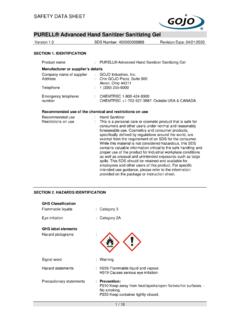
PURELL® Advanced Hand Sanitizer Sanitizing Gel
content.oppictures.comPURELL® Advanced Hand Sanitizer Sanitizing Gel Version 1.0 SDS Number: 400000005869 Revision Date: 04/21/2020 2 / 10 P240 Ground/bond container and receiving equipment. P241 Use explosion-proof electrical/ ventilating/ lighting/ equipment. P242 Use only non-sparking tools. P243 Take precautionary measures against static discharge.
Appropriate Use Criteria for Advanced Diagnostic Imaging
www.cms.govAppropriate Use Criteria for Advanced Diagnostic Imaging MLN Fact heet Page 6 of 8 ICN 909377 December 2018 Claims from the professional and facility for advanced diagnostic imaging services furnished in these settings . and paid by CMS using one of the following payment systems will be required to append AUC consultation information.

Excel 2019 Advanced Quick Reference - CustomGuide
www.customguide.comExcel 2019 Advanced Quick Reference Guide PivotTable PivotTableElements PivotTables Create a PivotTable: Select the data range to be used by the PivotTable. Click the Insert tab on the ribbon and click the PivotTable button in the Tables group. Verify the range and then click OK. Add Multiple PivotTable Fields: Click a field in the
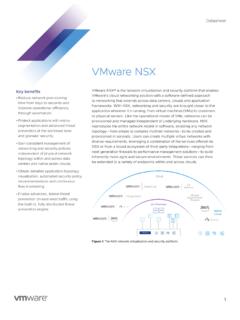
VMware NSX Datasheet
www.vmware.comAdvanced For organizations that need Professional edition capabilities plus advanced networking and security services and integration with a broad ecosystem, and may have multiple sites. Enterprise Plus For organizations that need the most advanced capabilities NSX has to …