
Excel 2019 Basic Quick Reference - CustomGuide
button, and select the window you want to make active. Freeze Panes: Activate the cell where you want to freeze the window, click the View tab on the ribbon, click the Freeze Panes button in the Window group, and select an option from the list. Select a Print Area: Select the cell range you want to print, click the Page Layout tab on the
Download Excel 2019 Basic Quick Reference - CustomGuide

Information
Domain:
Source:
Link to this page:
Documents from same domain

Microsoft PowerPoint 2013 - CustomGuide
www.customguide.comMicrosoft® PowerPoint 2013 Quick Reference Card The PowerPoint 2013 Screen Keyboard Shortcuts The Fundamentals To Create a New Presentation: Click the File tab, click New.

Word 2013 Quick Reference - SharePoint Training
www.customguide.comMicrosoftWord 2013 ® Quick Reference Card The Word 2013 Screen Keyboard Shortcuts General Open a Document Ctrl + O Create New Ctrl + N …

Quick Reference Card Visit: qr.customguide
www.customguide.comMicrosoftWord 2016 ® Quick Reference Card The Word 2016 Screen Keyboard Shortcuts General Open a Document Ctrl + O Create New Ctrl + N …

Windows 10 Quick Reference - CustomGuide
www.customguide.comMicrosoft® Windows 10 Quick Reference Card Start Menu Keyboard shortcuts Basic Commands Start Menu Copy a Folder/File Ctrl + C Cut a Folder/File Ctrl + X

Your Organization’s Name Here - SharePoint Training
www.customguide.com©CustomGuide 2015 3 Table of Contents Table of Contents ..... 3

Project 2013 Quick Reference - CustomGuide
www.customguide.comMicrosoft® Project 2013 Quick Reference Card Project 2013 Screen Common Views To Display a View: Select the View tab and choose from the Task Views available.

Windows 8 Quick Reference - CustomGuide
www.customguide.comicrosof inos uic eference Car For Personal Use Only ustomuide Contact Us at info@customguide.com for organizational use. Free Quick References! Visit: qr.customguide.com The Start Screen

Word 2007 Quick Reference - SharePoint Training
www.customguide.comMicrosoft® Word 2007 Quick Reference Card Word 2007 Screen [Grab your reader’s attention with a great quote from the Shortcuts The Fundamentals Open a Document …

uic eference Car Free Quick References! - …
www.customguide.comicrosof nc uic eference Car For Personal Use Only ustomuide Contact Us at info@customguide.com for organizational use. Free Quick References! Visit: qr.customguide.com The Lync 2013 Window

Excel 2013 Quick Reference - CustomGuide
www.customguide.comMicrosoftExcel 2013 ® Quick Reference Card The Excel 2013 Screen Keyboard Shortcuts Close button General Open a Workbook Ctrl + O Create New Ctrl + N
Related documents
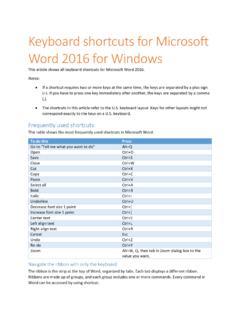
Keyboard shortcuts for Microsoft Word 2016 for Windows
www.ucdc.eduClose the Reviewing Pane if it is open. Alt+Shift+C Select Review tab on ribbon. Alt+R, then Down Arrow to move to commands on this tab. Select Spelling & Grammar Alt+R, S Find, replace, and go to specific items in the document To do this Press Open the search box in the Navigation task pane. Ctrl+F Replace text, specific formatting, and special
SafeNet Authentication Client User’s Guide
www.globalsign.comOct 04, 2011 · The left pane indicates which token (Simple view) or which object (Advanced view) is to be managed. The right pane enables the user to perform specific actions to the selected token or object. A toolbar at the top of the window enables certain actions to be initiated in …

INSTALLATION GUIDE - Nvidia
www.nvidia.comreplace it with the GeForce GTX 760 graphics card. If you do not have a graphics card, this means that your motherboard has on-board graphics (there is a graphics chip installed on your motherboard or integrated in the motherboard chipset). If this is the case, there is no action that needs to be taken before installing your new graphics card.
MICROSOFT ACCESS 2019 Tutorial and Lab Manual
mgt2.buffalo.eduReplace window in order to find your record. 12. Click the Add Record button and add the following data. Student Name: Duffield, John Person Number: 9999-8888 Phone Number: (555) 867-5309 Email: jduffield@email.com Date of Birth: 8/20/1994 Class: FR Major: MG Second Major: CS Grade: B Performance: Satisfactory 13. Click the Close button on the ...
Microsoft Word for Beginners - media.news.health.ufl.edu
media.news.health.ufl.eduMay 21, 2018 · ribbon at the top of the window, Word will scroll through the different tabs. When your mouse is hovering over the document, it will scroll through the pages. ... Ctrl‐F ‐ Open Navigation Pane (find) ... Ctrl‐H ‐ Replace ...

Packet Tracer Create a Simple Network Using Packet Tracer
contenthub.netacad.comand dragging it to the MODULES pane on the left of the Laptop window. Then install the Wireless WPC300N module by clicking on it in the MODULES pane and dragging it to the empty module port on the side of the laptop. Power the laptop back …

Huawei OptiXstar HG8145X6 GPON Terminal Quick Start
www.3bb.co.thStep 5 In the pane, select the Enable WLAN (2.4 GHz or 5 GHz) option box. In the dialog box that is displayed, set the basic Wi-Fi parameters, including the SSID, authentication mode, and encryption mode. -SSID: SSID indicates the name of a wireless network searched by the Wi-Fi terminal (see the device

Microsoft Word 2019 - pearsoncmg.com
ptgmedia.pearsoncmg.comstorage in a retrieval system, or transmission in any form or by any means, electronic, mechanical, photocopying, recording, or likewise. For information
Downloading and Using the NIST Time Program
tf.nist.govOn the left pane, navigate to the C:\“NIST TIME” folder (or to wherever the NISTIME program is on your hard disk). Either double-click on the NISTIME icon in the right pane, or single-click on the NISTIME icon and then choose the Open command in the File menu. If all goes well, NISTIME will open up and display a window similar to this one: