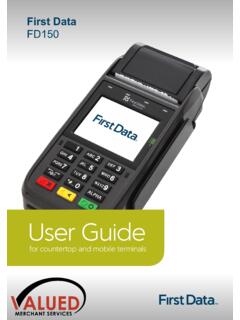
First Data FD150 - Valued Merchant Services
Turn your mobile EFTPOS terminal off before replacing the SIM card. There are four SIM slots on the left side of the device. Insert the SIM card in the appropriate slot. Make sure the SIM card is inserted in the correct direction, as shown. 17 Get to know your terminal WiFi Settings
Download First Data FD150 - Valued Merchant Services

Information
Domain:
Source:
Link to this page:
Related documents
Payment, clearing and settlement systems in South Africa ...
www.bis.orgEFTPOS electronic funds transfer at the point of sale ... SST self-service terminal SWIFT Society for Worldwide Interbank Financial Telecommunication ZAR South African rand . South Africa ... notably innovations such as mobile banking and electronic money, are also carefully monitored. Oversight thus keeps track of both

Essential lite- Merchant Operator Guide - CommBank
www.commbank.com.auTerminal Power Setting – Sleep and Shutdown mode By default the terminal is configured to sleep or shut down after 15min of idle time. The idle time can be amended by contacting the CommBank 24Hr Merchant Helpdesk on 1800 230 177. In sleep mode, the terminal screen will turn off but the terminal can still perform auto settlement and TMS logon.
NAB EFTPOS MOBILE TERMINAL GUIDE
www.nab.com.auThe NAB EFTPOS Mobile terminal comes ready with the capability to accept Contactless credit card payments, commonly referred to as ‘tap and go’. Your customer’s chip card must have the following symbol in order to use the Contactless feature.
NAB EFTPOS MOBILE TERMINAL GUIDE
www.nab.com.au8 NAB EFTPOS Mobile Terminal Guide – Version 0.7 The NAB EFTPOS Mobile terminal comes ready with the capability to accept Contactless credit card payments, commonly referred to as ‘tap and go’. Your customer’s chip card must have the following symbol in order to use the Contactless feature.

Your guide to merchant fees and charges
www.westpac.com.auCharges of up to $550 for EFTPOS and Mobile EFTPOS facilities and up to $200 for EFTPOS Contactless Readers apply. Please note that the terminals supplied to you remain the property of the relevant terminal supplier. To request hardware returns, call Helpdesk on 1800 029 749 24 hours a day, 7 days a week. Establishment Fee (Set Up Fee).
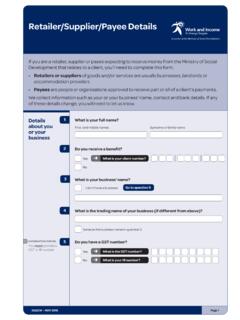
Retailer/Supplier/Payee Details form
www.workandincome.govt.nzof the terminal ID from your merchant logon receipt) Paymark What is your Merchant ID Number? (the first six digits of ... Mobile phone number ( ) Email address ... making a decision about this registration (eg, contacting the EFTPOS provider to verify our Merchant ID, or the Ministry ...