
For Desktop Computer Users
Easy Ergonomics for Desktop Computer Users was developed and prepared for publication by ... You can also use this booklet as a training tool. Talk about these guidelines in your safety meetings ... Left-handed workstation Right-handed workstation TAKE A LOOK 3 Take a Look As you read this booklet, sit at your computer and take a good look at ...
Download For Desktop Computer Users

Information
Domain:
Source:
Link to this page:
Documents from same domain
DIVISION OF LABOR STANDARDS ENFORCEMENT
www.dir.ca.gov1.1 This Public Works Manual is designed as a training tool for the Division of Labor Standards Enforcement (“DLSE” or “Division”) staff to better understand the

Division of Workers’ Compensation
www.dir.ca.govEmployers must have workers’ compensation insurance California law requires employers to have workers' compensation insurance, …
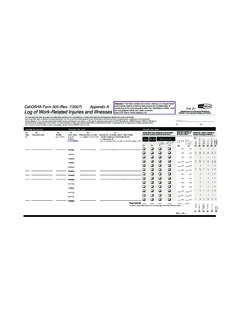
Cal/OSHA Form 300-Log of Work-Related Injuries …
www.dir.ca.govDepartment of Industrial Relations Division of Occupational Safety and Health Cal/OSHA Form 300 (Rev. 7/2007) Appendix A Year 20__ __ Log of Work-Related Injuries and Illnesses
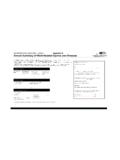
Cal/OSHA Form 300A-Annual Summary of Work …
www.dir.ca.govDepartment of Indus rial Relationst Division of Occupational Safety & Health Cal/OSHA Form 300A (Rev. 7/2007) Appendix B Year 20 __ Annual Summary of Work-Related Injuries and Illnesses
Workers’ Compensation Claim Form (DWC 1) & …
www.dir.ca.govRev. 1/1/2016 Page 2 of 3 your employer or the claims administrator has not created or selected an MPN. Disclosure of Medical Records: After you make a claim for workers'
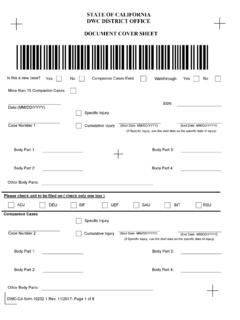
STATE OF CALIFORNIA DWC DISTRICT OFFICE …
www.dir.ca.govSTATE OF CALIFORNIA DWC DISTRICT OFFICE DOCUMENT COVER SHEET Please check unit to be filed on ( check only one box ) Is this a new case? Companion Cases
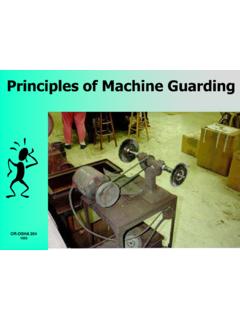
Principles of Machine Guarding
www.dir.ca.govPart One: The Principles The purpose of machine guarding is to protect against and prevent injury from.... Points of operation
DEPARTMENT OF INDUSTRIAL RELATIONS …
www.dir.ca.govSTATE OF CALIFORNIA Edmund G. Brown Jr., Governor DEPARTMENT OF INDUSTRIAL RELATIONS
California Prevailing Wage Laws - California …
www.dir.ca.govCalifornia Prevailing Wage Laws. iii . Title 2. Government of the State of California Division 3. Executive Department Part 10b. State Building Construction Chapter 3.14.
EMPLOYEE EMPLOYER - California Department of …
www.dir.ca.govDLSE-NTE (rev 9/2014) NOTICE TO EMPLOYEE Labor Code section 2810.5
Related documents

Ergonomic Analysis Workbook - MAHCP
mahcp.orgErgonomic Analysis Workbook. Table of Contents ... other covers computer/workstation ergonomics. These are interactive programs, which include knowledge tests. ... Provide one-on-one training to individuals on reducing risk factors directly under their control. Tools
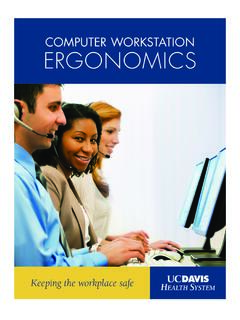
COMPUTER WORKSTATION ERGONOMICS - Systematix
systematix.orgCommon Computer Workstation and . Work Habit Recommendations . Avoid Awkward Neck Positions . A. Avoid trapping the phone between your ear and shoulder.

Ergonomic Guidelines for UCSD
www-ehs.ucsd.eduWorkstation, or attend a training session on ergonomics (see Resources, Appendix F). Evaluations for Computer Users The department is responsible for providing initial assessments.
Ergonomic Evaluation Procedures - Stanford University
www-group.slac.stanford.eduWorker and supervisor discuss results of ESH Course 291 workstation self- assessment and implement identified workstation corrective actions When warranted or desired, requests ergonomic evaluation by calling OHC at ext.
Computer Workstation DIRECTIVE Ergonomics
www.doccs.ny.govtraining, workstation design, proper illumination, control of glare and reflections, equipment set up, and ... A. Workstation Assessment Guidelines ... Guidelines for agencies have been developed from national standards for computer workstation design and setup. More details of …
Display Screen Equipment/Workstation Risk Assessment
www.docs.csg.ed.ac.ukDisplay Screen Equipment/Workstation Risk Assessment: Introduction The following checklist is designed to allow an assessment of individual Display Screen Equipment (DSE) workstations to be carried out, in terms of ... for example by giving users health & safety training, and providing for breaks or changes of activity. Advice on these is given ...

Risk Assessment Form for Individual Computer Work Station
www.hsa.ieRisk Assessment Worksheet (Blank) Name of the Employee Date Employee Job Description (Key Work Tasks) Name of the Assessor No Risk Assessment Form for Individual Computer Work Station Assessment (Tick as Appropriate ) and clearly formed (adequate size/ ... Workstation provides space for user to change position and vary movements Yes No
Display screen equipment (DSE) workstation checklist
www.hse.gov.ukHealth and Safety Executive Page 1 of 10 Display screen equipment (DSE) workstation checklist This is a web-friendly version of Display screen equipment (DSE)
Working with display screen equipment (DSE)
www.hse.gov.ukHealth and Safety Working with display screen equipment (DSE) Page 3 of 6 Adjust curtains or blinds to prevent intrusive light. Make sure there is space under the desk to move legs. Avoid excess pressure from the edge of seats on the backs of legs and knees. A …
Computer Workstation Assessment Training
www.worksafesask.caComputer Workstation Assessment Training Prevention Department Saskatchewan Workers’ Compensation Board. OH&S Division. Labour Relations and Workplace Safety
Related search queries
Ergonomic Analysis Workbook, Computer, Workstation, Training, Computer workstation, Ergonomic Evaluation Procedures, Assessment, Computer Workstation DIRECTIVE Ergonomics, Workstation Assessment, Display Screen Equipment, Risk Assessment, Computer Work Station, Computer Work Station Assessment, Workstation checklist, Working with, Computer Workstation Assessment Training