
Galaxy Configuration guide
REQUIREMENTS & CAUTIONS 1. Supports iClass®, MIFARE®, MIFARE® Plus, DESFire®, multifactor, and fingerprint minutia data 2. Input power is rated at +12V / 1A (according to the markings on the reader – i.e. orange warning sticker). 3. The Sagem install guide recommends using 20‐24 AWG non‐stranded wiring for the data and power input.
Download Galaxy Configuration guide

Information
Domain:
Source:
Link to this page:
Documents from same domain
System Galaxy Quick Guide - galaxysys.com
www.galaxysys.comSystem Galaxy Quick Guide Otis Compass Elevator System Released with SG 10.1 MARCH 2012 Page 1 of 55 System Galaxy Quick Guide . CONFIGURATION AND OPERATION. OTIS …
Related documents

ISO Standards, iCLASS Compatibility and Market Position
rfip.euwwwhidcorpcom 3 2006 HID Corporation. All rights reserved. iCLASS Compatibility Chart Card Compatibility R10, R30, R40, RK40 RW300, RW400, RWK400, RWKL550, RWKB575 ...

ICLASS ASABE Spray Technology and Horticulture Tour
www.asabemeetings.orgICLASS ASABE Spray Technology and Horticulture Tour Thursday, July 26 thru Saturday, July 28 Sponsored by WinField United and MS 23/6 International Congress of Liquid Atomization Spray Systems (ICLASS) ends on Thursday, July 26 in

Controlsoft
www.controlsoft.comControlsoft. Controlsoft have over 25 years’ experience in the development, manufacture and distribution of Access Control Solutions. We are experts in our industry sector and offer a comprehensive range of access control solutions that are not only price competitive

HID Global Asure ID 7.0 Software Application User Guide ...
www.identiphoto.netAsure ID 7.0 Software User Guide (L001235 Rev. 1.5) HID Global Asure ID 7.0 ® Software Application User Guide (Rev. 1.5)
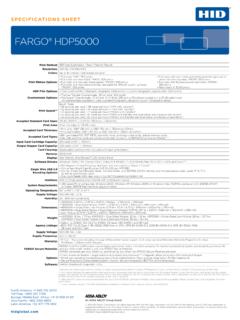
FARGO® HDP5000 - INCODE CORP.
www.incodenet.comSPECIFICATIONS SHEET FARGO® HDP5000 Print Method: HDP Dye-Sublimation / Resin Thermal Transfer Resolution: 300 dpi (11.8 dots/mm) Colors: Up to 16.7 million / 256 shades per pixel Print Ribbon Options: • Full-color, YMC*, 750 prints • Full-color with resin black, YMCK*, 500 prints

Matrix COSEC - matrixsecusol.com
www.matrixsecusol.comCustomer Case:3 An organization needs HID Proximity card based access control solution for their 20 doors and 750 users. They want to use exit switch in exit.

Product Catalogue SmartIntego
www.smartintego.comProduct Catalogue SmartIntego The perfect solution for integrated access control Valid from 1st of November 2016