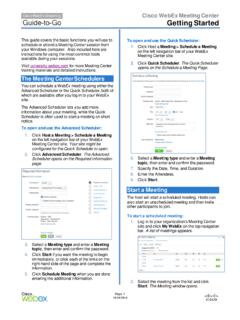
Getting Started - Cisco Webex
Laser Pointer. Use the text tool to add text. After typing, click to display the text to participants. Change the color by selecting from the color palette. ... The icon turns green, and your video feed appears at the top of the Participants panel. Click the camera icon again to stop your video.
Download Getting Started - Cisco Webex

Information
Domain:
Source:
Link to this page:
Documents from same domain
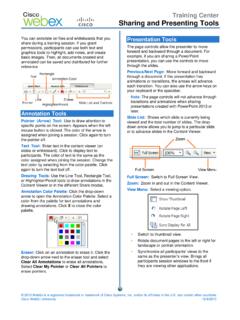
Sharing and Presenting Tools - Cisco Webex
www.webex.comtext color by selecting from the color palette. Click again to turn the text tool off. Drawing Tools: Use the Line Tool, Rectangle Tool, or Highlighter/Pencil tools to draw annotations in the Content Viewer or in the different Share modes. Annotation Color Palette: Click the drop-down arrow to open the Annotation Color Palette. Select a

Getting started with Webex Meetings.
www.webex.comRemember to take chargers for laptops or other equipment you need from your office. Make sure your computer and apps are up to date. Double check your home internet connection and update your VPN. Dedicate a workspace in your home that’s ergonomic, comfortable, and productive.

Datsheet Webex Desk Hub
www.webex.comexperiences to deliver a modernized, clutter-free safe environment for the hybrid worker. experiences designed for Hot Desking, Hoteling, and advanced Collaboration. The Desk Hub will sit within the single portfolio for Webex Collaboration devices and be a bridge between video phones and our integrated video endpoints like the Webex Desk or

Cisco Webex Training Solution Overview
www.webex.comCisco Webex Assist producers will make sure your training session starts and runs smoothly. Take advantage of robust, media-rich Webex technology, session features like polling, chat, and surveys, work with a producer to prepare a session, and plan and practice a dry run.

AccessRestrictionstoCiscoWebexToll-FreeNumbers
www.webex.comAccessRestrictionstoCiscoWebexToll-FreeNumbers FirstPublished:2017-06-08 LastModified:2018-06-19 AmericasHeadquarters CiscoSystems,Inc. …
CISCO WEBEX VS. MICROSOFT TEAMS
www.webex.comAfter carefully reviewing Cisco Webex and Microsoft Teams, ZK Research found that Teams pales in comparison to Webex with regard to the breadth and depth of capabilities, particularly in the areas noted earlier—even though Teams is a viable product and …

Collaboration device x i r m t ucadro pt
www.webex.comCisco Webex: HTTP, REST APIs VCS: H.323 and SIP CUCM: SIP Cisco Webex: HTTP, REST APIs VCS: H.323 and SIP CUCM: SIP Cisco Webex: HTTP, REST APIs Peripherals Supported Cisco Webex Pen G2 Cisco Touch 10 Cisco Touch 10 Cisco Touch 10 Bandwidth Consumption H.264: from 768 kbps to 6000 kbps Minimum bandwidth: • 720p30 from 768 kbps • 1080p30 ...
Related documents

Writing Excellent Research Proposals
www.acs.org6 American Chemical Society Petroleum Research Fund Proposal Writing Rule #3 Write with confidence, but not with disregard for other ideas. Your writing should convey the attitude that: • You have identified an important problem.

Key Points - BAUS
www.baus.org.uk• Other surgical procedures – including holmium laser enucleation of the prostate (HoLEP), green-light laser prostatectomy or “open” surgery. Newer, minimally-invasive surgical alternatives, now increasingly available to patients, include prostate artery embolisation (PAE), Rezūm steam therapy and Urolift

User s Manual of Laser Engraving Cutting Software RDWorksV8
www.thunderlaser.comRun Setup. Select “AutoCad Laser” as The “Type”, and then click 【Install】. Setup will automatically install the RDCAM plug-in software to all versions of AutoCad that were installed on the operating system and pop-up dialog box. For some vesions of AutoCad(such as green version) may not navigate to the locate where