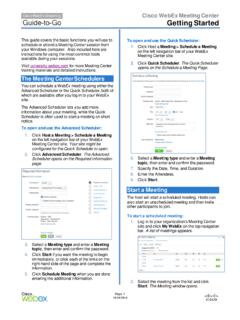
Getting Started - Cisco Webex
Advanced Scheduler or the Q uick Scheduler , both of which are available after you log in to your WebEx site. The Advanced Scheduler lets you add more information about your meeting, while the Quick Scheduler is often used to start a meeting on short notice. To o pen and use the Advanced Scheduler: 1. Click Host a Meeting > Schedule a Meeting
Download Getting Started - Cisco Webex

Information
Domain:
Source:
Link to this page:
Documents from same domain
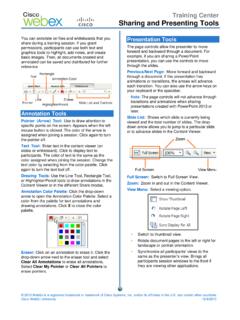
Sharing and Presenting Tools - Cisco Webex
www.webex.comtext color by selecting from the color palette. Click again to turn the text tool off. Drawing Tools: Use the Line Tool, Rectangle Tool, or Highlighter/Pencil tools to draw annotations in the Content Viewer or in the different Share modes. Annotation Color Palette: Click the drop-down arrow to open the Annotation Color Palette. Select a

Getting started with Webex Meetings.
www.webex.comRemember to take chargers for laptops or other equipment you need from your office. Make sure your computer and apps are up to date. Double check your home internet connection and update your VPN. Dedicate a workspace in your home that’s ergonomic, comfortable, and productive.

Datsheet Webex Desk Hub
www.webex.comexperiences to deliver a modernized, clutter-free safe environment for the hybrid worker. experiences designed for Hot Desking, Hoteling, and advanced Collaboration. The Desk Hub will sit within the single portfolio for Webex Collaboration devices and be a bridge between video phones and our integrated video endpoints like the Webex Desk or

Cisco Webex Training Solution Overview
www.webex.comCisco Webex Assist producers will make sure your training session starts and runs smoothly. Take advantage of robust, media-rich Webex technology, session features like polling, chat, and surveys, work with a producer to prepare a session, and plan and practice a dry run.
AccessRestrictionstoCiscoWebexToll-FreeNumbers
www.webex.comAccessRestrictionstoCiscoWebexToll-FreeNumbers FirstPublished:2017-06-08 LastModified:2018-06-19 AmericasHeadquarters CiscoSystems,Inc. …
CISCO WEBEX VS. MICROSOFT TEAMS
www.webex.comAfter carefully reviewing Cisco Webex and Microsoft Teams, ZK Research found that Teams pales in comparison to Webex with regard to the breadth and depth of capabilities, particularly in the areas noted earlier—even though Teams is a viable product and …

Collaboration device x i r m t ucadro pt
www.webex.comCisco Webex: HTTP, REST APIs VCS: H.323 and SIP CUCM: SIP Cisco Webex: HTTP, REST APIs VCS: H.323 and SIP CUCM: SIP Cisco Webex: HTTP, REST APIs Peripherals Supported Cisco Webex Pen G2 Cisco Touch 10 Cisco Touch 10 Cisco Touch 10 Bandwidth Consumption H.264: from 768 kbps to 6000 kbps Minimum bandwidth: • 720p30 from 768 kbps • 1080p30 ...
Related documents

DESIGN AND ANALYSIS OF ALGORITHMS - Duke University
courses.cs.duke.eduCPS 230 Fall Semester of 2008 Table of Contents 1 Introduction 3 I DESIGN TECHNIQUES 4 2 Divide-and-Conquer 5 3 Prune-and-Search 8 4 Dynamic Programming 11 5 Greedy Algorithms 14

Tactical Combat Casualty Care - EMSA
emsa.ca.govTACTICAL COMBAT CASUALTY CARE (TCCC / TC3) ABBREVIATED TCCC GUIDELINES 31 JAN 2017 Return Fire and take cover Direct or expect casualty to remain engaged as a combatant if appropriate Direct casualty to move to cover and apply self-aid if able.

SSC26 Safety Controller uick Start Guide About this Guide
info.bannerengineering.comuick Start Guide Origianl ocument 9 e 5 anuar About this Guide This guide is designed to help you create a sample configuration for the XS/SC26 Safety Controller using the Banner Safety Controller software. For complete information on mounting, device installation and

High Speed Cable Modem Model CM1000 Quick Start Guide
www.downloads.netgear.comuick Start High Speed Cable Modem Model CM1000 Package Contents Cable modem Ethernet cable Power adapter Connect a Router After you set up your cable modem and activate your Internet service, you can disconnect the computer and connect a router to the cable modem. To connect a router to the cable modem: 1.

Thank you for purchasing this NETGEAR product. uick Start ...
www.downloads.netgear.comAfter the setup, the One WiFi Name feature is enabled, which allows your extender to use the same WiFi network settings as your router. If you used the Nighthawk app to connect your extender, the following table lists

F212-222-000 Workers' Compensation: Record Keeping and ...
www.lni.wa.govThis card is intended as a uick Reference Guide for industrial insurance (workers’ compensation) purposes. We make every effort to ensure that it is correct. When using this card, please understand it is not intended to replace Department of Labor Industries’ or insured’s policies, procedures, RCWs or WACs in their entirety.