
Getting Started - Fujitsu
zABBYY FineReader for ScanSnap™ (OCR application) Install other software bundled with the ScanSnap as needed. For details about each software and its installation procedures, refer to "Installing the Software" in the Operator's Guide. System Requirements For the latest information on requirements, please visit the ScanSnap Support Site at:
Download Getting Started - Fujitsu

Information
Domain:
Source:
Link to this page:
Documents from same domain

FLASHWAVE 4500 - Fujitsu
www.fujitsu.com7 features anD sPecifications Operations In-service expansion from MSPP to MSSP with common operations benefits Standard RPR embedded management plane

Digital Cross-Connect System (DCS) Aggregation …
www.fujitsu.com1 FUJITSU NETWORK COMMUNICATIONS INC. 2801 Telecom Parkway, Richardson, Texas 75082-3515 Telephone: (972) 690-6000 (800) 777-FAST (U.S.) www.fnc.fujitsu.com
Managing Hybrid IT - Fujitsu
www.fujitsu.comTHE WHITE BOOK OF... Managing Hybrid IT The definitive guide to maximising the cloud, enabling innovation and redefining governance
Storage Serial ATA Interface for Mobile …
www.fujitsu.comStorage Serial ATA Interface for Mobile Whitepaper Hard Disk Drives Fujitsu is a worldwide leader in the development and production of mobile storage
LifeBook S7110 - Fujitsu
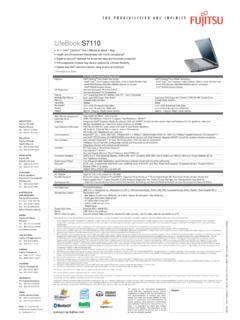
www.fujitsu.comAll rights to the mentioned trademarks JOB NO.: 1069 • Printed by Fujitsu PC Asia Pacific Pte Ltd in March 2006. Information is correct at time of printing. reside with their respective owners.
2 POLES—1 to 2 A (FOR SIGNAL SWITCHING) A ... - …
www.fujitsu.com3 A SERIES n SPECIFICATIONS Standard Type Single Winding Latching Type Double Winding Latching Type Item A-( ) W-K AL-( ) W-K AL-D …
Capacitive Touch Sensors - Fujitsu Global
www.fujitsu.comFujitsu Microelectronics Europe GmbH Page 3/12 mechanical input devices with moving elements. The shape and layout of these sensor electrodes can

How to use ScandAll PRO - Fujitsu
www.fujitsu.comHow to use ScandAll PRO iii Use in High-safety Applications This product has been designed and manufactured on the assumption that it will be used in office,

ScandALL Pro Brochure - Fujitsu
www.fujitsu.comEasy to Use Create profi les to accelerate business productivity. • Hot Keys • Scan launch from Scanner* • Profi les • ScanSnap Mode*
FUJITSU TWAIN 32 Scanner Driver - Fujitsu Global
www.fujitsu.comFUJITSU TWAIN 32 Scanner Driver Scanner Utility for Microsoft® Windows® Version 9.21 User's Guide For Use with Microsoft® Windows® 2000, Windows® XP, Windows Server® 2003, and Windows Vista®
Related documents

Wi-Fi Connection Guide - Fujitsu Global
www.fujitsu.comThe ScanSnap Manager icon is displayed in the menu which appears when you click in the notification area. To have the ScanSnap Manager icon always displayed in the notification area, drag the icon and drop it onto the notification area. The …

やさしく名刺ファイリング PRO v.14
dl.mediadrive.jpScanSnap をご利用の場合、この画面にはスキャナドライバ名が表示されません。 上記ダイアログ内「ScanSnapからの取り込み方法」ボタンを押して、取り込み手順を ご確認ください。

Can I connect ScanSnap iX500 to the computer via Wi-Fi?
origin.pfultd.comScanSnap iX500 and the wireless access point, avoid or remove them. o Connect ScanSnap iX500 to a computer via USB, and either perform a wireless setting using the ScanSnap Wireless Setup Tool, or follow the direction of the wireless diagnosis result. Close the ADF paper chute (cover) of ScanSnap iX500 to turn it off. Then, turn
Setting the standard for scanning - Fujitsu Scanners
scanners.us.fujitsu.com*1 ScanSnap scanners do not run with Windows® 10 ARM-based PCs.*2 Operate Windows in desktop mode. *3 The ScanSnap device may not work if the connected computer does not meet these requirements. *4 Scanning speeds may drop if the recommended CPU, memory capacity and USB 1.1 requirements are not

Installation Instructions - scansnap.fujitsu.com
scansnap.fujitsu.comInstallation Instructions 1. Be sure you log into Windows® as a user with administrator privileges. 2. Download "WinManagerVxxLxxWW.exe" onto your hard drive.

ScanSnap Organizer のインストール手順
scansnap.fujitsu.comScanSnap Organizer のインストール手順 ※インストールにおいては、Administrator(管理者)権限を持つユーザーでログオンしてください。 1. 実行している全てのアプリケーションを終了してください。 2.

デジタルノートで自宅オフィスもペーパーレスに! …
www.fmworld.netさらに、パーソナルドキュメントスキャナー「ScanSnap(スキャンスナップ)」やスマートフォン用アプリ「QUADERNO Mobile App」との連携で、複合機やパソコンを介さずにデータの取り込みや共有も可能です。特設ページ「クアデルノで テレワークを!