Getting Started with Classroom - Apple
Getting Started with Classroom | A teacher’s guide to the Classroom app for iPad | March 2016 2 Introducing Classroom Classroom is a powerful new iPad app that helps you guide learning, share work, and manage student devices. It supports both shared and one-to-one environments. You can launch a specific app, website, or textbook page
Download Getting Started with Classroom - Apple

Information
Domain:
Source:
Link to this page:
Documents from same domain
Swift Playgrounds Curriculum Guide 091817 ic - …
images.apple.comSwift Playgrounds Curriculum Guide | September 2017 3 Everyone ... Playgrounds is the same Swift programming language that’s used to build many of the

Face ID Security Guide - Apple
images.apple.comFace ID security Face ID is designed to confirm user attention, provide robust authentication with a low false match rate, and mitigate both digital and physical spoofing.

Differential Privacy Overview - Apple
images.apple.comApple uses local differential privacy to help protect the privacy of user activity in a given time period, while still gaining insight that improves the intelligence and
Getting Started with iPod touch - Apple
images.apple.comGetting Started with iPod touch A guide for using iPod touch and iTunes for teaching and learning ... • iPod shuffle: Small-sized iPod that offers access to audio files and also includes ... guided tour of iPod touch, and the iPod touch User Manual.
ENGLISH Apple Inc. Software License Agreement for iTunes ...
images.apple.com5. iTunes Store and other Services. A. The Apple Software may enable access to Apple’s iTunes Store, Apple Music and other Apple and third party services and web sites (collectively and …

2016 EEO-1 Reports - Apple
images.apple.comeq? gswcn!gornq[ogpv!qrrqtvwpkv[w? ugevkqp!d!.!eqorcp[!kfgpvkhkecvkqp ugevkqp!e!.!vguv!hqt!hknkpi!tgswktgogpv 2/ 3/c/ ugevkqp!g!.!guvcdnkujogpv!kphqtocvkqp

Challenge Based Learning A Classroom Guide - Apple
images.apple.comIntroduction to Challenge Based Learning Students today have instant access to information through technology and the web, manage their own acquisition of knowledge through informal learning, and have
Supplier List
images.apple.comApple Supplier Responsibility 2019 Supplier List 5 Supplier Name Manufacturing Location Catcher Technology Company Limited No. 21, Gucheng Road, Suzhou …

Volume Purchase Program Guide
images.apple.comVolume Purchase Program Guide Overview The Volume Purchase Program (VPP) makes it easy for businesses to purchase, distribute, and manage their apps and books in bulk. Whether your workforce uses iPhone, iPad, or Mac, you can provide great content that’s ready for work with flexible and secure distribution options. This guide will give you an
BOMGAR WAIVER AGREEMENT3 - Apple
images.apple.comin arbitration shall be final and binding, and judgment upon award may be entered in any court having jurisdiction or application may be made for judicial acceptance of the award and an order of enforcement. If it becomes necessary for either party to enforce an arbitral award by legal action or additional arbitration or judicial
Related documents

Getting Paid for Screening and Assessment Services
www.aafp.orgGetting paid for screenings and assessments Although the fee-for-service payment for screening and assessments may be small, it can add up to significant income across a patient

What to Expect After Getting a COVID-19 Vaccine
www.cdc.govWhat to Expect after Getting a COVID-19 Vaccine The COVID-19 shot may cause side effects in some people. Side effects should go away in a few days. On the arm where you got the shot: • Pain • Redness • Swelling If you are sore where you got the shot: • Apply a clean, cool, wet washcloth over the area • Use or move your arm gently

Getting Started Financial Affidavit (Family & Divorce Cases)
ilcourtsaudio.blob.core.windows.netGetting Started Financial Affidavit (Family & Divorce Cases) IMPORTANT: This getting started guide and the instructions are not legal advice. They are only meant to help you learn how to complete a Financial Affidavit (Family & Divorce Cases). Your use of the forms does not guarantee you will be successful in court.
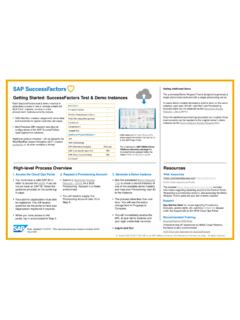
Getting Started: SuccessFactors Test & Demo Instances
hcmcloudops.successfactors.comGetting Started: SuccessFactors Test & Demo Instances You must have a valid SAP-ID in order to access the portal. If you do not yet have an SAP-ID, follow the guidance provided on the portal log-in page. Your partner organization must also be registered. You will receive guidance via the portal to have your organization registered if required.
Getting started with Mendeley
desktop-download.mendeley.com2 1. Creating your library Add PDFs to Mendeley You can add PDFs to Mendeley by clicking the Add Document button on the far left of the toolbar. Alternatively, you can drag and drop PDFs into the content pane. Mendeley
Getting Started with OneDrive
download.microsoft.comThe easiest way to get started is to drag and drop files into OneDrive. After you install the app, find the OneDrive folder on your PC or Mac.
Getting Started With - Massachusetts Institute of Technology
resources.scratch.mit.eduhttp://scr atch.mit.ed u 1 S S t a a r r t t t M M oo v v i i n ngg Drag a MOVE block into the Scripts area. Click on the block to make the cat move.

Getting started with Citrix Workspace for PC
www.citrix.comCitrix Getting started with Citrix Workspace for PC 5 Step 1 From the Home screen, click on the Apps tab on the left navigation bar. From there, you can choose All Apps or Favorites. Step 2 To “Favorite” an app, select the star. Then, click on the application card to open it an access the app. How to access your apps Step 1

Getting proof of your COVID-19 vaccination
www.digitalhealth.gov.auGetting proof of your COVID-19 vaccination Your immunisation history statement shows all vaccinations you’ve had that are recorded on the Australian Immunisation Register, including your COVID-19 vaccinations. Your vaccination provider needs to record your vaccinations on the AIR for them to appear on your statement. This can take up to 10 days.