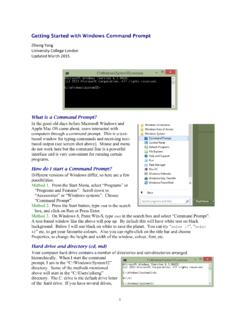
Getting Started with Windows Command Prompt
a) Use slash \ on Windows to specify folders. Use backslash / on Mac OSX or UNIX. b) Commands and file and directory names are case-insensitive on Windows (MS-DOS), while they are case-sensitive on Mac OSX or UNIX. c) You can type the first few letters of …
Download Getting Started with Windows Command Prompt

Information
Domain:
Source:
Link to this page:
Documents from same domain
Unix Basics
abacus.gene.ucl.ac.ukUnix Basics History The first version of Unix was developed by Bell Labs (part of AT&T) in 1969, making it more than forty years old and one of the few cases of a computer technology that has survived more than a

MCMCTree tutorials - Ziheng Yang
abacus.gene.ucl.ac.ukcalibration restricts the common ancestor of human-chimp to be between 6-8 Myr ago. Calibration bounds in MCMCTree are soft, and there is a small probability (0.025 by default) that the bounds may be violated. Note that the tree does not have a fossil calibration at the root. MCMCTree always 1

PAML: Phylogenetic Analysis by Maximum Likelihood
abacus.gene.ucl.ac.ukbaseml or codeml as user trees. baseml and codeml. The program baseml is for maximum likelihood analysis of nucleotide sequences. The program codeml is formed by merging two old programs: codonml, which implements the codon substitution model of Goldman and Yang (1994) for protein-coding
Related documents

Remote Access to your Desktop using VPN
cdn1.sph.harvard.educomputer through the VPN tunnel. Mac computers have a VNC server pre -installed but Windows computers do not. To connect FROM a Windows computer to a Mac: Install Tight VNC on the Windows computer, and use the Tight VNC Viewer to connect to the Mac’s IP address. To connect from a Mac to another Mac, no additional software is required.

Adobe Acrobat 9.0 Troubleshooting
helpx.adobe.comAdobe Acrobat 9.0 Troubleshooting ... 9
Install Cisco AnyConnect Secure Mobility Client on a Mac ...
www.cisco.comClient on a Mac Computer Objective This article shows you how to download and install the Cisco AnyConnect Secure Mobility Client version 4.10.x on a Mac Computer. This article is only applicable to the RV34x series routers, not Enterprise products. Introduction AnyConnect Secure Mobility Client is a modular endpoint software product. It not only

Microbit Windows - Elenco Electronics
www.elenco.comWINDOWS AND MAC OPERATING SYSTEM. Connect the small end of the USB cable to the micro USB port on the BBC micro:bit. Connect the other end of the cable to a USB port on your computer. When you make the connections it should appears as a drive under Devices and Drives. 1 2 micro:bit micro:bit Windows Mac

Microsoft Information Protection (MIP) User Guide
www.itsc.cuhk.edu.hkFor Mac OS X: Download the “RMS Sharing” app from App Store. For iOS and Android OS: Download the “Azure Information Protection” app from Apple Store (iOS) and Google Play (Android OS). AIP Client Installation 2.3.1. In Windows Steps: 1. Close all Office applications and all instances of File Explorer. 2.

Plantronics Hub for Windows/Mac
www.poly.comPlantronics Hub for Windows/Mac, part of the Plantronics software portfolio, is a client application that allows end users to manage their Plantronics audio device with softphone call control, firmware updates, customization options and more. End users can easily check device mute and battery status from the desktop.

How to turn on app permissions for your camera in Windows ...
www.usf.eduHow to turn on app permissions for your camera in Google Chrome - in Mac If your camera and microphone are blocked in chrome, you need to apply the …