Example: barber
Plantronics Hub for Windows/Mac
Plantronics Hub for Windows/Mac, part of the Plantronics software portfolio, is a client application that allows end users to manage their Plantronics audio device with softphone call control, firmware updates, customization options and more. End users can easily check device mute and battery status from the desktop.
Tags:
Information
Domain:
Source:
Link to this page:
Documents from same domain

User Guide
www.poly.comVoyager Focus UC User Guide PLANTRONICS + POLYCOM. NOW TOGETHER AS . Contents Overview 3 Headset 3 Charge stand* 4 USB Bluetooth adapter 4 Connect and pair 5 Connect to PC 5 Configure USB adapter 5 Pair to mobile device 5 Pair USB adapter again 6 Fit and charge 7 Wear on the right or left 7 Charge your headset 7
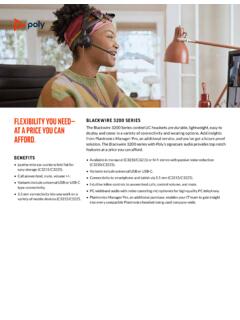
BLACKWIRE 3200 SERIES - Plantronics
www.poly.comSkype for Business *Download the latest release of Plantronics Hub software to get one-touch call answer/end with these softphones. For more information about the Blackwire 3200 Series or other Plantronics products, please visit our website at plantronics.com. GLOBAL CUSTOMER CARE Backed by Plantronics industry-leading global service and support.

Bluetooth headset - Plantronics
www.poly.comBluetooth headset User Guide. Contents Headset overview 3 Be safe 3 USB Bluetooth adapter 4 Charge case overview 5 Charge case to PC or USB wall charger 5 Charge your Headset 6 Check Battery Level 6 Low battery warnings 7 Use charge case 8 Fit 9 9 9 Connect and pair 10 Connect to PC 10

Bluetooth Headset - Plantronics
www.poly.comheadset behavior through advanced settings and options. Pair USB adapter again Typically, your USB adapter is pre-paired to your headset. In the event that your adapter is disconnected or bought separately, you will need to pair the adapter to your headset. 1. Insert the high-fidelity Bluetooth USB adapter into your laptop or computer and wait for

Voyager Legend - poly.com
www.poly.comVoyager Legend supports multipoint technology, which allows you to use one headset with two different Bluetooth mobile phones. To pair your headset to a second phone, see "Pair another

SEE THE DETAILS POLY G7500 YOU NEVER KNEW EXISTED.
www.poly.com• Bluetooth® remote control • Cable bundle • Bundles available with cameras and touch controller VIDEO STANDARDS AND PROTOCOLS • H.264 AVC, H.264 High Profile, H.265 VIDEO INPUT • 1x HDCI • 1x HDMI • 3x USB • Camera switching via touch interface VIDEO OUT • 2x HDMI • Touch display compatible PEOPLE VIDEO RESOLUTION

BLACKWIRE FAMILY COMPARISON GUIDE - Plantronics
www.poly.comto 7 kHz or for multimedia up to 20 Hz to 20 kHz Active noise canceling (ANC), PC wideband, hi-fi stereo Immersive audio (C5220, C5220 USB-C), dynamic EQ, wideband voice, hi-fi stereo, echo cancellation Flexible noise canceling microphone, Dynamic EQ optimized for PC wideband voice telephony up to 6.8 kHz or for multimedia 20 Hz to 20

GO PRO WITH POLY VVX 450 BUSINESS IP PHONE TWELVE …
www.poly.com• IETF SIP (RFC 3261 and companion RFCs) • Two-port gigabit Ethernet switch 10/100/1000Base-TX across LAN and PC ports • Conforms to IEEE802.3-2005 (Clause 40) for Physical media attachment • Conforms to IEEE802.3-2002 (Clause 28) for link partner auto-negotiation • Manual or dynamic host configuration protocol (DHCP) network setup

computer and desk phone Wireless DECT headset system for
www.poly.comDECT products should never be used outside the region in which they were originally purchased and intended to be used. The enclosed DECT wireless product uses restricted wireless radio frequencies which vary by country. Use of this DECT product in unauthorised countries is …
Savi 8210/8220 UC - Plantronics
www.poly.comDECT products should never be used outside the region in which they were originally purchased and intended to be used. The enclosed DECT wireless product uses restricted wireless radio frequencies which vary by country. Use of this DECT product in unauthorised countries is …
Related documents

Microbit Windows - Elenco Electronics
www.elenco.comWINDOWS AND MAC OPERATING SYSTEM. Connect the small end of the USB cable to the micro USB port on the BBC micro:bit. Connect the other end of the cable to a USB port on your computer. When you make the connections it should appears as a drive under Devices and Drives. 1 2 micro:bit micro:bit Windows Mac
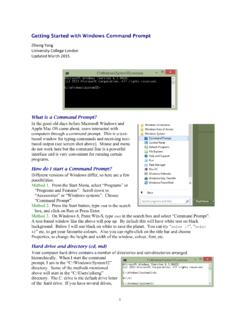
Getting Started with Windows Command Prompt
abacus.gene.ucl.ac.uka) Use slash \ on Windows to specify folders. Use backslash / on Mac OSX or UNIX. b) Commands and file and directory names are case-insensitive on Windows (MS-DOS), while they are case-sensitive on Mac OSX or UNIX. c) You can type the first few letters of …

Remote Access to your Desktop using VPN
cdn1.sph.harvard.educomputer through the VPN tunnel. Mac computers have a VNC server pre -installed but Windows computers do not. To connect FROM a Windows computer to a Mac: Install Tight VNC on the Windows computer, and use the Tight VNC Viewer to connect to the Mac’s IP address. To connect from a Mac to another Mac, no additional software is required.

Microsoft Information Protection (MIP) User Guide
www.itsc.cuhk.edu.hkFor Mac OS X: Download the “RMS Sharing” app from App Store. For iOS and Android OS: Download the “Azure Information Protection” app from Apple Store (iOS) and Google Play (Android OS). AIP Client Installation 2.3.1. In Windows Steps: 1. Close all Office applications and all instances of File Explorer. 2.

How to turn on app permissions for your camera in Windows ...
www.usf.eduHow to turn on app permissions for your camera in Google Chrome - in Mac If your camera and microphone are blocked in chrome, you need to apply the …

Adobe Acrobat 9.0 Troubleshooting
helpx.adobe.comAdobe Acrobat 9.0 Troubleshooting ... 9
Install Cisco AnyConnect Secure Mobility Client on a Mac ...
www.cisco.comClient on a Mac Computer Objective This article shows you how to download and install the Cisco AnyConnect Secure Mobility Client version 4.10.x on a Mac Computer. This article is only applicable to the RV34x series routers, not Enterprise products. Introduction AnyConnect Secure Mobility Client is a modular endpoint software product. It not only