Getting started with your - silhcdn.com
Click the blue “Update Software” button at the top of the screen. 3. Under “Silhouette Studio” click the download link. ... CAMEO 3 from the list of devices and the software will begin syncing. After a few seconds, the status ... Turn the Silhouette CAMEO® on by pressing the power button and waiting for the machine to start up. To feed ...
Download Getting started with your - silhcdn.com

Information
Domain:
Source:
Link to this page:
Documents from same domain

Erste Schritte mit Ihrem - Silhouette America
www.silhcdn.com3 . Erste Schritte mit dem Silhouette CAMEO® Schneiden mit Ihrem Silhouette CAMEO® Öffnen der Silhouette Studio® Software . Suchen Sie das Silhouette Studio® Icon auf dem Desktop, oder im Start Menu ihres PC (im

Mise en route de votre - silhcdn.com
www.silhcdn.comMise en route de votre Silhouette CAMEO® ( ) 2 3 2 Installez le logiciel Silhouette Studio® Installation 1. Rendez-vous sur silhouetteamerica.com.

silhouettestudio - silhcdn.com
www.silhcdn.comSilhouette Studio® V4 | Software Usage Agreement 1. Software Usage Agreement. Silhouette America Corporation ("Silhouette America") hereby grants the purchaser and authorized User (the "User") the right to use the software

The revolution in wireless desktop cutting starts now.
www.silhcdn.comCut thicker materials like balsa wood, foam, chipboard, leather and more. Deeper Cuts 2mm clearance allows for your deepest cuts yet.

Getting started with your - silhcdn.com
www.silhcdn.com3 Getting Started with Silhouette Alta® If you would like to change the orientation, you will find the cube in the upper right-hand corner of the page. By moving this cube around, you can look at your …

Getting started with your - silhcdn.com
www.silhcdn.com3 Getting Started with Silhouette Portrait Navigation Tabs There are four tabs along the top right-hand side: Design This design area is your workspace to create projects. This area houses the toolbars, the white design page,
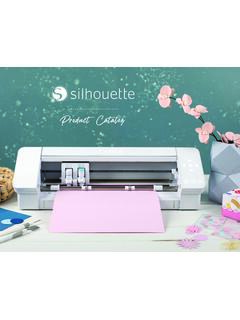
Silhouette Product Catalog
www.silhcdn.comJul 13, 2020 · Emboss (Curio only) P P P P Sticky Notes P P P P Pop-up Creator (Basic) P P P P Color Fonts P P P P Print Bleed P P P P Commercial Font Indicator P P P P Import SVG, PDF files P P P Layers (Including Cut by Layer) P P P Rulers/Guides P P P Nesting P P P Shadow Tool P P P Eraser Set Tools P P P Knife Set Tools P P P Eyedropper Tool P P P Shear P P P
User Manual - silhcdn.com
www.silhcdn.comSilhouette Portrait® 3 desktop cutting machine 8-by-12-inch cutting mat Remove Packaging from the Machine Take the Silhouette Portrait® from the box and remove the strips of packing tape and foam as indicated by the following diagram. These strips of tape and foam are used to hold the moving parts of the Silhouette in place during shipment.

User Manual - silhcdn.com
www.silhcdn.comSilhouette Cameo® 4 User Manual Design Area The Design area is the first area you’ll see when you open Silhouette Studio®, and it is the area you’ll likely spend most of the time in, so it’s important to learn how to use it to create your designs. Panels Each Silhouette Studio® Tool icon opens its own panel. Panels open on the
Related documents

Status of COVID-19 Vaccines within WHO EUL/PQ evaluation ...
extranet.who.intEpiVacCorona Russian NRA Peptide antigen Letter received not EOI. Reply sent on 15/01/2021 23. IMBCAMS, China SARS -CoV -2 Vaccine, Inactivated (Vero Cell) NMPA Inactivated Not accepted, still under initial development 24. BioCubaFarma - Cuba Soberana 01, Soberana 02
FREQUENTLY ASKED QUESTIONS
esampada.mohua.gov.inIn this „Unified Waiting List‟, the applicants applied for initial as well as change of accommodation are ... Using this login ID andPassword, anapplicantshalllogintohis account and update the Applicant Profile. ... 13. How allotment letter and authority slip to get an accommodation are issued and where to get it?

To register navigate to www.optumrx.com and click “Register”
content.steward.orgStill waiting tor your activation code? Resend email or update email address It you don't see it, check your junk or spam folders. You may need to resend the message or add our address to your approved senders. It you'd like assistance, contact support at

Commonwealth of Pennsylvania Crash Reporting System ...
www.penndot.govPending Approval: Case is waiting for review and approval. Approved: Case has been reviewed and approved. 1. Banner which runs horizontally across the top. 2. Navigation Bar which runs Vertically along the left side. 3. Report Page and the main part of the web page displaying the data being reviewed or entered.