Example: dental hygienist
Silhouette Product Catalog
Jul 13, 2020 · Emboss (Curio only) P P P P Sticky Notes P P P P Pop-up Creator (Basic) P P P P Color Fonts P P P P Print Bleed P P P P Commercial Font Indicator P P P P Import SVG, PDF files P P P Layers (Including Cut by Layer) P P P Rulers/Guides P P P Nesting P P P Shadow Tool P P P Eraser Set Tools P P P Knife Set Tools P P P Eyedropper Tool P P P Shear P P P
Tags:
Information
Domain:
Source:
Link to this page:
Documents from same domain
User Manual - silhcdn.com
www.silhcdn.comSilhouette Portrait® 3 desktop cutting machine 8-by-12-inch cutting mat Remove Packaging from the Machine Take the Silhouette Portrait® from the box and remove the strips of packing tape and foam as indicated by the following diagram. These strips of tape and foam are used to hold the moving parts of the Silhouette in place during shipment.

Erste Schritte mit Ihrem - Silhouette America
www.silhcdn.com3 . Erste Schritte mit dem Silhouette CAMEO® Schneiden mit Ihrem Silhouette CAMEO® Öffnen der Silhouette Studio® Software . Suchen Sie das Silhouette Studio® Icon auf dem Desktop, oder im Start Menu ihres PC (im

Mise en route de votre - silhcdn.com
www.silhcdn.comMise en route de votre Silhouette CAMEO® ( ) 2 3 2 Installez le logiciel Silhouette Studio® Installation 1. Rendez-vous sur silhouetteamerica.com.
Getting started with your - silhcdn.com
www.silhcdn.comGetting Started with Silhouette CAMEO® Connecting your Silhouette CAMEO® Silhouette CAMEO® desktop cutting tool A/C adapter and power cable USB cable

silhouettestudio - silhcdn.com
www.silhcdn.comSilhouette Studio® V4 | Software Usage Agreement 1. Software Usage Agreement. Silhouette America Corporation ("Silhouette America") hereby grants the purchaser and authorized User (the "User") the right to use the software

The revolution in wireless desktop cutting starts now.
www.silhcdn.comCut thicker materials like balsa wood, foam, chipboard, leather and more. Deeper Cuts 2mm clearance allows for your deepest cuts yet.

Getting started with your - silhcdn.com
www.silhcdn.com3 Getting Started with Silhouette Alta® If you would like to change the orientation, you will find the cube in the upper right-hand corner of the page. By moving this cube around, you can look at your …

Getting started with your - silhcdn.com
www.silhcdn.com3 Getting Started with Silhouette Portrait Navigation Tabs There are four tabs along the top right-hand side: Design This design area is your workspace to create projects. This area houses the toolbars, the white design page,

User Manual - silhcdn.com
www.silhcdn.comSilhouette Cameo® 4 User Manual Design Area The Design area is the first area you’ll see when you open Silhouette Studio®, and it is the area you’ll likely spend most of the time in, so it’s important to learn how to use it to create your designs. Panels Each Silhouette Studio® Tool icon opens its own panel. Panels open on the
Related documents
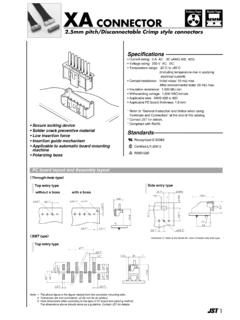
XA CONNECTOR XA CONNECTOR
www.jst-mfg.comXA Emboss Tape Radial Tape CONNECTOR XA CONNECTOR XA CONNECTOR XA CONNECTOR 2.5 mm pitch/Disconnectable Crimp style connectors No. of circuits Model No. A B D Material and Finish Side entry type with a hook S02B-XASS-1 S03B-XASK-1 S04B-XASK-1 S05B-XASK-1 S06B-XASK-1 S07B-XASK-1 S08B-XASK-1 S09B-XASK-1 S10B-XASK-1 S11B …
DOOR GLASS INSTALLATION INSTRUCTIONS
www.zabitat.comdoor. If your door is flush (no emboss-ments), measure corner to corner of the cutout marking to make sure opening is square. B. APPLY PAINTER’S TAPE around cutting area to prevent damage while cutting. C. DRILL 3/8" OR 1/2" STARTER HOLE in all 4 corners of the measurement. A MEASURE AND MARK B APPLY PAINTER'S TAPE C DRILL STARTER …
Thick Film Chip Resistors 01005, 0201, 0402, 0603, 0805 ...
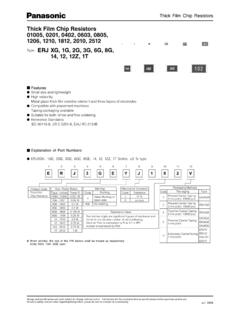
www.modelithics.comφD1 (Only Emboss) B F W E (2 mm pitch) Taping Reel Packaging Methods (Taping) Standard Quantity Carrier Tape Type Kind of Taping Pitch (P 1)Quantity ERJXG Pressed Carrier Taping 2 mm 20000 pcs./reel ERJ1G 15000 pcs./reel ERJ2G Punched Carrier Taping 10000 pcs./reel ERJ3G 4 mm 5000 pcs./reel ERJ6G ERJ8G ERJ14 Embossed Carrier Taping ERJ12 ERJ12Z
Merry Christmas Gift Card Holder Mary Fish http ...
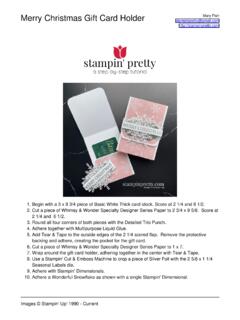
stampinpretty.com7. Wrap around the gift card holder, adhering together in the center with Tear & Tape.€ Use a Stampin' Cut & Emboss Machine to crop a piece of Silver Foil with the 2 5/8 x 1 1/4 Seasonal Labels die.€€ 8. 9. Adhere with Stampin' Dimensionals.€ 10. Adhere a Wonderful Snowflake as shown with a single Stampin' Dimensional.
Slim Sayings Bundle Card Trio Mary Fish http://stampinpretty
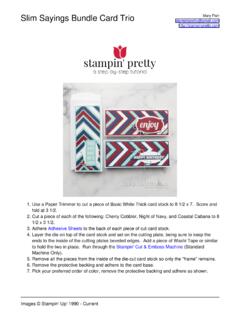
stampinpretty.comends to the inside of the cutting plates beveled edges.€ Add a piece of Washi Tape or similar to hold the two in place.€ Run through the Stampin' Cut & Emboss Machine (Standard Machine Only).€ 4. 5. Remove all the pieces from the inside of the die-cut card stock so …
1.0mm pitch/Disconnectable Insulation displacement …
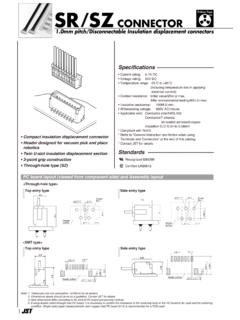
www.jst-mfg.comHeader outline Circuit No.1 3.5 2 ±0.05 5.4 2±0.05 φ0.7±0.03 2±0.05 1±0.05 • Compact insulation displacement connector • Header designed for vacuum pick and place robotics

300mA Variable / Fixed Output LDO Regulators
fscdn.rohm.com12/19 BDxxHA3WEFJ Datasheet © 2013 ROHM Co., Ltd. All rights reserved. TSZ02201-0R6R0A600310-1-2 www.rohm.com TSZ22111・15・001 15.Jan.2013 Rev.002 Power ...