
HSIS Remote Access Guide - UAB
Importing RSA Software Token 1. On your mobile device, open the RSA Software Token e-mail sent to you by HSIS. 2. Use the Copy function on your mobile device to copy the link in Step 3 of the e-mail. 3. Tap the RSA SecurID icon to open the app. 4. Tap the Add/Import Token icon in the app then choose the Enter Link/Import URL option. 5.
Download HSIS Remote Access Guide - UAB

Information
Domain:
Source:
Link to this page:
Documents from same domain
Admission Application Checklist & Instructions
www.uab.eduRecommendations: Three (3) letters of professional reference and recommendation forms attesting to the applicant’s potential for graduate study.

Personal Statement Makeover - UAB
www.uab.eduPersonal Statement Makeover: Workshop for NIH My Biosketch July 27 th 2015 Jennifer L. Greer, PhD, UAB Graduate School, Professional Development Program (PDP)
Review R eview of the methods used in the …
www.uab.eduC.-C.Wang et al. / J.Chromatogr.B 777 (2002) 3–28 5 Table 1 Comparison of analytical methods for analysis of phytoestrogens Technique Sensitivity Specificity Pros Cons
ENLISTMENT/REENLISTMENT DOCUMENT ARMED …
www.uab.eduD. CERTIFICATION AND ACCEPTANCE NAME OF ENLISTEE/REENLISTEE (Last, First, Middle) SOCIAL SECURITY NO. OF ENLISTEE/REENLISTEE DD FORM 4/2, OCT 2007 13a. My acceptance for enlistment is based on the information I have given in my application for enlistment.
ARMY RESERVE RECORD OF INDIVIDUAL …
www.uab.eduARMY RESERVE RECORD OF INDIVIDUAL PERFORMANCE OF RESERVE DUTY TRAINING For use of this form see AR 140-185; the proponent agency is OCAR 13. FOR CUSTODIAN OF INDIVIDUAL RESERVIST’S RECORDS
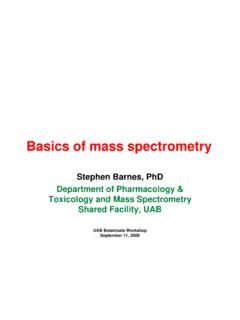
Basics of mass spectrometry - UAB
www.uab.eduBasics of mass spectrometry Stephen Barnes, PhD Department of Pharmacology & Toxicology and Mass Spectrometry Shared Facility, UAB. UAB Botanicals Workshop September 11, 2006 Synopsis • Transferring analytes from the liquid phase to the gas phase following LC analysis without damaging them
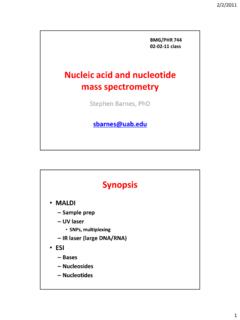
Nucleic acid mass spectrometry - UAB
www.uab.edu2/2/2011 5 Fundamentals of nucleic acids analysis by ESI-mass spectrometry •Analysis as bases, nucleosides –No different from other small molecules –Bases are sufficiently hydrophobic to be analyzed by reverse-phase LC-MS •The addition of ribose or deoxyribose not a problem •Detected in the positive ion mode •Nucleotides are more …
2017 2018 Student Handbook - uab.edu
www.uab.eduUniversity of Alabama at Birmingham 2017 – 2018 Student Handbook Department of Human Studies Counselor Education Program Sean Hall, Ph.D., Assistant Professor, Clinic Director Larry Tyson, Ph.D., Associate Professor Shannon McCarthy, Ph.D., Assistant Professor Dayna Watson, Ph.D.
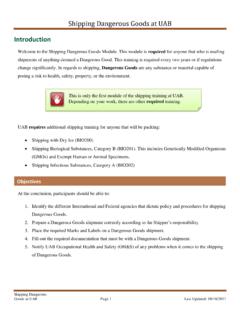
Shipping Dangerous Goods at UAB
www.uab.eduShipping Dangerous Goods at UAB Shipping Dangerous Goods at UAB Page 6 Last Updated: 08/18/2017 Operator (or Carrier) Responsibilities The Operator (or carrier) is the person(s) responsible for transporting the material from the origin to the destination.
UNIVERSITY OF ALABAMA AT BIRMINGHAM - uab.edu
www.uab.eduUniversity of Alabama at Birmingham Common Data Set: 2016-2017 05/19/17 5 entered your institution during the summer term preceding fall 2009. entered your institution during the summer term preceding fall 2010. B4. Initial 2009 cohort of first-time, full-time bachelor’s (or equivalent) degree-seeking undergraduate ...
Related documents

If you weren’t aware, you can remotely connect into your ...
dbrasweb.db.comSecurID tokens, however the bank currently supports installing a software token on iOS, Android, and corporate laptops using desktop soft tokens. If you don’t have a soft token, request one through this link .The website can also assist with reissuing a

AHS IAM iRequest User Guide - Alberta Health Services
albertahealthservices.caSecurID Tokens If you or an end-user need to access the I/Request system from outside an AHS facility, a SecurID token will be needed to provide a second form of authentication at login. This is called Two-Factor Authentication. You will be able to request remote access to I/Request when completing the I/Request access request process in AHS IAM.