
ImageJ Macro Language Programmer’s Reference Guide v1
Jan 01, 1970 · To test the macro, use the editor's Macros>Run Macro command (or press ctrl-r). To save it, use the editor's File>Save As command. In the Save As dialog box, enter "Hello_World.txt" as file name, then click "Save". The macro will be automatically i-nstalled as a "Hello World" command in the Plugins menu when you restart ImageJ,
Download ImageJ Macro Language Programmer’s Reference Guide v1

Information
Domain:
Source:
Link to this page:
Documents from same domain

Automated Segmentation and Morphometry of Cell and …
imagej.nih.govAutomated Segmentation and Morphometry of Cell and Tissue Structures. Selected Algorithms in ImageJ 5 2.2Open source software There are numerous …

ImageJ User Guide - National Institutes of Health
imagej.nih.govImageJ User Guide IJ1.46r Tiago Ferreira Wayne Rasband Tuesday2nd October,2012 Foreword TheImageJUserGuide providesadetailedoverviewofImageJ(andinherentlyFiji ...
ImageJ Basics - National Institutes of Health
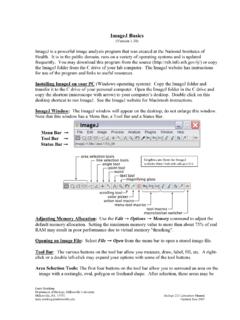
imagej.nih.govImageJ is a powerful image analysis program that was created at the National Institutes of Health. It is in the public domain, runs on a variety of operating systems and is updated
Photonic Solutions for Biotechnology and Medicine Image ...
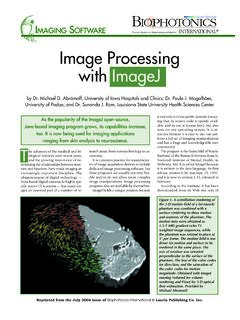
imagej.nih.govranging from skin analysis to neuroscience. by Dr. Michael D. Abràmoff, University of Iowa Hospitals and Clinics; Dr. Paulo J. Magalhães, University of Padua; and Dr. Sunanda J. Ram, Louisiana State University Health Sciences Center Image Processing with ImageJ it not only is in the public domain (mean-ing that its source code is openly avail-
Examples of Image Analysis Using ImageJ
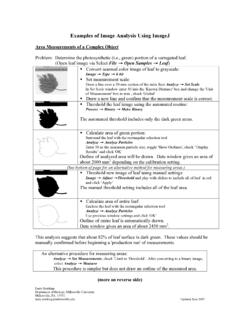
imagej.nih.govTwenty five embryos are counted, numbered and outlined. The data window lists the area (in um2) for each embryo. These data could be copied to a spreadsheet. Threshold: 0-0 Count: 25 Total Area: 3177.6 µm^2 Average Size: 127.1 µm^2 Area Fraction: 3.72% A summary of the particle count is also shown in another data window.

ImageJ Batch Processing
imagej.nih.govMACRO Uses the ImageJ macro language. This language is used by the ImageJ macro tools. This is the correct option for automatically generating script commands to use in the BATCH COMMAND plugin JAVASCRIPT Uses the JavaScript programming language. PLUGIN Uses the Java programming language. This can be used to generate a Java plugin to be ...

How to Use the ND2 Reader Image J Plugin
imagej.nih.govImageJ ND2 Reader Plugin November 2007 Page 2 5. Run through the rest of the installation of the plug-in, this should install within 1 minute. 6. Open up the ImageJ Application by double clicking on this icon: 7. The plug in to open the ND2 files will be available from the Plugins Menu and is named “ND to Image6D.” 8.
Related documents
Overview of Computer Literacy Skills - Harper College
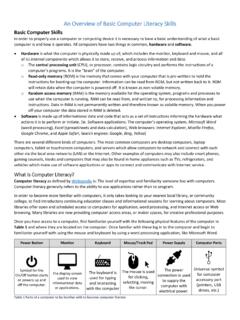
dept.harpercollege.eduand the Numeric keypad. The most common keyboard layout is the QWERTY keyboard seen below in Figure 2. It is named for the first 6 letters of the top row of the letter keys. Figure 2: Common PC keyboard with QWERTY keyboard organization ... Command key ( ) on Apple/Macintosh.

Installation & Programming Guide - Emtek
emtek.comThis command temporarily disables all user codes (metal key override will still work). 11 IN8-EMTOUCHDB 06/24/2013 U.S. patent: 8,141,400 ... Keypad Operation - Beeper & LED Indicators Place Sticker Here. ASSA ABLOY is the global leader in door opening solutions, dedicated to satisfying end-user needs for security, safety and ...
MS-9200UDLS(E) Rev 3 - Fire-Lite
www.firelite.comthrough the FACP’s keypad or via a standard PS-2 computer keyboard, which can be plugged directly into the printed circuit board. This permits easy typing of address labels and other programming information. Version 5.0 firmware supports the following: Primary and Sec-ondary ANN-bus devices, AD355 (LiteSpeed), USB port, NAC
MCO 5530.14A MARINE CORPS PHYSICAL SECURITY …
www.marines.milMCO 5530.14A 05 Jun 09 7 3. Provides guidance for evaluating, planning and implementing Marine Corps command physical security programs. 4. Assists those responsible for physical

Ambient Light Sensor IC Series Digital 16bit Serial Output ...
www.mouser.com2) Reset command Reset command is for only reset Illuminance data register. ( reset value is '0' ) It is not necessary even power supply sequence.It is used for removing previous measurement result. This command is not working in power down mode, so that please set the power on mode before input this command.

IEI 212e Standalone Keypad Installation/ Programming …
www.nortekcontrol.com6. Programming To program the 212e keypad, you must first enter program mode by pressing99 # Master Code *. The default Master Code is 1234. 6.1 Programming Main Relay Time Command/Action Keys to Enter/Details Command 11, Set Main Relay Time 11 # time #0#** (Time can be from 1-255 seconds.) 6.2 Programming Users Command/Action Keys to Enter ...

IEI 232e Standalone Keypad Installation/ Programming …
www.nortekcontrol.com5. Testing the Keypad After installing the keypad, IEI recommends that you perform the keypad self-test once a year, to ensure that the keypad works prop-erly. 1. To perform the self-test, with the unit powered up, press the following keys on the keypad: 7890#123456* • If all 12 keypresses are accepted, the keypad enters self-test mode.

MODEL SR830
www.thinksrs.comKeypad Test 4-3 Standard Settings 4-4 FRONT PANEL Signal Input and Filters 4-5 Sensitivity, Reserve, Time Constants 4-7 CH1 Display and Output 4-12 CH2 Display and Output 4-15 Reference 4-18 Auto Functions 4-21 Setup 4-23 Interface 4-24 Warning Messages 4-26 REAR PANEL Power Entry Module 4-27 IEEE-488 Connector 4-27