
INTEGRATION GUIDE Load Balancing VMware Unified Access …
Configuring your Horizon 8 Environment for use with Unified Access Gateway. 1. Login to the VMware Horizon Admin using the FQDN or individual broker webpage. 2. In the Horizon Admin go to (Settings → Servers → Connection Servers) select a Broker, and then click Edit.
Download INTEGRATION GUIDE Load Balancing VMware Unified Access …

Information
Domain:
Source:
Link to this page:
Documents from same domain
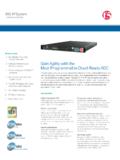
Gain Agility with the Most Programmable Cloud …
www.f5.comHARDWARE DATASHEET BIG-IP System 2 Standardize Your App Delivery Services BIG-IP ADC appliances can simplify your network and reduce total …

Deploying the BIG-IP system with Oracle WebLogic …
www.f5.comF5 Deployment Guide Deploying the BIG-IP System with Oracle WebLogic Server Welcome to the F5 ® and Oracle WebLogic Server deployment guide. F5 provides a highly effective way to optimize and direct

F5 Improves the Agility, Performance, and Security of IBM ...
www.f5.comMaximo solves these issues by optimizing Maximo delivery over the LAN and WAN, ensuring a fast, secure, and available application experience for users no matter the location or device, enabling users to remain productive.
Optimize Application Deployment with Cisco and F5
www.f5.comscaling of critical network and application services. The joint Cisco and F5 solution offers customers the ability to deploy and deliver applications with the speed, reliability, and security
BIG-IP Local Traffic Manager - F5 Networks
www.f5.com7 DATASHEET BIG-IP Local Trafic Manager More Information To learn more about BIG‑IP LTM, visit f5.com to find these and other resources. Web BIG-IP Local Traffic Manager

Navigating a Multi-Cloud World with F5
www.f5.com2 WHITE APER Navigating a ulti-loud World with F5 Contents The Transition to Cloud 3 A New Cloud Reality 3 Multi-Cloud Challenges 4 Wasn’t Cloud Supposed to Be Simple?

Guide to Updating and Upgrading BIG-IP - F5
www.f5.comF5 Deployment Guide 4 Updating or Upgrading the BIG-IP Section 1: Overview This section contains an overview of updating and upgrading your BIG-IP. Reasons to keep your BIG-IP up-to-date Our latest research on the state of applications showed that 97 percent of organizations are managing what is commonly known as

VIPRION - F5
www.f5.com• High-performance interconnection between Ethernet ports and processors. • L4 offload, enabling leading throughput rates and reduced loads on software. • Hardware-accelerated SYN flood protection. • Hardware detection and mitigation of more than 100 types of denial-of-service (DoS) and DDoS attacks.

Deploying the BIG-IP System with VMware Horizon View
www.f5.comF5 Deployment Guide 4 VMware Horizon View Configuration examples and traffic flows In this deployment guide, we show multiple ways of deploying the BIG-IP system with View. Specifically, if View is deployed with VMware Unified Access Gateway, the BIG-IP system can further protect, monitor, and load balance these servers, allowing PCoIP
BIG‑IP Global Traffic Manager - F5
www.f5.comF5 ® BIG-IP Global Traffic Manager™ (GTM) distributes DNS and user application requests based on business policies, data center and cloud service conditions, user location, and application performance. BIG-IP GTM delivers F5’s high-performance DNS Services with visibility, reporting, and analysis; hyper-scales and secures DNS responses
Related documents
Configuring VRF-lite - Cisco
www.cisco.comConfiguring VRF-lite Virtual Private Networks (VPNs) provide a secure way for customers to share bandwidth over an ISP backbone network. A VPN is a collection of sites sharing a common routing table. A customer site is ... total number of routes …
Configuring Static and Default Routes - Cisco
www.cisco.comChapter 25 Configuring Static and Default Routes Configuring Static and Default Routes Examples The following example shows static rout es that are equal cost routes that direct traf fic to three different gateways on the outside interface. The ASA distributes the traffic among the specified gateways.

Configuring the Grandstream UCM6200/UCM6300 for use …
www.exele.comConfiguring the Grandstream UCM6200/UCM6300 for use with TopView® Voice Notification Updated August 31, 2021 View the latest version of this document: If this document is available through your TopView installation or was previously downloaded you can view the latest version here. Recent updates: • August 31, 2021
CISCO Catalyst 3850 Switches DATASHEET
www.router-switch.comMaintaining wireless client databases and configuring and enforcing security and QoS policies for wireless clients and access points can be enforced in this mode. ... routes) 24,000 FNF entries 48,000 flow on 48-port Gigabit Ethernet models 24,000 flows …
Connecting AudioCodes SBC to Microsoft Teams Direct ...
www.audiocodes.comNov 22, 2021 · Configuring interoperability between customer-owned telephony equipment, such as third-party PBXs, analog devices, and Microsoft …

ECHOMAP Owner’s Manual PLUS - Garmin
www8.garmin.com8. Plus 40 ®

Configuring GlobalProtect - Palo Alto Networks
media.paloaltonetworks.comclient virtual adapterd upon successful connection. In the access routes specify the networks, the traffic to which will routed be through the tunnel. In this example, any traffic to subnet 192.168.1.0/24 will be encrypted and routed through the tunnel to the gateway using the virtual adapter. All other traffic is

STRIKER™ PLUS 4/5/7/9 Owner’s Manual
s3-ap-southeast-2.amazonaws.com1 Select Customize > Add > Add Combo . 2 Select the first function. 3 Select the second function. 4 Select Split to choose the direction of the split screen (optional). 5 Select Next. 6 Enter a name for the page. TIP: Select to select the letter. 7 Use the arrow keys to resize the windows. 8 Use the arrow keys to select a location on the home screen. 9 Select to exit.

ECHOMAP Owner’s Manual UHD - Garmin
www8.garmin.comGarmin Quickdraw ™ ® Creating a New Combination Page with the ECHOMAP UHD 70/90. 1. 8