
Interactive Display
Key Flip app Orientation Landscape Special H/W Touch overlay(IR), Front connectivity, OPS I/F support(w/OPS Box) Built in speaker(10W x 2), WiFi/BT module embedded S/W Flip S/W Platform Muse-M(Tizen 6.0) Internal Player (Embedded H/W) Processor CA72 quad(1.7GHz) 2MB L2 On-Chip Cache Memory L2 : 2MB Clock Speed 1.7GHz CPU quad Main Memory …
Download Interactive Display

Information
Domain:
Source:
Link to this page:
Documents from same domain

Easy Setting Box - Samsung Display Solutions
displaysolutions.samsung.comEasy Setting Box Install/Uninstall 07 6 Click Install. 7 Click Finish to complete the installation. 8 The executable Easy Setting Box icon is created on the desktop when installation is complete. To start the program, double-click the icon.
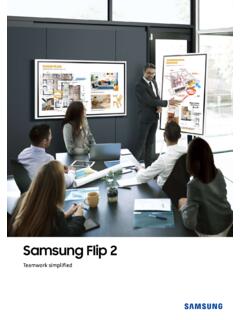
Samsung Flip 2
displaysolutions.samsung.comSamsung Flip is an intuitive and easy-to-use digital flipchart for any meeting environment, offering enhanced collaboration ... The 55-inch model offers increased workspace in front of the display, a hinge assembly structure and wheels for an efficient, moveable solution. The 65-inch model provides a larger screen which can be used as the main ...
User Manual - Samsung Display Solutions
displaysolutions.samsung.com• When installing the product on a cabinet or shelf, make sure that the bottom edge of the front of the product is not protruding. ... ‒ Contact Samsung Customer Service Center for repairs. • To move the product, first disconnect all the cables from it, including the power cable.
User Manual - Samsung Display Solutions
displaysolutions.samsung.comApr 29, 2019 · User Manual The color and the appearance may differ depending on the product, and the specifications are subject to change without prior notice to improve the performance. Recommended hours of use per day for the DBJ, QBH, QBH-N, QHH models is less than 16 hours. If the product is used for longer than 16 hours a day, the warranty may be void.

MagicInfo Player I - Samsung Display Solutions
displaysolutions.samsung.comcustomized. In formal mode, devices can be arranged based on a predefined matrix such as 2x2 and 4x4. - Matrix Switcher Matrix Switcher refers to a device that converts and sends signals from a variety of external input sources, such as HDMI, DVI and videos, to display devices. - Stream Repeater Stream Repeater refers to a program that sends

INSTALL GUIDE - Samsung Display Solutions
displaysolutions.samsung.comThis TV B2B (Business to Business) model is designed for hotels or the other hospitality businesses, supports a variety of special functions, and lets you limit some user (guest) controls. Figures and illustrations in this Install Guide are provided for reference only and may differ from the actual product appearance.

Monitor User Manual - Samsung Display Solutions
displaysolutions.samsung.comMonitor User Manual The color and the appearance may differ depending on the product, and the specifications are subject to change without ... If a gas leakage is found, do not touch the product or power plug. Also, ventilate the area immediately. • Sparks can cause an explosion or fire.

Samsung SMART Signage
displaysolutions.samsung.comThe Samsung SMART Signage Platform (SSSP) is an open-source, all-in-one solution embedded in Samsung SMART signage that simplifi es installation and maintenance. With SSSP, there is no need for any external devices to communicate with the server or play digital media enjoying easy development, reinforced capability with
Curved Monitor - displaysolutions.samsung.com
displaysolutions.samsung.com‒ Dust accumulation combined with heat can cause a fire, electric shock or electric leakage. • Use the product at the recommended resolution and frequency. ‒ Your eyesight may deteriorate. • Do not put AC/DC adapters together. • Remove the plastic …

User Manual - Main | Samsung Display Solutions
displaysolutions.samsung.comAug 16, 2018 · Leaving the screen fixed on a stationary image for an extended period of time may cause ... " If dust or dirt from the supplied pen remains on the protective glass, clean it referring to the instructions below. Cleaning the exterior and display Wipe the surface with a slightly wet, soft cloth, and then wipe with a dry cloth. ...
Related documents

Alcatel GO FLIP User Guide - Cellphones.ca
www.cellphones.canAlways keep the IC chip clean. nWipe clean with a dry, soft cloth. nAvoid applying labels. May damage SIM card. nSee instructions included with SIM card for handling. nThe SIM card is the property of Boost. nThe SIM card is replaceable (at cost) in case of loss/damage.
Samsung Flip 2
displaysolutions.samsung.comSamsung Flip is an intuitive and easy-to-use digital flipchart for any meeting environment, offering enhanced collaboration capabilities in an easy UI with a host of features, including brush mode, annotation on, merge to roll, and other collaboration

Mechanical and Thermal Design Guidelines for Lidless Flip ...
www.xilinx.comLidless Flip-Chip Packages The Xilinx lidless flip-chip ball grid array (BGA) packages use the same package substrate design as traditional lidded flip-chip packages, including the same electrical board and thermal conductivity as traditional …
Dual D-type flip-flop with set and reset; positive edge ...
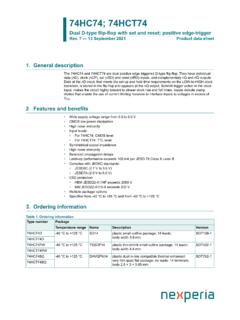
assets.nexperia.comDual D-type flip-flop with set and reset; positive edge-trigger Rev. 7 — 13 September 2021 Product data sheet 1. General description The 74HC74 and 74HCT74 are dual positive edge triggered D-type flip-flop. They have individual data (nD), clock (nCP), set (nSD) and reset (nRD) inputs, and complementary nQ and nQ outputs.

Frequency Response of Thin Film Chip Resistors
www.vishay.com0402 flip chip, and (c) 0402 flip chip with L-cut trim. By extending the range of the model results indicates the presence and approximate location of the peak observed with some of the tested devices. The external modeling coefficients, figure 7, show similar results to the case size impedance performance, figure 8.

TECHNOLOGY SOLUTIONS Flip Chip Packaging
c44f5d406df450f4a66b-1b94a87d576253d9446df0a9ca62e142.ssl.cf2.rackcdn.comFlip chip solution for CSP package technology Flip Chip System in Package (SiP) Flip chip SiP package is an extension of the SiP product offering from Amkor with the device interconnect technology being flip chip rather than traditional wirebond interconnects. The package may contain multiple passive components, silicon and/or GaAs
FC-PBGA, Flip Chip Plastic Ball Grid Array (FC-PBGA)
www.nxp.com•Freescale Flip-Chip PBGA body sizes range from 17x17mm to 45x45mm •BGA sphere pitch currently ranges from 0.8 to 1.27 mm Freescale Flip-Chip PBGA Package Attributes Body Size (mm) Package I/O Count Sphere Pitch (mm) Sphere Array Pkg SM Diam* (mm) 17x17 332 0.8 19x19 0.4 20x20 431 0.8 23x23 0.4 21x21 520 0.8 25x25 0.5 21x21 624 0.8 25x25 0.525
Status and Outlooks of Flip Chip Technology
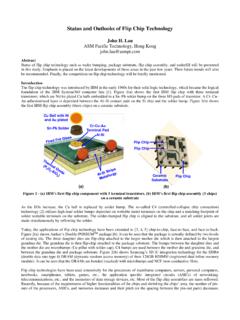
www.circuitinsight.comThe flip chip technology was introduced by IBM in the early 1960s for their solid logic technology, which became the logical foundation of the IBM System/360 computer line [1]. Figure 1(a) shows the first IBM flip chip with three terminal transistors, which are Ni/Au plated Cu balls embedded in a Sn–Pb solder bump on the three I/O pads of ...

倒装芯片封装
c44f5d406df450f4a66b-1b94a87d576253d9446df0a9ca62e142.ssl.cf2.rackcdn.com最近的封装解决方案已经开始使用另外一种被称为 tcncp(非导电浆热压)的倒装芯片互连技术。有别于焊 接和底部填充两步骤制程,tcncp 可以做到一步到位。