
Internet Explorer Settings for Web Client
Internet Explorer Settings for Web Client 2 Internet Explorer IES011208U 4. Click on the Sites button. Note: Enable Protected Mode must be unchecked. This feature is not enabled by default. 5. Type in https://*.imagedepositgateway.com 6. Click on the Add button to put the site on the list.
Download Internet Explorer Settings for Web Client

Information
Domain:
Source:
Link to this page:
Documents from same domain

Scanner Installation Assistant
direct.imagedepositgateway.comScanner Installation Assistant Assistant 5 Second Edition Teller Scan Vision X 8. Select the appropriate scanner driver and click the Uninstall button. 9. Follow the defaults to uninstall the scanner driver.
Related documents

How-to Set TLS Options in Internet Explorer 9 and 10
jko.jfcom.milTools Internet Options Click on the “Tools” menu and then select “Internet Options” from the drop down menu. If you do not see the “Tools”

Enabling compatibility mode in Internet Explorer 10 and 11
www.etitlesearch.comEnabling compatibility mode in Internet Explorer 10 and 11 In order for eTitleSearch to work correctly in Internet Explorer 10 on Windows 7 or Windows 8,
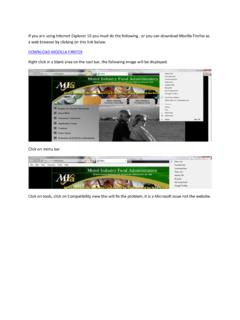
If you are using Internet Explorer 10 you must do the ...
www.mifa.org.zaIf you are using Internet Explorer 10 you must do the following , or you can download Mozilla Firefox as a web browser by clicking on this link below:

Internet Explorer 7 and 8 Security Settings
www.nsapp.fordtechservice.dealerconnection.comInternet Explorer 7 and 8 Security Settings This document applies to IE 7, and 8. All graphics were taken from Internet Explorer 8, similar to IE 7.
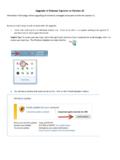
Upgrade of Internet Explorer to Version 11
www.unf.eduUpgrade of Internet Explorer to Version 11 Information Technology will be upgrading all University managed computers to Internet Explorer 11.

Accessing DoD Enterprise Email, AKO, and other DoD ...
militarycac.comOpen Internet Explorer (IE) [Make sure the page you are having problems accessing is NOT open in any tabs or another IE browser], Select the gear
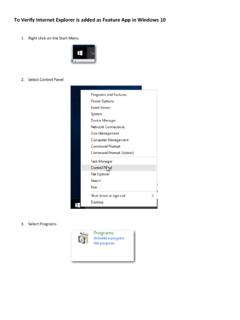
To Verify Internet Explorer is added as Feature App in ...
www.masonic-web.comTo Verify Internet Explorer is added as Feature App in Windows 10 1. Right click on the Start Menu 2. Select Control Panel 3. Select Programs