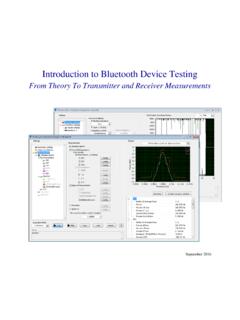
Introduction to Bluetooth Device Testing
rate is 3200 hops/s since the paging message is a very short packet. Transmit Power and Operating Range . Power class 1: 1 mW (0 dBm) to 100 mW (20 dBm) control requests. Support of received power control requests is optional for class 2 and class 3 devices. Power class 2: 0.25 mW (–6 dBm) to 2.5 mW (4 dBm)
Download Introduction to Bluetooth Device Testing

Information
Domain:
Source:
Link to this page:
Documents from same domain
Controller Area Network (CAN) Tutorial - National …
download.ni.com©National Instruments Corporation 1-1 Controller Area Network (CAN) Tutorial Controller Area Network (CAN) Tutorial A Controller Area Network (CAN) bus is a high-integrity serial bus system

TR TECHNICAL REPORT ELPEGUARD
download.ni.comTechnical Report of the series ELPEGUARDfi SL 1307 2 www.peters.de 1. General information The conformal coatings of the series ELPEGUARDfi SL 1307 are …

Flexible Manufacturing With Time Sensitive …
download.ni.comFlexible Manufacturing With Time Sensitive Networking An NI Industrial IoT Lab Demonstration Time Sensitive Networking (TSN) is a set of new capabilities being added to the IEEE Ethernet standards.

Understanding FFTs and Windowing
download.ni.comni.com/instrument-fundamentals Next Understanding FFTs and Windowing Overview Learn about the time and frequency domain, fast Fourier transforms (FFTs), and
Introduction to LabVIEW - National Instruments
download.ni.comIntroduction to LabVIEW 1. Introduction Welcome to the LabVIEW component of EE100! This lab is just a simple introduction to the graphical circuit simulation ...

Archived: Getting Started: PXI 8211 for Windows - National ...
download.ni.comThe installation guide also contains cabling instructions and troubleshooting tips. 4. 1 Shut down, then power off computer. 2 Install hardware and cables, then power on computer. ... Archived: Getting Started: PXI 8211 for Windows - National Instruments Author: Technical Communications

NI USB-9213 User Guide and Specifications - National ...
download.ni.comUSB Devices Getting Started Guide that shipped with your device, and is also accessible from Start»All Programs»National Instruments» NI-DAQ , for more information.

The Engineer’s Guide to Signal Conditioning
download.ni.commeasurement to obtain the true temperature. This adjustment is known as cold junction compensation (CJC). Most thermocouple measurement devices include built-in CJC and automatic scaling in software. If the data acquisition device does not have built-in CJC, the temperature must be measured externally to account for this difference in software.

Lab 1 – Wheatstone Bridge
download.ni.comthe potential difference between V1 and V2. The voltage gain of the differential amplifier is giving by the ratio 4 3 R R or by 6 5 R R Since the voltage gain should be 1, then R3 = R5 and R4 = R6. This can be easily accomplished by selecting R4 = R6 = 1 kΩ and R3 = R5 = 1 kΩ. U4 is an amplifier with gain of 2.2 according to the problem ...
Declaration of Conformity
download.ni.comRoHS Directive (EU) 2015/863 amending Annex II to Directive 2011/65/EU Conformity is assessed in accordance to the following standards: September 15, 2020, Austin, Texas USA Date and Place of Issue Dany Cheij, Global Product & Trade Compliance Manager
Related documents
Emergency Action Plan Template
www.cdc.govPhone Paging Radio Other (specify) Fight the fire ONLY if: • The Fire Department has been notified. • The fire is small and is not spreading to other areas. • Escaping the area is possible by backing up to the nearest exit. • The fire extinguisher is in working condition and personnel are trained to use it.

Architecture of the Windows Kernel - Computer Science, FSU
www.cs.fsu.eduPaging Overview Working Sets: list of valid pages for each process (and the kernel) Pages ‘trimmed’ from working set on lists Standby list: pages backed by disk Modified list: dirty pages to push to disk Free list: pages not associated with disk Zero list: supply of demand-zero pages Modify/standby pages can be faulted back into a

Sepsis Protocols: A Team Effort
www.health.pa.gov•Infection Control •Laboratory •Radiology •Leadership. The Algorithm •Developing the Algorithm. •Due to the complexity of sepsis each ... operator paging system. The Nursing Sepsis Protocol Order Set •CBC w/ Diff and Platelets •CMP •Lactate •PTT, PT/INR •Blood Culture

Working with SAP Business One Service Layer
help.sap.comUser Manual SAP Business One 9.1, 9.2, 9.3 and 10.0, version for SAP HANA; SAP Business One 10.0 PL01 and later Document Version: 1.22 – 2021-06-10

The von Neumann Computer Model - .NET Framework
ptabdata.blob.core.windows.net11. Control Unit, Cont. Control unit includes Instruction Register IR Instruction Pointier IP (aka Program Counter PC) FSM outputs of the control unit, - - - - -> shown by dash lines, have two purposes: 1. Control processing that takes place inside the ALU. 2. Authorize read/write gate control of the CPU data-path. Control unit demo: cjumpcxx ...
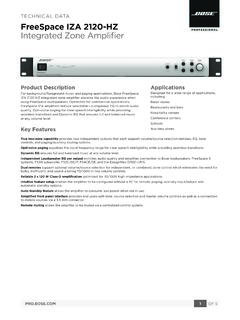
Technical Data Sheet - Bose
assets.bose.comcontrols, and paging/auxiliary routing options. Opti-oicv e paging equalizes the vocal frequency range for clear speech intelligibility while providing seamless transitions. Dynamic EQ ensures full and balanced music at any volume level.

Advanced User’s Guide
download.brother.comthe control panel keys. a Press (FAX). b Press Hook/Hold. c Press or . This setting will stay until you change it again. d Press Hook/Hold. Handset volume 1 a Press Menu, 1, 3, 4. Volume 4.Handset b Press a or b to choose High or Low. Press OK. c Press Stop/Exit. Note • You can adjust the handset volume any time you are talking on the telephone.