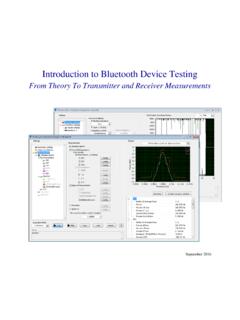
Introduction to Bluetooth Device Testing
From Theory to Transmitter and Receiver Measurements 1. Overview Introduction Bluetooth is a global wireless standard that enables connectivity for a wide range of electronic devices ranging from mobile phones to medical devices, computers, and …
Download Introduction to Bluetooth Device Testing

Information
Domain:
Source:
Link to this page:
Documents from same domain
Controller Area Network (CAN) Tutorial - National …
download.ni.com©National Instruments Corporation 1-1 Controller Area Network (CAN) Tutorial Controller Area Network (CAN) Tutorial A Controller Area Network (CAN) bus is a high-integrity serial bus system

TR TECHNICAL REPORT ELPEGUARD
download.ni.comTechnical Report of the series ELPEGUARDfi SL 1307 2 www.peters.de 1. General information The conformal coatings of the series ELPEGUARDfi SL 1307 are …

Flexible Manufacturing With Time Sensitive …
download.ni.comFlexible Manufacturing With Time Sensitive Networking An NI Industrial IoT Lab Demonstration Time Sensitive Networking (TSN) is a set of new capabilities being added to the IEEE Ethernet standards.

Understanding FFTs and Windowing
download.ni.comni.com/instrument-fundamentals Next Understanding FFTs and Windowing Overview Learn about the time and frequency domain, fast Fourier transforms (FFTs), and
Introduction to LabVIEW - National Instruments
download.ni.comIntroduction to LabVIEW 1. Introduction Welcome to the LabVIEW component of EE100! This lab is just a simple introduction to the graphical circuit simulation ...

Archived: Getting Started: PXI 8211 for Windows - National ...
download.ni.comThe installation guide also contains cabling instructions and troubleshooting tips. 4. 1 Shut down, then power off computer. 2 Install hardware and cables, then power on computer. ... Archived: Getting Started: PXI 8211 for Windows - National Instruments Author: Technical Communications

NI USB-9213 User Guide and Specifications - National ...
download.ni.comUSB Devices Getting Started Guide that shipped with your device, and is also accessible from Start»All Programs»National Instruments» NI-DAQ , for more information.

The Engineer’s Guide to Signal Conditioning
download.ni.commeasurement to obtain the true temperature. This adjustment is known as cold junction compensation (CJC). Most thermocouple measurement devices include built-in CJC and automatic scaling in software. If the data acquisition device does not have built-in CJC, the temperature must be measured externally to account for this difference in software.

Lab 1 – Wheatstone Bridge
download.ni.comthe potential difference between V1 and V2. The voltage gain of the differential amplifier is giving by the ratio 4 3 R R or by 6 5 R R Since the voltage gain should be 1, then R3 = R5 and R4 = R6. This can be easily accomplished by selecting R4 = R6 = 1 kΩ and R3 = R5 = 1 kΩ. U4 is an amplifier with gain of 2.2 according to the problem ...
Declaration of Conformity
download.ni.comRoHS Directive (EU) 2015/863 amending Annex II to Directive 2011/65/EU Conformity is assessed in accordance to the following standards: September 15, 2020, Austin, Texas USA Date and Place of Issue Dany Cheij, Global Product & Trade Compliance Manager
Related documents
Introduction to Wireless Technology - ieu.edu.tr
homes.ieu.edu.trIntroduction to wireless Technology • The term wireless communication refers to the transfer of information using electromagnetic (EM) or acoustic waves over the atmosphere rather than using any propagation medium that employs wires. Not requiring an explicit network of wires and permitting communication while on the move

Fundamentals of Wireless Communication
www.ifp.illinois.edu2.1.6 Power decay with distance and shadowing 18 2.1.7 Moving antenna, multiple reflectors 19 2.2 Input/output model of the wireless channel 20 2.2.1 The wireless channel as a linear time-varying system 20 2.2.2 Baseband equivalent model 22 2.2.3 A discrete-time baseband model 25 Discussion 2.1 Degrees of freedom 28 2.2.4 Additive white noise 29
Ubee DDW36C Advanced Wireless Gateway
d15yx0mnc9teae.cloudfront.netUse only the power cable supplied with the device. Do not attach the power supply cable to building surfaces or floorings. Rest the power cable freely without any obstacles. Do not place heavy items on top of the power cable. Do not abuse, step, or walk on the cable. Do not place heavy objects on top of the device. Do not place the device on an
TL-WR840N 300Mbps Wireless N Router - TP-Link
static.tp-link.comprovides up to 300Mbps wireless connection with other 802.11n wireless clients. The incredible speed makes it ideal for handling multiple data streams at the same time, which ensures your network stable and smooth The performance of this 802.11n . wireless router will give you the unexpected networking experience at speed 650% faster than 802.11g.
TL-MR3020 Portable 3G/4G Wireless N Router - TP-Link
static.tp-link.comWhen product has power button, the power button is one of the way to shut off the product; when there is no power button, the only way to completely shut off power is to disconnect the product or the power adapter from the power source. z. Don’t disassemble the product, or make repairs yourself. You run the risk of electric shock

Fundamentals of Wireless Communication
www.web.stanford.edu2.1.6 Power decay with distance and shadowing 18 2.1.7 Moving antenna, multiple reflectors 19 2.2 Input/output model of the wireless channel 20 2.2.1 The wireless channel as a linear time-varying system 20 2.2.2 Baseband equivalent model 22 2.2.3 A discrete-time baseband model 25 Discussion 2.1 Degrees of freedom 28 2.2.4 Additive white noise 29