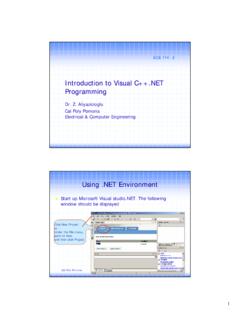
Introduction to Visual C++.NET Programming
2 Cal Poly Pomona ECE 114-1 3 New Project dialog box will be displayed Select Visual C++ Project in the Project Types pane, Select Console Application (.NET) in the temples pane. Type project Name in Name box Choose location for your project.Then, Click OK Cal Poly Pomona ECE 114-1 4 Double click the your cpp file under Solution Explore (on the right side)
Download Introduction to Visual C++.NET Programming

Information
Domain:
Source:
Link to this page:
Documents from same domain
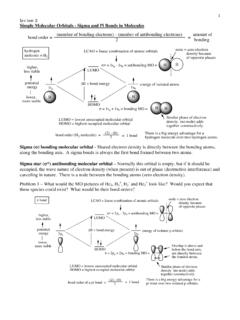
1 Lecture 2 Simple Molecular Orbitals - Sigma and …
www.cpp.edu1 Lecture 2 Simple Molecular Orbitals - Sigma and Pi Bonds in Molecules bond order = (number of bonding electrons) - (number of antibonding elect rons)
COLLEGE OF EDUCATION & INTEGRATIVE STUDIES …
www.cpp.eduCOLLEGE OF EDUCATION & INTEGRATIVE STUDIES CREDENTIAL SERVICES OFFICE 3801 West Temple Avenue, Pomona, CA …
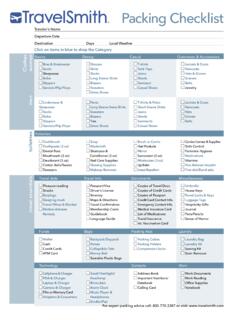
Packing Checklist - California State Polytechnic ...
www.cpp.eduTraveler’s Name Departure Date Destination Days Local Weather travel essentials toiletries Clothes men women Basics Dressy Casual Outerwear & Accessories
The Chinese Cultural Revolution: A …
www.cpp.edu1 The Chinese Cultural Revolution: A Historiographical Study In 1965, Mao Zedong believed that his socialist campaign was being threatened by Liu
Chem 201/Beauchamp Topic 1: …
www.cpp.eduChem 201/Beauchamp Topic 1: Atoms,Bonding,Dipoles,IP 2 Effective nuclear charge - Zeffective is the net positive charge felt by the valence electrons (bonding and lone pair electrons). It can be estimated by subtracting the number of …
Drawing in MicroStation - California State …
www.cpp.eduon grid points (every inch) or to a keypoint on an object . To snap to a keypoint, the reset and data buttons are pressed simultaneously. A large cursor will appear
Suggestions for success in college - Cal Poly Pomona
www.cpp.eduZ:\classes\Adobe document files\Suggestions for success in college.doc Beauchamp e. Review your notes carefully within one day. f. You might leave 1/3 (vertical) of each note page blank to fill in later with any extra details you want to add.
Chapter 1 Lecture Notes Significant Figures and …
www.cpp.edu2 • If the digit following the last significant figure is a 5 (with no other non-zero digits after the 5), round down if the last sig fig is even and round up if the last sig fig is odd. The rule about "5’s" is necessary to avoid statistical bias in your calculations. Statistically
Bio-Organic Mechanism Game - Cal Poly Pomona
www.cpp.edu1 y:\files\classes\201\topic 10 Bio-Org Game reactions.doc Bio-Organic Mechanism Game Many biomolecules have a complex structure that makes it …
spice - Cal Poly Pomona
www.cpp.edu220-spice-notes.tex Page 3 The Circuit Description A circuit description in spice, which is frequently called a netlist, consists of a statement defining each circuit element. Connections are described by naming nodes.
Related documents
Programming with Visual C++ 2010
catalogimages.wiley.com2 CHAPTER 1 PROGRAMMING WITH VISUAL C++ 2010 THE .NET FRAMEWORK The .NET Framework is a central concept in Visual C++ 2010 as well as in all the other .NET development products from Microsoft.
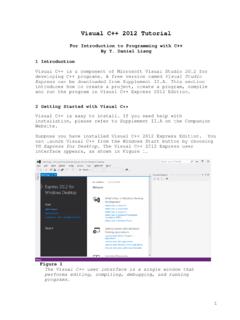
Visual C++ 2012 Tutorial - DePaul University
condor.depaul.eduVisual C++ 2012 Tutorial ... Visual C++ is a component of Microsoft Visual Studio 2012 for developing C++ programs. A free version named Visual Studio Express can be downloaded from Supplement II.A. This section introduces how to create a project, create a program, compile
Quick Introduction - Undergraduate Courses
courses.cs.vt.eduA1 Visual C++ 1 Quick Introduction The following pages provide a quick tutorial on using Microsoft Visual Studio Express 2008 C++ to produce a small project.
Visual Basic Programming - Baylor University
cs.baylor.eduWhat Visual Basic is not H Visual Basic is not, a powerful programming language that enables you to do anything you want. H Visual Basic is not, elegant or fast. H Visual Basic is not, a replacement for C. H Visual Basic is not, anything like any other programming language you have ever used.
Visual C++ in 12 Easy Lessons - hbci.com
customers.hbci.comBecause Visual C++ in 12 Easy Lessons becomes a part-time teacher, questioning and guiding the student as he or she reads and learns, you can spend more classroom time looking at complete program examples and exploring the theory of Visual C++ instead of taking time to cover petty details.
Visual C# Programming - Davide Vitelaru
davidevitelaru.com4 VISUAL C# PROGRAMMING BASICS You now created a new project. You might get all scared by Visual C#’s interface
Keysight Technologies Accelerate Program Development …
literature.cdn.keysight.comFormatted IO and paste that code into a Visual Studio C++ project. The advantages to using C/C++ with calls to VISA Formatted I/O are: – The VISA C/C++ formatted I/O functions are an industry standard.
Using the Serial Ports in Visual C++ - ee
members.ee.netThe serial ports are accessed through any version of Windows and Visual C++ by using a few system application interface (API) functions. An example of a short C++ function that accesses the serial ports is listed in Example 1. The function is called ... Using the Serial Ports in Visual C++
D R A F T - Southern Adventist University
python.cs.southern.eduCONTENTS v 11.2.6 C Strings . . . . . . . . . . . . . . . . . . . . . . . . . . . . . . . . . . . . . . .333 11.2.7 Command-line Arguments ...
Visual C# .NET Developer's Handbook - pudn.com
read.pudn.comAt the other end of the development continuum, Visual C++ makes it relatively easy to gain low-level access to anything in the Windows environment, but development is a time-intensive task requiring Machiavellian expertise.