
Kinesis LabView Guide - Thorlabs
Creating the Kinesis LabView Project File and Folder 1) On the LabView introduction screen select “Blank Project” 2) Save the Project in a New Folder, rename the folder to a suitable name. A new folder is needed as the Kinesis .dll files need to be copied into this folder. Once the folder is created save the LabView
Download Kinesis LabView Guide - Thorlabs

Information
Domain:
Source:
Link to this page:
Documents from same domain

Laser Pulses Power Energy Equations - Thorlabs
www.thorlabs.com• The average power output by the pulsed laser. • Note: average power provides no information about peak power, period, or pulse width. Figure 4. The modeled laser pulses (top) and CW laser output (bottom) provide the same energy per period, illustrated by the shaded areas. The CW laser's output power equals the pulsed laser's average power.

NEP – Noise Equivalent Power - Thorlabs
www.thorlabs.comThen, this output noise voltage Uout,NI [V] is divided by the transimpedance gain G [V/A], which results in the integrated input noise current Iin,NI [A]: + Ü á, L 7 K Q, W ) . (5) Please note that the transimpedance gain can be specified either for …
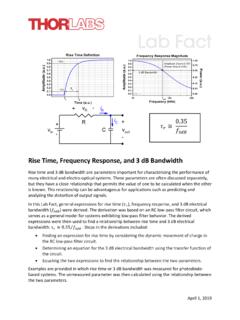
Rise Time, Frequency Response, and 3 dB Bandwidth
www.thorlabs.comMinimum rise time and 3 dB cutoff frequency are two parameters used to characterize the upper limits of the response a system can provide to a change in an input signal. This Lab Fact provides an overview of minimum rise time and 3 dB cutoff frequency, derives a mathematical
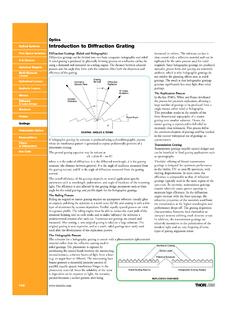
Optics Introduction to Diffraction Grating
www.thorlabs.comITEM# (lines/mm) (nm/mrad) EFFICIENCY SIZE $ £€ RMB GH13-06U 600 1.67@250nm UV Optimized 12.7 x 12.7 x 6mm $ 78.00 £ 49.10 € 72,50 ¥ 744.90 GH13-10U 1000 0.99@250nm UV Optimized 12.7 x 12.7 x 6mm $ 78.00 £ 49.10 € 72,50 ¥ 744.90 GH13-12U 1200 0.82@250nm UV Optimized 12.7 x 12.7 x 6mm $ 78.00 £ 49.10 € 72,50 ¥ 744.90