
LabelWriter 4XL Quick Start Guide - DYMO
1 For complete information about your label printer, you can view the LabelWriter Printer User Guide from the DYMO Label v.8 Help menu or …
Download LabelWriter 4XL Quick Start Guide - DYMO

Information
Domain:
Source:
Link to this page:
Documents from same domain

User Guide - DYMO
download.dymo.comAbout the LabelWriter Printer 2 Top cover Label spool Label release Label feed path and tear bar Label roll Label guide Reverse label button Form-feed button

LabelWriter 450 Turbo
download.dymo.comLabelWriter ® 450 Turbo High-Speed Label and Postage Printer For PC and MAC® LabelWriter ® 450 Turbo Features: Print faster – and print postage 1 2 3 4 5 Eliminate the hassle of printing sheet labels through a desktop printer

LabelWriter 450 TwinTurbo - DYMO
download.dymo.comLabelWriter ® 450 TwinTurbo Dual Roll Label and Postage Printer For PC and MAC® LabelWriter ® 450 Twin Turbo Features: Double your label capacity and mailing efficiency 1 2 3 4 5

LabelWriter 450 Series Printers Technical …
download.dymo.comLabelWriter®. 450 Series Printers. Technical Reference Manual . Includes LabelWriter 450, LabelWriter 450 Turbo, LabelWriter 450 …

DYMO Label v.8.5
download.dymo.comDYMO Label v.8.5.4 . Read Me — 30 September 2016 . This document contains important information that is not included in any other DYMO Label documentation.

DYMO Label v.8.6
download.dymo.comDYMO Label v.8.6.1 . Read Me — 9 February 2017 . This document contains important information that is not included in any other DYMO Label documentation.

Quick Start Guide - DYMO
download.dymo.com5 4. Loading Labels To load a label roll 1 Press the form-feed button o ject lab ls at protected the printer during shipment. 2 Op en th op cover andremov ny packing ...

LM210D manual US cover1 - DYMO
download.dymo.com7 Using the Label Maker for the First Time The first time you turn on the power, you are asked to select the language. This selection will remain set until you change it, …

User Guide - DYMO
download.dymo.com4 Figure 1 RHINO 5200 Label Printer SHIFT SHIFT BKSP Feed Print/# of copies Escape Backspace Shift Size/CAPS Backlight Serialization Label exit …

LW Wireless UserGuide - DYMO
download.dymo.com1 DYMO LabelWriter Wireless User Guide Safety Precautions Read and understand all of the precautions listed below. Follow all warnings …
Related documents
Remedy Quick Start Guide - nyu.edu
www.nyu.eduRemedy Quick Start Guide Remedy 7 is a workflow tool for managing requests and their resolution. It is available to subscribed departments at NYU.
HP 12c Financial Calculator Quick Start Guide
www.hp.comHP 12c Financial Calculator Quick Start Guide Edition 1 HP Part Number: F2230-90201

Quick Start Guide - Canon
files.canon-europe.com4 N670U/N676U/N1240U Quick Start Guide Install the Software Windows 98 / 2000 Professional The screen shots in this section are from Windows 98. 1. Turn the computer on. 2. When [Add New Hardware Wizard] appears,

IDS START-UP TROUBLESHOOTING GUIDE - …
www.fordtechservice.dealerconnection.comIDS STARTUP WARNING GUIDE Page 1 of 2 April 2, 2012 IDS START-UP TROUBLESHOOTING GUIDE These sections introduce various areas of investigation for troubleshooting the following topics:
2. Old Car Start-Up Procedure
www.kaiserbill.com2. Old Car Start-Up Procedure “Basic Training Camp” Old Car Start-Up Procedure Many an old car that has been sitting for a while may be …

HP Prime Graphing Calculator Quick Start Guide
www.hp.comQuick Start Guide 3 Keyboard legend Number Feature 1 LCD and touch screen: 320 × 240 pixels 2 Context-sensitive touch-button menu s y e k s p p A P 3H

Quick Start Guide
www.p2plivecam.com1 / 14 What’s in the Box 1. IP Camera 2. DC Power Adapter 3. Network Cable 4. Mounting Bracket 5. Quick Start Guide 6. CD Get Started Hardware Installation

Quick Start Guide Bluetooth - LG Electronics
www.lg.comQWERTY Keyboard Using Social Networks Adding Favorite Contacts Accessing and Using the Quick Menu Bluetooth® Pairing Quick Start Guide www.lgusa.com/cosmos
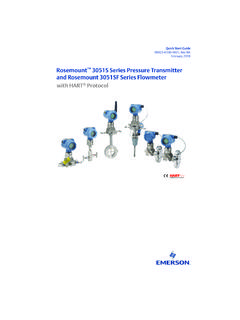
Quick Start Guide: Rosemount 3051S Series …
www.emerson.comQuick Start Guide 3 February 2018 1.0 Mount the transmitter 1.1 Liquid flow applications 1. Place taps to the side of the line. 2. Mount beside or below the taps.