LibreOffice 7.2 Math Guide
wants to learn how to insert formulas and equations using Math will find this guide valuable. In LibreOffice, formulas can be inserted as objects into Writer, Impress, Draw, and Calc documents. Regardless of the document type, formula objects are edited using LibreOffice Math.
Download LibreOffice 7.2 Math Guide

Information
Domain:
Source:
Link to this page:
Documents from same domain
Chapter 12 Calc Macros - LibreOffice
documentation.libreoffice.orgIntroduction A macro is a saved sequence of commands or keystrokes that are stored for later use. An example of a simple macro is one that “types” your address. The LibreOffice macro language is very flexible, allowing automation of both simple and complex tasks. Macros are especially useful to repeat a task the same way over and over again.
LibreOffice Math Guide Version 7
documentation.libreoffice.orggiving a brief explanation of the function for that icon. For a more detailed explanation, select Help > What's This? on the main menu bar and hover the pointer over the icon. Free online support The LibreOffice community not only develops software, but provides free, volunteer-based ... free tips and tutorials. This forum provides support for ...

Adding and Formatting Text - LibreOffice
documentation.libreoffice.orgbulleted lists, tables, fields, and hyperlinks. Using the text tool To activate the text tool, click the Text icon for horizontal text or the Vertical Text icon for vertical text on the Drawing toolbar. If the Vertical Text icon is not visible, first select the option Show UI elements for East Asian

Form Letters, Mailing Labels, and Envelopes
documentation.libreoffice.org2) How to create and print form letters, mailing labels, and envelopes. 3) Optionally, how to save the output in an editable file instead of printing it directly. Creating and registering the data source A data source is a database containing the name and address records (and optionally other information) from which a mailing list may be derived.

LibreOffice 4.3 Draw Guide
documentation.libreoffice.orgA few examples of the drawing functions are: layer management, snap functions and grid-point system, dimensions and measurement display, connectors for making organization charts, 3D functions that enable small three-dimensional drawings to be created (with texture and lighting effects), drawing and page-style integration, and Bézier curves.
LibreOffice 3.5 Guida a Draw
documentation.libreoffice.orgAlcuni esempi delle funzioni di disegno sono: gestione dei livelli, griglia magnetica, visualizzazione di dimensioni e misure, connettori per creare organigrammi, funzioni 3D per creare piccoli disegni tridimensionali (con trame ed effetti di luce), integrazione di disegni e stili di pagina, e le curve di Bézier.

Creating Charts and Graphs - LibreOffice
documentation.libreoffice.orgCreating charts and graphs To demonstrate the process of creating charts and graphs in Calc, we will use example data as shown in Figure 1 to create a chart. Figure 1: Example data for creating a chart 1) Select the cells containing the data …

Formulas and Functions - LibreOffice
documentation.libreoffice.orgIntroduction In previous chapters, we have been entering one of two basic types of data into each cell: numbers and text. However, we will not always know what the contents should be. Often the contents of one cell depends on the contents of other cells. To handle this situation, we use a third type of data: the formula. Formulas are equations ...

Working with Images - LibreOffice
documentation.libreoffice.orgIf color images are to be printed in grayscale, check that any adjacent colors have good contrast and print dark enough. Test by printing on a black-and-white printer using a grayscale setting. Better still: change the “mode” of the image to grayscale, either in a photo editor or in Writer itself (see “Graphics mode” on page 11).
Base Handbook - LibreOffice
documentation.libreoffice.orgdatabase programs, including Microsoft Access, MySQL, Oracle, and PostgreSQL. Base includes additional functionality that allows you to create full data-driven applications. This book introduces the features and functions of Base, using two example databases. • Creating a database • Accessing external databases
Related documents

Developing a Strategic Roadmap
images.template.net-Calc Scripts-Load & Reconcile Data Month 1 Month 2 Month 3-Load & Reconcile Data-Dimensions Application Build -Rules and Formulas Design Project Management Month 4 Month 5 Month 6 Month 7 Month 8 Month 9 Month 10 Go-Live-Reports-Security System Integration Testing Training, User Testing, and Resolution Go-Live-Reports System Integration Testing
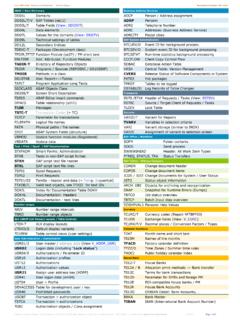
List of Useful SAP Tables: ABAP, Data Dictionary, SAP-FI and …
www.system-overload.orgT059F Formulas for Calc. Withholding Tax T059K Withholding tax code; process. key T059P/Z Withholding tax types / tax code; enhanced T007A/S Tax Keys T007B Tax Processing in Accounting Payment (= pmnt) Method T042 Parameters for payment transactions T042A Bank selection for payment program T042B Details on the company codes that pay
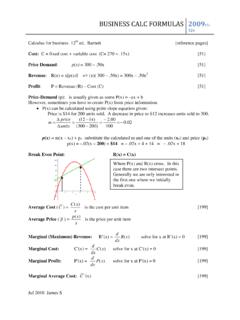
BUSINESS CALC FORMULAS - CSUSM
www.csusm.eduBUSINESS CALC FORMULAS 2009 r1-12e Jul 2010 James S Future Value of a continuous income stream: [424]

CALCULUS I - hi
notendur.hi.isBusiness Applications ... Differentiation Formulas – Here we will start introducing some of the differentiation formulas used in a calculus course. Product and Quotient Rule – In this section we will took at differentiating products and quotients of functions.

Microsoft Excel 2019: Formulas and Functions
ptgmedia.pearsoncmg.comversions; custom cover designs; and content particular to your business, training goals, marketing focus, or branding interests), please contact our corporate sales department at corpsales@pearsoned.com or (800) 382-3419.

TI-83 GUIDEBOOK - Oregon State University
math.oregonstate.edu8300INTR.DOC TI-83 Intl English, Title Page Bob Fedorisko Revised: 02/19/01 2:32 PM Printed: 02/21/01 9:05 AM Page iii of 8 TI-83 GRAPHING CALCULATOR
CERTIFICATE COURSE IN COOMMPPUUTTEERR AOONN NOO …
www.tndte.gov.in16. Using formulas and functions: To prepare a Worksheet showing the monthly sales of a company in different branch offices (Showing Total Sales, Average Sales). Prepare a Statement for preparing Result of 10 students in 5 subjects (using formula to get Distinction, I Class, II Class and Fail under Result column against each student). 17.