LocoNet, the Digitrax Difference
LocoNet, The Digitrax Difference Page 1 of 7 . LocoNet is Digitrax's method of communication between LocoNet compatible devices on a
Download LocoNet, the Digitrax Difference

Information
Domain:
Source:
Link to this page:
Documents from same domain

Complete Train Control - Digitrax, Inc.
www.digitrax.comDigitrax Mobile & Sound Decoder Manual Second Edition Table of Contents R 1.0 Introduction ..... 6 2.0 Digitrax Mobile and Sound Decoder Overview ... 6
Complete Train Control - Digitrax, Inc.
www.digitrax.comIntroduction Congratulations on your purchase of a Digitrax DB210/DB220 Booster. The design of the Digitrax Complete Train Control® system lets you operate your layout the way you choose.
TM D(&(0. 4 C,** +# C,+0.,) ˚0 .0$. ˚$0 ˇ +1 )
www.digitrax.comr 4 1 2 45 78 swit ch +-ex it pow er prog mo de tc 3 6 9 func + 20 func+ 10 mu te ogr am mo de swit ch pow er reca ll ex it ste ps loco ju mp mu 0 cv cv-rd cv-wr a b j uju
LocoNet - Digitrax, Inc.
www.digitrax.comDIGITRAX Inc, Copyrighted information (see introduction): LocoNet Personal Use version 1.0 Page2 of 15 An example of this is the way the Digitrax "Big Boy" can be expanded with DT100's and get a network
DT500 - Digitrax, Inc.
www.digitrax.com2016 Digitrax, Inc. 11 www.digitrax.com Introduction Congratulations on your purchase of a Digitrax DT500 Series Advanced Super Throttle! This family of throttles brings some exciting features to
Complete Train Control - Digitrax, Inc.
www.digitrax.com1 Mobile Decoder Manual Includes: Decoder Selection & Installation Basics Programming & Configuration Variables Real FX & FX3Set Up & Use Scaleable Speed Stabilization (Back EMF) Set Up
LocoNet, the Digitrax Difference
www.digitrax.comLocoNet, The Digitrax Difference Page 1 of 7 . LocoNet is Digitrax's method of communication between LocoNet compatible devices on a
Windows 7 Installation Instructions for the PR3 - digitrax.com
www.digitrax.com25. Note the COM Port that windows assigned the PR3. You will need this COM Port information for various Digitrax Utilities or 3rd party software programs.
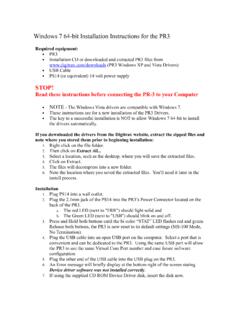
Windows 7 64-bit Installation Instructions for the PR3
www.digitrax.comNOTE - The following steps and screen captures may vary depending on your computer, software version and settings. 8. Click on the Windows Start button. 9. Click the Windows Search Bar type in Run and press Enter. 10. The Run dialog box will open, type in devmgmt.msc and press OK.
Digitrax Command Control Starter Set Manual
www.digitrax.com7.0 Hooking Up Your Zephyr 7.1 Zephyr rear panel Connections 1.rail a & Bfor connecting the DCS50 to the rails on the layout. 2.prOg a & Bfor hooking up the programming track.Section 16.1. 3.JuMp 1& 2for connecting one or two smooth DC power packs to the sys- tem for use as additional throttles. Section 25.2 4.pOwer in-plug in the PS315 here. 5.lOCOnet pOrtS a & Bfor connecting the DCS50 to ...
Related documents
Bluetooth nBlueTM BR-LE4.0-S2A - Blue Radios
www.blueradios.comPage 2 of 7 nBlue BR-LE4.0-S2A Module Summary Datasheet Copyright © 2002-2014 BlueRadios, Inc. 8310 S. Valley Highway, Suite 275 • Englewood, CO 80112 • USA ...
Version : 1.3.006 Date : 24.03 - metal-shark.com
www.metal-shark.comLegend LED dark Ground ∼ RF-Signal Metal ball Move Product Next step Snap switch position Don’t twist the snap switch position Measuring signal

GTXTM 327 TRANSPONDER INSTALLATION …
www.mstewart.netGTX 327 Installation Manual Page v 190-00187-02 Rev J LIST OF ILLUSTRATIONS FIGURE PAGE 2-1 RF Connector Assembly .....10
Unmarked set by GMC - RadioManual
www.radiomanual.infoIMPORTANT NOTICE The power supply cable is color coded: a GREEN DOT is on the top side of the connector of the AMPLIFIER end the cable. When plugging this end of the
SCU-17 USB INTERFACE UNIT - Welcome to …
www.yaesu.com2 17 NTERFACE NIT Virtual COM port driver Installation Install the virtual COM port driver on the personal computer before using the SCU-17 USB interface unit.