
Microsoft Outlook 2013 - CustomGuide
Microsoft® Outlook 2013 Quick Reference Card To Access the Inbox: Click the Mail button in the Navigation Bar. To Check for New Messages: Click the Send/Receive button on the Quick Access toolbar, or press F9. Message Indicators: Message has not been read. Message has been read. File is attached to the message.
Download Microsoft Outlook 2013 - CustomGuide

Information
Domain:
Source:
Link to this page:
Documents from same domain

Microsoft PowerPoint 2013 - CustomGuide
www.customguide.comMicrosoft® PowerPoint 2013 Quick Reference Card The PowerPoint 2013 Screen Keyboard Shortcuts The Fundamentals To Create a New Presentation: Click the File tab, click New.

Word 2013 Quick Reference - SharePoint Training
www.customguide.comMicrosoftWord 2013 ® Quick Reference Card The Word 2013 Screen Keyboard Shortcuts General Open a Document Ctrl + O Create New Ctrl + N …

Quick Reference Card Visit: qr.customguide
www.customguide.comMicrosoftWord 2016 ® Quick Reference Card The Word 2016 Screen Keyboard Shortcuts General Open a Document Ctrl + O Create New Ctrl + N …

Windows 10 Quick Reference - CustomGuide
www.customguide.comMicrosoft® Windows 10 Quick Reference Card Start Menu Keyboard shortcuts Basic Commands Start Menu Copy a Folder/File Ctrl + C Cut a Folder/File Ctrl + X

Your Organization’s Name Here - SharePoint Training
www.customguide.com©CustomGuide 2015 3 Table of Contents Table of Contents ..... 3

Project 2013 Quick Reference - CustomGuide
www.customguide.comMicrosoft® Project 2013 Quick Reference Card Project 2013 Screen Common Views To Display a View: Select the View tab and choose from the Task Views available.

Windows 8 Quick Reference - CustomGuide
www.customguide.comicrosof inos uic eference Car For Personal Use Only ustomuide Contact Us at info@customguide.com for organizational use. Free Quick References! Visit: qr.customguide.com The Start Screen

Word 2007 Quick Reference - SharePoint Training
www.customguide.comMicrosoft® Word 2007 Quick Reference Card Word 2007 Screen [Grab your reader’s attention with a great quote from the Shortcuts The Fundamentals Open a Document …

uic eference Car Free Quick References! - …
www.customguide.comicrosof nc uic eference Car For Personal Use Only ustomuide Contact Us at info@customguide.com for organizational use. Free Quick References! Visit: qr.customguide.com The Lync 2013 Window

Excel 2013 Quick Reference - CustomGuide
www.customguide.comMicrosoftExcel 2013 ® Quick Reference Card The Excel 2013 Screen Keyboard Shortcuts Close button General Open a Workbook Ctrl + O Create New Ctrl + N
Related documents

Infrastructure2013 - EY
www.ey.com4 Infrastructure 2013 In 2013, the slowly recovering global economy influences widely differing ap- proaches to setting infrastructure agendas, as nations work to gain competitive footholds amid ongoing financial distress, political unease, and …

PNG Economic Briefing - World Bank
www.worldbank.orgPapua New Guinea Economic Briefing From the last days of the boom to lasting improvements in living standards THE WORLD BANK GROUP IN PAPUA NEW GUINEA 2013—1 In 2012 PNG [s economy enjoyed what it is likely to be the last year of strong growth for most sectors of PNGs
EDUCATION POLICY OUTLOOK: AUSTRALIA - …
www.oecd.orgEDUCATION POLICY OUTLOOK This policy profile on education in Australia is part of the new Education Policy Outlook series, which will present comparative analysis of education policies and reforms across OECD countries. Building on the substantial comparative and sectorial policy knowledge base available within the OECD, the series

IMPLEMENTING MISSION CONTROL IN …
www.missioncontrol.comIMPLEMENTING MISSION CONTROL® IN MICROSOFT® OUTLOOK® How to Setup the Not and Never Doing Now Lists, Agendas, and the Vivid Display For Outlook 2013 and 2016, PC only
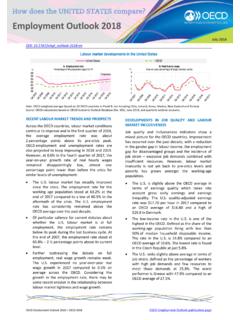
Employment Outlook 2018 - OECD.org
www.oecd.orgContact: Stefano Scarpetta (+33 1 45 24 19 88; stefano.scarpetta@oecd.org) or . Stéphane Carcillo (+33 1 45 24 80 31; stephane.carcillo@oecd.org),
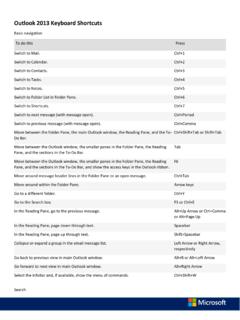
Outlook 2013 Keyboard Shortcuts - Eric Ligman
www.mssmallbiz.comOutlook 2013 Keyboard Shortcuts Basic navigation To do this Press Switch to Mail. Ctrl+1 Switch to Calendar. Ctrl+2 Switch to Contacts. Ctrl+3

outlook 2013 Using Pop3 - Telkom
www.telkom.co.zaE-mail setup guide for Microsoft Outlook 2013 using POP3 Step 1 On your computer, click Start > Control Panel. Step 2 Then double-click the Mail icon.
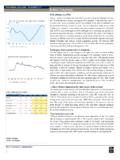
BRITISH COLUMBIA – A housing-led growth …
www.rbc.comPROVINCIAL OUTLOOK | JUNE 2018 2 BRITISH COLUMBIA – A housing-led growth slowdown Over the past three years, residential investment has accounted for nearly one-third of British Columbia’s
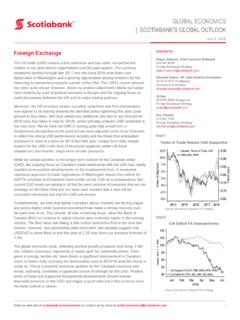
GLOBAL ECONOMICS SCOTIABANK’S GLOBAL …
www.gbm.scotiabank.com1 July 3, 2018 GLOBAL ECONOMICS | SCOTIABANK’S GLOBAL OUTLOOK Visit our web site at scotiabank.com/economics or contact us by email at scotia.economics@scotiabank.com