
Microsoft PowerPoint 2019 Basic - CustomGuide
Work with Presentations Add Slide Notes: Click the View tab on the ribbon and click the Notes button in the Show group to turn on the Notes pane. Enter a slide note to use during the presentation or for slide handouts. Add a Comment: Click the slide where you want to add a comment. Click the Review tab on the ribbon and click the New Comment ...
Download Microsoft PowerPoint 2019 Basic - CustomGuide

Information
Domain:
Source:
Link to this page:
Documents from same domain

Microsoft PowerPoint 2013 - CustomGuide
www.customguide.comMicrosoft® PowerPoint 2013 Quick Reference Card The PowerPoint 2013 Screen Keyboard Shortcuts The Fundamentals To Create a New Presentation: Click the File tab, click New.

Word 2013 Quick Reference - SharePoint Training
www.customguide.comMicrosoftWord 2013 ® Quick Reference Card The Word 2013 Screen Keyboard Shortcuts General Open a Document Ctrl + O Create New Ctrl + N …

Quick Reference Card Visit: qr.customguide
www.customguide.comMicrosoftWord 2016 ® Quick Reference Card The Word 2016 Screen Keyboard Shortcuts General Open a Document Ctrl + O Create New Ctrl + N …

Windows 10 Quick Reference - CustomGuide
www.customguide.comMicrosoft® Windows 10 Quick Reference Card Start Menu Keyboard shortcuts Basic Commands Start Menu Copy a Folder/File Ctrl + C Cut a Folder/File Ctrl + X

Your Organization’s Name Here - SharePoint Training
www.customguide.com©CustomGuide 2015 3 Table of Contents Table of Contents ..... 3

Project 2013 Quick Reference - CustomGuide
www.customguide.comMicrosoft® Project 2013 Quick Reference Card Project 2013 Screen Common Views To Display a View: Select the View tab and choose from the Task Views available.

Windows 8 Quick Reference - CustomGuide
www.customguide.comicrosof inos uic eference Car For Personal Use Only ustomuide Contact Us at info@customguide.com for organizational use. Free Quick References! Visit: qr.customguide.com The Start Screen

Word 2007 Quick Reference - SharePoint Training
www.customguide.comMicrosoft® Word 2007 Quick Reference Card Word 2007 Screen [Grab your reader’s attention with a great quote from the Shortcuts The Fundamentals Open a Document …

uic eference Car Free Quick References! - …
www.customguide.comicrosof nc uic eference Car For Personal Use Only ustomuide Contact Us at info@customguide.com for organizational use. Free Quick References! Visit: qr.customguide.com The Lync 2013 Window

Excel 2013 Quick Reference - CustomGuide
www.customguide.comMicrosoftExcel 2013 ® Quick Reference Card The Excel 2013 Screen Keyboard Shortcuts Close button General Open a Workbook Ctrl + O Create New Ctrl + N
Related documents

How to make a scientific poster: a guide for medical …
cures.cardiff.ac.ukIn Powerpoint, you can make the poster on a single slide. You can set the slide according to the specification by clicking on the ‘Design’ tab and clicking on Page setup. If you need to make A0, A1, or A2 posters, you will need to enter the length and width measurements manually. Layout Now that you have the correct size
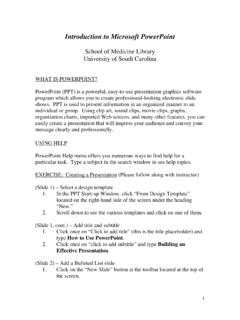
Introduction to Microsoft PowerPoint
uscm.med.sc.eduPowerPoint Help menu offers you numerous ways to find help for a particular task. Type a subject in the search window to see help topics. EXERCISE: Creating a Presentation (Please follow along with instructor) (Slide 1) – Select a design template 1. In the PPT Start-up Window, click “From Design Template”
Working With Microsoft PowerPoint
www2.eit.ac.nzSelect the slide you would like to copy, right click on the selected slide and select Copy from the menu. Pasting a Slide Position your cursor where you want to paste the slide (eg. between 6 & 7) << Ctrl + V Moving a slide After creating a Powerpoint presentation you may decide to change the order of your slides.

How to Make an Effective PowerPoint Presentation
speakingaboutpresenting.comreview/summary slide n. P This slide allows people to see the three parts of your presentatio Resource How to do an agenda slide like Garr Reynolds lack slide type of slide is the black slide. When you don’t need a slide, presentation and insert a lide with a black background. When you click onto that slide, the screen . B The fourth
paper to talk - Duke University
twp.duke.edupresentations include visual elements (e.g. Power Point), this handout offers guidelines for converting a written paper into a talk and creating visual material that is appropriate for your topic. ... you do it the same way for every slide. It shows …

PowerPoint 2010 - Tutorialspoint
www.tutorialspoint.comPowerPoint 2010 5 File Tab This tab opens the Backstage view which basically allows you to manage the file and settings in PowerPoint. You can save presentations, open existing ones and create new presentations based on blank or predefined templates.