Microsoft Word 2010 Tutorial - Information Technology
The Font Menu How to change fonts 1. From the Home tab, in the Font menu area, you can find a dropdown menu that allows you to select different fonts. In the above screenshot, it is the area that says Calibri (Body). 2. The number to the right of the font name indicates the size of the font that you are typing in. If
Download Microsoft Word 2010 Tutorial - Information Technology

Information
Domain:
Source:
Link to this page:
Related documents
Microsoft Word for Beginners
media.news.health.ufl.eduMay 21, 2018 · work if there is a current selection. Once a selection is made, you can use the CTRL key to add to the selection. ‐ Click twice (Double‐click) ‐ it will select the word. ‐ Click three times (Triple‐click) ‐ it will select the paragraph.
239 Excel Keyboard Shortcuts
d13ot9o61jdzpp.cloudfront.netGeneral Back To Index Open help F1 Undo last action Ctrl + Z Redo last action Ctrl + Y Copy selection Ctrl + C Repeat last action F4 Cut selection Ctrl + X Paste content from clipboard Ctrl + V Display the Paste Special dialog box Ctrl + Alt + V Display nd and replace with Find tab selected Ctrl + F Display nd and replace with Replace tab selected Ctrl + H Find previous …
Keyboard Shortcuts (Windows)
ehs.ucsc.eduCtrl+Shift+> Increase font size . Ctrl+Shift+< Decrease font size . Highlight Text . Shift + Arrow Keys Selects one letter at a time . Shift + Ctrl + Arrow keys Selects one word at a time . Shift + End or Home Selects lines of text . Change or resize …
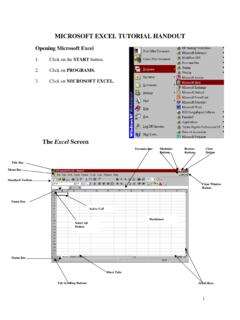
MICROSOFT EXCEL TUTORIAL HANDOUT
p10cdn4static.sharpschool.comChange Font: 1. Select the cell(s). 2. Click on the FORMAT menu. 3. Click on CELLS. 4. Click on FONT. 5. Make changes and click OK. The Formatting Toolbar can also be used to make changes. 1. Select the cell(s). Italic 2. Click on the desired button. Font Font Size Bold Underline Left Center Right Merge/Center Currency Increase Decimal Decrease ...
Manual on the Procedure and Computation of Salaries new font
publicservice.gov.mt1 APPOINTMENT: initial recognition given as a result of success following a competitive selection. 2 The Salaries Reporting System (SRS) is a new IT tool developed by the Office of the CIO, MGOZ and the Directorate General (Operations), MGOZ designed to facilitate the flow of salaries-related information
Infographic Designer Quick Start
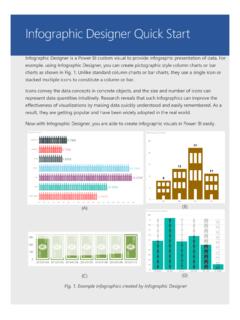
www.microsoft.comUpon the selection from other visuals, Infographic Designer will update with data filtered accordingly. On the other hand, you can select one or more data points in Infographic ... font, font size, and horizontal and vertical alignment. Fig. 10. Icon Selection dialog . Format settings for a shape element and an image element are similar, including:
SELECTION DE JEUX COOPERATIFS PHYSIQUES - OCCE 75
www.occe75.netparticipants font un quart de tour vers la droite et un petit pas vers l’intérieur du cercle. Chaque joueur pose les mains sur la taille de son voisin de devant et garde les jambes bien serrées. Il s’agit ensuite au signal sonore de s’asseoir sur les genoux de la personne derrière soi.