
MSI CENTER
In the Fan section, click CPU/ PUMP/ SYS fan setting . Current fan speed How to use the Smart Fan control panel The Smart Fan control panel contains 4 dots which allow you to drag and adjust the Smart Speed slopes. The fan speed will change along with the Smart Speed curve. The white dot will create strip chart in real time. Default setting
Download MSI CENTER

Information
Domain:
Source:
Link to this page:
Documents from same domain

Optix Series - download.msi.com
download.msi.com3 Stand Base with Screw 4 Wall Mount Screws x 4 5 Stand Screws x 4 6 VESA Cover 7 Power Cord ... 15 Camera Cradle with Rotatable Ball Head * Contact your place of purchase or local distributor if any of the items is damaged or ... It doesn’t support data transmition function. 5 USB3.1 Gen1 Type B Upstream Port For USB Upstream Cable.
Optix Series - download.msi.com
download.msi.com(2014/35/EU), ErP Directive (2009/125/EC) and RoHS directive (2011/65/ EU) This product has been tested and found to comply with the harmonized standards for Information Technology Equipment published under Directives of Official Journal of

Optix Series - download.msi.com
download.msi.comto Electromagnetic Compatibility (2014/30/EU), Low-voltage Directive (2014/35/EU), ErP Directive (2009/125/EC) and RoHS directive (2011/65/ EU) This product has been tested and found to comply with the harmonized standards for Information Technology Equipment published under Directives of Official Journal of the European Union

Quick Start - download.msi.com
download.msi.comAudio y Realtek® ALC892 Codec 7.1-Channel High Definition Audio Back Panel Connectors y 1x PS/2 keyboard/ mouse combo port y 2x USB 2.0 Type-A ports y 1x VGA port y 1x DVI-D port y 1x DisplayPort y 1x USB 3.1 Gen2 Type-A port y 1x USB 3.1 Gen2 Type-C port y 1x LAN (RJ45) port y 2x USB 3.1 Gen1 Type-A ports y 6x audio jacks Continued on next page
Quick Start - download.msi.com
download.msi.comInternal Connectors y 1x 24-pin ATX main power connector y 1x 8-pin ATX 12V power connector y 6x SATA 6Gb/s connectors y 2x USB 2.0 connectors (support additional 4 USB 2.0 ports) y 1x USB 3.2 Gen1 connectors (support additional 2 USB 3.2 Gen1 ports) y 1x 4-pin CPU fan connector y 1x 4-pin water-pump-fan connector y 4x 4-pin system fan connectors

Contents
download.msi.com4x USB 3.2 Gen 1 5Gbps Type-A ports on the back panel Internal Connectors ∙ 1x 24-pin ATX main power connector ∙ 1x 4-pin ATX 12V power connector ∙ 4x SATA 6Gb/s connectors ∙ 1x M.2 slots (M-Key) ∙ 1x USB 3.2 Gen 1 5Gbps connector (supports additional 2 …

Inleiding - download.msi.com
download.msi.comInleiding 4 5 1. Webcam/ Webcam-LED/ interne microfoon • Deze ingebouwde webcam kan worden gebruikt voor beeld, video-opname, conferencing, enz. • De webcam-LED indicator die zich naast de webcam bevindt, licht op wanneer de webcamfunctie wordt geactiveerd en de LED gaat uit als deze functie wordt uitgeschakeld.

Quick Start - download.msi.com
download.msi.comBIOS Features ∙ 1x 256 Mb flash ∙ UEFI AMI BIOS ∙ ACPI 6.0, SMBIOS 2.8 ∙ Multi-language Software ∙ Drivers ∙ DRAGON CENTER ∙ MSI APP Player (BlueStacks) ∙ Open Broadcaster Software (OBS) ∙ CPU-Z MSI GAMING ∙ Google Chrome™, Google Toolbar, Google Drive ∙ Norton™ Internet Security Solution Dragon Center Features ∙ ...

User's Manual
download.msi.comEuropean Union: Batteries, battery packs, and accumulators should not be disposed of as unsorted household waste. Please use the . public collection system to return, recycle, or treat …

CREATOR CENTER User Guide - download.msi.com
download.msi.comThe screenshots for the UI in this user guide are for reference only and the actual UI design may vary. Operation Panel Information Bar Display System ... Base Clock frequency (BCLK). You can also fill out the value in the input box. ... Please refer to the instructions on page 28.
Related documents
E N G I N E E R I N G - Gear Pump Basics - Liquiflo
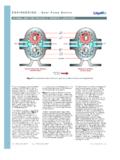
www.liquiflo.comtypical gear pump’s performance curve for a thin fluid (such as water with a viscosity of about 1 cP at room temper-ature) with that of a moderately viscous fluid (such as a particular oil with a viscosity of 100 cP). Figure 1: Cross-sectional views of external gear pump demonstrating operating principle.

In-Line Air Separators - TACO - HVAC
www.taco-hvac.comThe table below shows a solubility curve for air in water. Note that at a fixed pressure, increasing the temperature reduces the amount of air that can be dissolved. For example, at 60 PSIA and 40°F, the water can contain just over 10% air by volume. At 60 PSIA and 200° F, the percentage decreases to just over 4%.

Pumping System Curves - Michigan Technological University
pages.mtu.eduan existing pump can do under various loads (duties) •We measure the pump characteristic curve by determining Δ L L F L æ è Ö ç Ü â áon the suction/discharge system How do you choose a centrifugal pump for a given duty? CM3215 Fundamentals of Chemical Engineering Laboratory System Curve Assignment (week 9; due Wed after break) Pumping ...
Analytical method Validation: ICP-OES
www.rsc.orgPerformance experiments are periodically conducted to checktheinstrument performance ... For tests utilizing the plasma the tubing at the peristaltic pump should be changed if there is more than 10 hours of operating time on them. It is ... calibration curve, accuracy, precision, recovery, limits of quantification and ...

Pump Types - Tuthill Pump
www.tuthillpump.com•Review different pump types commonly used •Understand the difference between centrifugal pumps and positive displacement pumps •Understand the working principle of the Tuthill