
MSS Installation Guide - Lantronix
Introduction MSS Features 1-2 Ease of Use The MSS4 has a simple but powerful command interface for both users and system managers. The MSS Local mode supports command line …
Download MSS Installation Guide - Lantronix

Information
Domain:
Source:
Link to this page:
Documents from same domain

xPicoEmbedded Device Server User Guide - Lantronix
www.lantronix.comUser Guide . xPico ® Embedded Device ... firmware license to use and distribute the binary firmware image provided, only to the ... Quick Start Provides the steps ...

UDS1100/2100 Family - Lantronix
www.lantronix.com+ Provides a simple and cost effective serial-to-Ethernet connectivity solution for virtually any device with an RS-232/422/485 serial interface

CoBox-FL User Guide - Lantronix
www.lantronix.comDeclaration of Conformity (according to ISO/IEC Guide 22 and BS 7514) Manufacturer’s Name & Address: Lantronix, 15353 Barranca Parkway, Irvine, CA 92618 USA

SLC™ 8000 - Lantronix
www.lantronix.comLantronix SLC 8000 Features and Specifications Device Access _____ • KC and CCC for select models only.
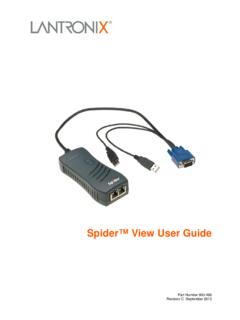
Spider™ View User Guide - Lantronix
www.lantronix.comSpider™ View User Guide 4 Introduction The Lantronix® Spider™ View product is a Windows®- based application designed to facilitate the
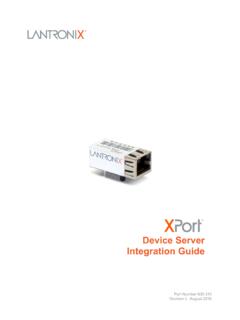
XPort Pro Device Server Integration Guide - Lantronix
www.lantronix.comJuly 2010 I Minor corrections; updated Table 2-5 Recommended ... About the Integration Guide _____ 6 Additional Documentation _____ 6 ... Board User Guide . Provides information needed to use the XPort on the demo board. DeviceInstaller User

UDS1100 User Guide - Lantronix
www.lantronix.comUDS1100 Device Server User Guide 3 Operation of this equipment in a residential area is likely to cause interference, in which case the user, at his or her own expense, will …

MSS User Guide - Lantronix
www.lantronix.comMSS User Guide 1: Introduction to the MSS Family 1-3 Domain Name Service (DNS) is a protocol that allows a network nameserver to translate text node names into numeric IP addresses. For WINS support, the MSS can be configured to announce itself as a WINS node. Note: MSS products support B-node functionality only The MSS also implements basic Simple Network Management Protocol (SNMP)

DeviceInstaller User Guide - Lantronix
www.lantronix.com3. On the Assignment Method page, select . Assign a specific IP address. and click . Next. The IP Settings window displays. 4. Enter the following information: IP address . An IP address that will be unique and valid on your network. There is no default. Note: Enter the IP address in dot-quad notation. Do not use leading zeros in the fields for ...
DeviceInstaller User Guide - Lantronix
www.lantronix.comTCP/IP and Subnetting Tutorial TCP/IP Tutorial Overview This tutorial is designed to provide the user with enough information to resolve a problem being experienced with DeviceInstaller. For more detailed information on the TCP/IP protocol, please go to www.google.com. and search for RFC791, RFC950, or TCP/IP.
Related documents
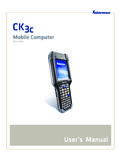
Mobile Computer - Honeywell Productivity and Workflow ...
apps.intermec.comCK3c Mobile Computer User’s Manual iii Document Change Record This page records changes to this document. The document was originally released as Revision 001.

The Wireless Connectivity Expert - ACTiSYS
www.actisys.com[Note for ACT-IR220L+]: The driver we refer here is ONLY the IrDA driver which is already embedded in Windows O.S. In addition to playing as an IrDA dongle, ACT-IR220L+ can also play as a raw IR. If your application software bundled with your equipment, uses ACT-IR220L+ as a “Raw IR”, instead of an “IrDA”

Model 300 0.01 Hz - 30 MHz Frequency Response Analyzer
www.apinstruments.comii The Model 300 Frequency Response Analyzer The Model 300 Frequency Response Analyzer system is composed of an integrated source/receiver unit, probes, interface cables and software for a user provided Windows

Configuration of Hardware - C-Bus OPC Server
www.cbusopcserver.comOPC Server for Honeywell C-BUS – Quick Start Revision 2.3 Copyright © 2012, KZK spol. s.r.o. Page 5 This is an example of a parametric file for the C-BUS OPC Server:

Installing Windows 98 in Windows Virtual PC 7 (Windows ...
www.essjae.comInstalling Windows 98 in Windows Virtual PC 7 (Windows Virtual PC) Before beginning, you will need to have a Windows 98 installation CD and a Windows 98 license key and

WINDOWS HOST - GraphOn
www.graphon.comChapter III — Administering User Accounts Administering User Accounts p. 22 Setting up User Profiles p. 22 Setting File Permissions p. 22 Setting up a Network Printer p. 23
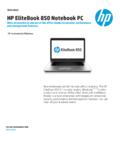
Data sheet HP EliteBook 850 Notebook PC - hp.com
www.hp.comData Sheet l HP EliteBook 850 Notebook PC Hardware Specifications Product Name HP EliteBook 850 G1 Notebook PC Operating systems Preinstalled: Windows 8 Pro 641 Windows 7 Professional 64 (available through downgrade rights from
HP EliteOne 800 G1 All-in-One Business PC
www.hp.comother HP Care Pack Services available. SPECIFICATIONS Operating system Pre-installed (availability varies by region): Windows 8 Pro (64-bit)*