
Network Camera - Hikvision
Thank you for purchasing our product. If there are any questions, or requests, please do not hesitate to contact the dealer. This manual applies to Network Camera.
Download Network Camera - Hikvision

Information
Domain:
Source:
Link to this page:
Documents from same domain
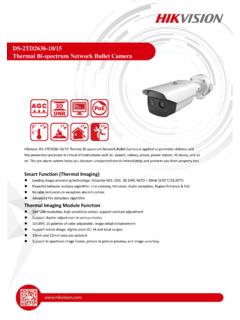
DS-2TD2636-10/15 Thermal Bi-spectrum Network …
www.hikvision.comHikvision DS-2TD2636-10/15 Thermal Bi-spectrum Network Bullet Camera is applied to perimeter defense and fire-prevention purposes in critical infrastructures such as: airport, railway, prison, power station, 4S stores, and so
Network Dome Installation - Hikvision
www.hikvision.comNetwork Dome Camera Installation Manual V3.0.0 Hangzhou Hikvision Digital Technology Co., Ltd. http://www.hikvision.com 2010‐04
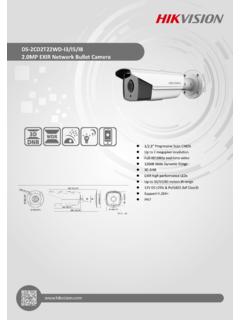
DS-2CD2T22WD-I3/I5/I8 2.0MP EXIR Network …
www.hikvision.comDS-2CD2T22WD-I3/I5/I8 2.0MP EXIR Network Bullet Camera 1/2.8” Progressive Scan CMOS Up to 2 megapixel resolution Full HD1080p real-time video
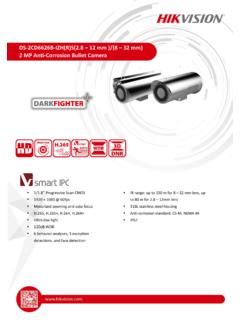
DS- 2CD6626B-IZH(R)S(2.8 12 mm )/(8 32 mm) 2 MP …
www.hikvision.comDS-2CD6626B-IZH(R)S(2.8 – 12 mm )/(8 – 32 mm) 2 MP Anti-Corrosion Bullet Camera 1/1.8” Progressive Scan CMOS 1920 × 1080 @ 60fps Motorized zooming and auto focus
iVMS-4200 - Hikvision USA
www.hikvision.comModel iVMS-4200 Group Maximum of Client Encoding Device Maximum of 256 encoding devices supported Maximum of 256 groups supported Maximum of 256 channels can be imported to each group
iVMS-4200 Client Software Technical Specification v1
www.hikvision.comIntroduction iVMS-4200 Client Software is a centralized video management software using a distributed structure for surveillance device control and management.
DS-7200HQHI-F1/N SERIES TURBO HD DVR - …
www.hikvision.comDS-7200HQHI-F1/N SERIES TURBO HD DVR Video Input and Transmission Connectable to HDTVI, AHD and analog cameras Up to 2-ch 1080p IP cameras input for DS-7208/7216HQHI-F1/N
DS-2TD2166-15/25/35 - Hikvision USA
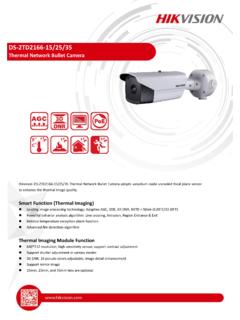
www.hikvision.comDS-2TD2166-15/25/35 Thermal Network Bullet Camera Hikvision DS-2TD2166-15/25/35 Thermal Network Bullet Camera adopts vanadium oxide uncooled focal plane sensor
DS-7200HVI-ST Series DVR User's Manual - …
www.hikvision.com10 z Remote manual recording. z Remote video image capture in JPEG format. z Remote PTZ control. z Voice talk and broadcast. z Built-in WEB Server.
DS 6400HDI T Series Decoder USER MANUAL …
www.hikvision.comUser Manual of DS-6400HDI-T Decoder 1 Hikvision Network Digital Video Recorder User’s Manual This manual, as well as the software described in it, is furnished under license and may be used or copied only in
Related documents
Avigilon Camera Installation Tool User Guide
avigilon.comUsing the Installation Tool 3 6. Click Compression and Image Rate to configure the camera's video compression level and image rate for transmitting video through the network. See Compression and Image Rate for more information.
User Guide - Avigilon
avigilon.com1 Introduction English All Avigilon High Definition H.264 IP Cameras and Dome Cameras contain a web interface that allows you to view live video and configure the camera through a web browser.
Camera User Guide - gdlp01.c-wss.com
gdlp01.c-wss.com2 Before use, make sure the following items are included in the package. If anything is missing, contact your camera dealer. • A memory card is not included (p. 3). For information about the included software, refer to the ImageBrowser EX User Guide, in PDF format (p. 30). Package Contents

Professional Settings User Guide - RECONYX
images.reconyx.com1 ©RECONYX, Inc. Changing Your Camera Settings Your Reconyx (HyperFire TM, RapidFire TM, and Silent Image TM) camera’s settings can be adjusted from your personal computer using the “Professional Settings” software.

Network / IP Camera - RIT
ridl.cfd.rit.eduKey Features 1 Introduction This section covers unpacking your new IP camera, its key fea-tures, and basic technical information about the product.
Network Camera - Hikvision
www.hikvision.comUser Manual of Network Camera 4 with the instruction manual, may cause harmful interference to radio communications. Operation of this equipment in a residential area is likely to cause harmful
Speed Dome Camera Installation Guide
www.surveillance-download.com3 INSTALLATION Step1: Set the camera mode, ID and baud rate as needed. NOTE: This camera could be used as an IP camera, a TVI camera or an AHD camera.You need to manually set the camera for this device to work properly.
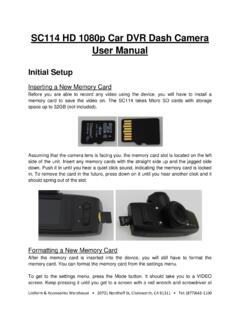
SC114 HD 1080p Car DVR Dash Camera User Manual
www.uniforms4all.comUniform & Accessories Warehouse • 20701 Nordhoff St, Chatsworth, CA 91311 • Tel: (877)643-1100 SC114 HD 1080p Car DVR Dash Camera