
Office 365 Essentials Quick Reference - CustomGuide
area, then click OK. Delete a Column or Row: Select the row or column heading(s) you want to remove. Right-click and select Delete from the contextual menu, or click the Delete button in the Cells group on the Home tab. Adjust Column Width or Row Height: Click and drag the right border of the column header or the bottom border of the row header ...
Download Office 365 Essentials Quick Reference - CustomGuide

Information
Domain:
Source:
Link to this page:
Documents from same domain

Microsoft PowerPoint 2013 - CustomGuide
www.customguide.comMicrosoft® PowerPoint 2013 Quick Reference Card The PowerPoint 2013 Screen Keyboard Shortcuts The Fundamentals To Create a New Presentation: Click the File tab, click New.

Word 2013 Quick Reference - SharePoint Training
www.customguide.comMicrosoftWord 2013 ® Quick Reference Card The Word 2013 Screen Keyboard Shortcuts General Open a Document Ctrl + O Create New Ctrl + N …

Quick Reference Card Visit: qr.customguide
www.customguide.comMicrosoftWord 2016 ® Quick Reference Card The Word 2016 Screen Keyboard Shortcuts General Open a Document Ctrl + O Create New Ctrl + N …

Windows 10 Quick Reference - CustomGuide
www.customguide.comMicrosoft® Windows 10 Quick Reference Card Start Menu Keyboard shortcuts Basic Commands Start Menu Copy a Folder/File Ctrl + C Cut a Folder/File Ctrl + X

Your Organization’s Name Here - SharePoint Training
www.customguide.com©CustomGuide 2015 3 Table of Contents Table of Contents ..... 3

Project 2013 Quick Reference - CustomGuide
www.customguide.comMicrosoft® Project 2013 Quick Reference Card Project 2013 Screen Common Views To Display a View: Select the View tab and choose from the Task Views available.

Windows 8 Quick Reference - CustomGuide
www.customguide.comicrosof inos uic eference Car For Personal Use Only ustomuide Contact Us at info@customguide.com for organizational use. Free Quick References! Visit: qr.customguide.com The Start Screen

Word 2007 Quick Reference - SharePoint Training
www.customguide.comMicrosoft® Word 2007 Quick Reference Card Word 2007 Screen [Grab your reader’s attention with a great quote from the Shortcuts The Fundamentals Open a Document …

uic eference Car Free Quick References! - …
www.customguide.comicrosof nc uic eference Car For Personal Use Only ustomuide Contact Us at info@customguide.com for organizational use. Free Quick References! Visit: qr.customguide.com The Lync 2013 Window

Excel 2013 Quick Reference - CustomGuide
www.customguide.comMicrosoftExcel 2013 ® Quick Reference Card The Excel 2013 Screen Keyboard Shortcuts Close button General Open a Workbook Ctrl + O Create New Ctrl + N
Related documents
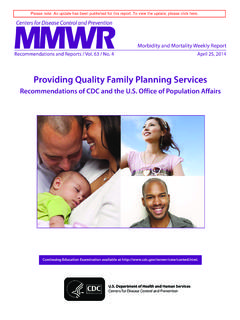
Providing Quality Family Planning Services
www.cdc.govOffice of Population Affairs, US Department of Health and Human Services, Rockville, Maryland. 3. The Johns Hopkins University and the Male Training Center for Family Planning and Reproductive Health, Baltimore, Maryland. Summary. This report provides recommendations developed collaboratively by CDC and the Office of Population Affairs (OPA) of the
Determining Severe Weather Shelter Areas in Buildings
dps.mn.govan area based on the above factors that you wish to check as a possible shelter area. Assign the point values indicated and total them. The highest total point value of any area evaluated would indicate the best location within the building. Remember, you are simply trying to locate the safest area in your building. Even if point totals are

Workplace Emergency Preparedness Guidelines
www.ahec.eduThe emergency preparedness office team should tour your location to identify the best and most efficient emergency procedure applications according to your area’s resources and potential hazards. Building/Office Area Tour While touring the area, consider the …

wildfires statewide. The total area burned annually since ...
oehha.ca.govThe total area burned annually since 1950 ranged from a low of 32,000 acres in 1963 to a high of 1.4 million acres in 2008. Figure 1. Statewide annual acres burned, 1950-2017* _____ *2017 data preliminary and subject to change . Source: CalFire, 2018 0 …
National CLAS Standards - Think Cultural Health
thinkculturalhealth.hhs.govthe service area. 4. Educate and train governance, leadership, and workforce in culturally and linguistically appropriate policies and practices on an ongoing basis. Communication and Language Assistance: 5. Offer language assistance to individuals who have limited English proficiency and/or other communication needs, at no cost to them, to ...
FAA Guide to Low Flying Aircraft
www.faa.gov(b) Over congested areas –Over any congested area of a city, town, or settlement, or over any open-air assembly of persons, an altitude of 1,000 feet above the highest obstacle within a horizontal radius of 2,000 feet of the aircraft.
Non-Foreign Area Cost of Living Allowance (COLA ...
www.opm.govNon-Foreign Area Cost of Living Allowance (COLA) Transformation July 2009 . UNITED STATES OFFICE OF PERSONNEL MANAGEMENT. Non-Foreign Area. Cost of Living Allowance (COLA) Transformation. July 2009. UNITED STATES OFFICE OF PERSONNEL MANAGEMENT
Governmentwide Dismissal and Closure Procedures
www.opm.govThe U.S. Office of Personnel Management (OPM) is modifying the Washington, DC, Area Dismissal and Closure Procedures to reflect a Governmentwide approach as a result of the Administrative Leave Act of 2016 (Act) (section 1138 of Public Law 114-328), and the

DMAP Unit 3468 Boundary Description (from NW corner ...
www.pgc.pa.gov4. Main St to Post Office Rd 5. Post Office Rd west to Hog Back Hill Rd 6. Hog Back Hill Rd to Valley Rd 7. Valley Rd south to PA-153 8. PA-153 south to Sanborn Rd 9. Sanborn Rd to Faunce Rd 10. Faunce Rd to Zion Rd 11. Zion Rd to Douglas Rd in New Millport 12. Douglas Rd to Old Station Rd 13. Old Station Rd to PA-729 14. PA-729 to US-219 15 ...
Related search queries
Providing Quality Family Planning Services, Office, Determining Severe Weather Shelter Areas, Area, Workplace Emergency Preparedness Guidelines, Office Area, Culturally and linguistically appropriate, UNITED STATES OFFICE OF PERSONNEL MANAGEMENT, Dismissal and Closure Procedures, Area Dismissal and Closure Procedures