
OneNote Quick Reference - CustomGuide
Add Outlook Meeting Details: Click where you want to add the details, click Meeting Details on the Home tab, and select Choose a Meeting from Another Day . Click the calendar icon, select a date, select a meeting, and click Insert Details. Create Outlook Task from a Note: Select a note, click the Outlook Tasks button, and select a task due date.
Download OneNote Quick Reference - CustomGuide

Information
Domain:
Source:
Link to this page:
Documents from same domain

Microsoft PowerPoint 2013 - CustomGuide
www.customguide.comMicrosoft® PowerPoint 2013 Quick Reference Card The PowerPoint 2013 Screen Keyboard Shortcuts The Fundamentals To Create a New Presentation: Click the File tab, click New.

Word 2013 Quick Reference - SharePoint Training
www.customguide.comMicrosoftWord 2013 ® Quick Reference Card The Word 2013 Screen Keyboard Shortcuts General Open a Document Ctrl + O Create New Ctrl + N …

Quick Reference Card Visit: qr.customguide
www.customguide.comMicrosoftWord 2016 ® Quick Reference Card The Word 2016 Screen Keyboard Shortcuts General Open a Document Ctrl + O Create New Ctrl + N …

Windows 10 Quick Reference - CustomGuide
www.customguide.comMicrosoft® Windows 10 Quick Reference Card Start Menu Keyboard shortcuts Basic Commands Start Menu Copy a Folder/File Ctrl + C Cut a Folder/File Ctrl + X

Your Organization’s Name Here - SharePoint Training
www.customguide.com©CustomGuide 2015 3 Table of Contents Table of Contents ..... 3

Project 2013 Quick Reference - CustomGuide
www.customguide.comMicrosoft® Project 2013 Quick Reference Card Project 2013 Screen Common Views To Display a View: Select the View tab and choose from the Task Views available.

Windows 8 Quick Reference - CustomGuide
www.customguide.comicrosof inos uic eference Car For Personal Use Only ustomuide Contact Us at info@customguide.com for organizational use. Free Quick References! Visit: qr.customguide.com The Start Screen

Word 2007 Quick Reference - SharePoint Training
www.customguide.comMicrosoft® Word 2007 Quick Reference Card Word 2007 Screen [Grab your reader’s attention with a great quote from the Shortcuts The Fundamentals Open a Document …

uic eference Car Free Quick References! - …
www.customguide.comicrosof nc uic eference Car For Personal Use Only ustomuide Contact Us at info@customguide.com for organizational use. Free Quick References! Visit: qr.customguide.com The Lync 2013 Window

Excel 2013 Quick Reference - CustomGuide
www.customguide.comMicrosoftExcel 2013 ® Quick Reference Card The Excel 2013 Screen Keyboard Shortcuts Close button General Open a Workbook Ctrl + O Create New Ctrl + N
Related documents

Go-Live Planning - Tips for Success
cshca-wpengine.netdna-ssl.com18022 Cowan Suite 255 Irvine, CA 92614 (888) 432-0261 Fax (949) 266-8816 www.outlook-associates.com Go-Live Planning Although many activities may remain to complete on the implementation plan before final “Go-Live”, a detailed plan for the actual Go-Live event should be planned and developed at the earliest opportunity.

Cheat sheet - Outlook for iOS Cheat Sheet
download.microsoft.cominbox with quick actions. Notification dots appear when you have unread emails. Tap to switch between . Focused. and . Other. messages. Focused . shows important emails while the rest are found on the . Other. tab.

VOICEMAIL QUICK REFERENCE SHEET - NEC
nebula.nec.com.au5 = Gone for Day 8 = On a Break VOICEMAIL QUICK REFERENCE SHEET (When Voice Mail answers Press *# & Enter your PIN and then dial * 3 to access ... When out of the Office: (much the same as sending a message in Outlook) From any “Touch Tone” telephone Dial your Full Direct Indial Number
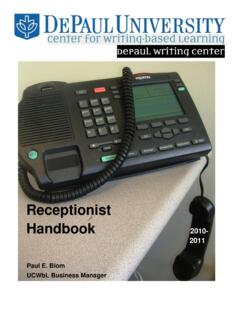
Receptionist Handbook - Paul E. Blom
paulblom.web.unc.eduopen each day and that the office is shut down and secured before leaving at the end of daily operations. Finally, Receptionists are “the anchor” of each tutoring shift during the day. You are responsible for monitoring the UCWbL staff members in our offices as well as our visitors, coordinating appointments and other staff
HP Records Manager
records.unimelb.edu.aureference purposes. The decision to destroy records under Normal Administrative Practice is the responsibility of the University. The University, through the Records and Compliance team, is responsible for ensuring that all staff understand NAP and …
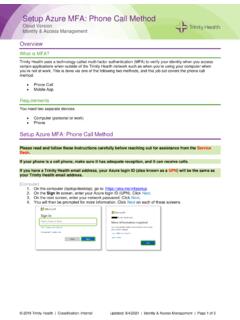
Setup Azure MFA: Phone Call Method - Trinity Health
www.trinity-health.orgAug 04, 2021 · Job Aid: Setup Azure MFA: Phone Call Method © 2019 Trinity Health | Classification: Internal Updated: 8/4/2021 | Identity & Access Management | Page 3 of 3