
Operating instructions Flow monitors - ifm
the set monitoring range It is 2 5 cm/s for the setting 5 100 cm/s (= factory setting), it increases with higher flow speeds • The typical response time of the unit is 1 10 s It can be influenced by the setting of the switch point: - Low switch point = quick reaction with rising flow
Download Operating instructions Flow monitors - ifm

Information
Domain:
Source:
Link to this page:
Documents from same domain

Schulungsunterlagen Induktive Sensoren - ifm
www.ifm.comSchulungsunterlagen 4 4 Induktive Näherungsschalter der ifm 56 4.1Mechanische Eigenschaften56 4.1.1Aufbau allgemein56 4.1.2Zeitliche Entwicklung56

ifm electronic Sensors, networking and control …
www.ifm.comR temperature sensors 1 Training manual ifm electronic Sensors, networking and control technology for automation Training manual R temperature sensors
Info card Operating voltage The voltage range in …
www.ifm.comUK Info card Inductive sensors 1 2 Operating voltage The voltage range in which the sensor functions reliably. A stabilised and smoothed direct voltage should be used!

Project: Melbourne Airport - ifm.com
www.ifm.comProject: Melbourne Airport Baggage conveyor system Authors: David D‘Souza Peter Wienzek ... transported to the correct baggage vehicle via turnouts and conveyor belts and then onto the corresponding aeroplane. ... Baggage conveyor belt with e-stops Fail-safe inductive sensors

Operating instructions Switching amplifier for fibre optics …
www.ifm.com4 3.1 Attaching the fibre optics 1 Loosen the screw (A) 2 Push the fibre optics into the sen-sor holes (B) until you feel a slight resistance (O-ring) 3 Push the fibre optics until the end
Info card Operating voltage The voltage range in which the ...
www.ifm.comUK Info card Inductive sensors 5 6 Electrical connection The unit must be connected by a qualified electrician. ①Use a miniature fuse according to the technical data sheet, if specified. Recommendation: Check the safe functioning of the unit after a short circuit.

ifm Fibel AS-Interface Ausg
www.ifm.comThis manual is intended to provide the user with basic information about the different ifm AS-i product families. * * * Everyone has probably experienced it already: during setup, the red LED [FAULT] is suddenly lit on the AS-i module and you are not sure if the module is faulty or if maybe it still has the slave address 0?

Know-How ecomatmobile - ifm
www.ifm.com• CANopen master • CANopen slave (V1) Version (Vxxyyzz) of the CRnnnn device's runtime system (V2) Version (Vnn) of the template The article number in the template must be exactly identical with the article number of the device to be programmed! → Device manual, chapter "Information concerning the software" >
Condition Monitoring Systems (CMS) in wind turbines CMS
www.ifm.comJul 22, 2010 · Condition Monitoring The digital alarm signals of efector octavis Main alarm Normal range - OK Pre-alarm ... Condition monitoring in wind parks via Ethernet / OPC interface Information on processor performance ... 2 diagnostic electronics VSE 1) monitoring bearing, converter 2) monitoring bearing, rotor ...

User Manual for PLC Programming - ifm
www.ifm.comAug 20, 2003 · Overview of CoDeSys Functions... 1-2 CoDeSys V2.3 You can use the flow control to check which program lines have been run. A Log records operations, user actions and internal processes during an online session in a chronological order. If activated in the target settings the Sampling Trace allows you to trace and display the actual course of variables over an …
Related documents

Product Catalog Blower Coil Air Handler Models BCHD, BCVD ...
www.trane.comBCX-PRC001H-EN 11 Features and Benefits End Devices Optional factory-mounted end device s such as a condensate float switch, freezestat, control valves, and actuators are available. Factory -installed and -wired electric heat features single-point power connection. Flexibility

Product Catalog Packaged Rooftop Air Conditioners ...
www.trane.comRT-PRC078G-EN 7 Features and Benefits Motors All indoor fan motors are belt drive as standard. Pressure Cutouts Low and high pressure cutouts are standard on all Foundation™ models. Phase Monitor Foundation features a three-phase line monitor module that protects against phase loss, phase reversal and phase unbalanc e.

T-TOUCH II User’s Manual - Tissot
www.tissotwatches.comwww.tissot.ch 3/12 146_EN T-TOUCH II * K 27 FUNCTIONS +-27 Time T Time T2 Alarm 2 R Relative pressure A Absolute pressure Water resistance: 100 m / 330 ft Active touch-sensitive glass 2nd function 1st function 1st function
Gas pressure switch C6097 - Honeywell
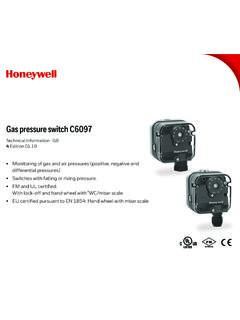
customer.honeywell.comThe pressure switch monitors extremely low pres - sure differentials and triggers switch-on, switch-off or switch-over operations if a set switching point is reached. The switching point can be adjusted using a hand wheel. The pressure switch monitors positive and negative gas pressures on various industrial gas and air appliances,