
Operating Manual - Panasonic
limitations specified in this manual. ROnly use a compatible base unit (or charger) to charge the batteries. Do not tamper with the base unit (or charger). Failure to follow these instructions may cause the batteries to swell or explode. Attention: A nickel metal hydride battery that is recyclable powers the product you have purchased.
Download Operating Manual - Panasonic

Information
Domain:
Source:
Link to this page:
Documents from same domain

Operating Instructions (English) - Panasonic
help.panasonic.caOperating Instructions Model No. KX-TG9541 KX-TG9542 2-LINE Cordless Telephone with Link2Cell and Digital Answering Machine KX-TG9551 KX-TG9552 Model shown is KX-TG9541. Before initial use, see “Getting Started” on page 9. Thank you for purchasing a Panasonic product. Please read these operating instructions before using the unit and save ...
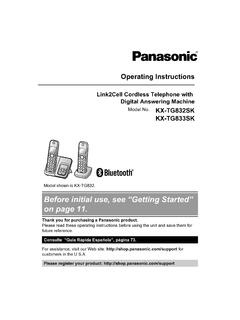
Before initial use, see “Getting Started” on page 11.
help.panasonic.caOperating Instructions Link2Cell Cordless Telephone with Digital Answering Machine Model No. KX-TG832SK KX-TG833SK Model shown is KX-TG832 . Before initial use, see “Getting Started” on page 11. Thank you for purchasing a Panasonic product. Please read these operating instructions before using the unit and save them for future reference.

Before initial use, see “Getting Started” on page 10.
help.panasonic.caoperation of your product. WARNING Power connection RUse only the power source marked on the product. RDo not overload power outlets and extension cords. This can result in the risk of fire or electric shock. RCompletely insert the AC adaptor/power plug into the power outlet. Failure to do so may cause electric shock and/or excessive heat ...

Digital Cordless Phone with Answering Machine and ...
help.panasonic.cacommunications, place your base unit: – at a convenient, high, and central location with no obstructions between the handset and base unit in an indoor environment. – away from electronic appliances such as TVs, radios, personal computers, wireless devices, or other phones. – facing away from radio frequency transmitters, such as external ...
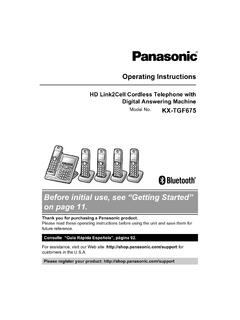
Before initial use, see “Getting Started” on page 11.
help.panasonic.caPlease call 1-800-8-BATTERY (1-800-822-8837) for information on how to recycle this battery. Important safety instructions When using your product, basic safety precautions should always be followed to reduce the risk of fire, electric shock, and injury to persons, including the following: 1. Do not use this product near water for

Before initial use, see “Getting Started”
help.panasonic.caKey detector KX-TGA20*3 ... heat resulting in a fire. RRegularly remove any dust, etc. from the AC adaptor/power plug by pulling it from the power outlet, then wiping with a dry ... material to overheat and cause burns. RCharge the batteries provided with or …
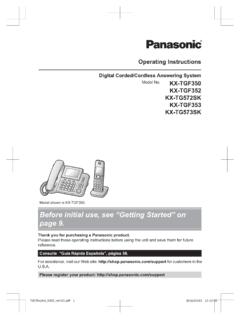
Before initial use, see “Getting Started” on page 9.
help.panasonic.caKey detector KX-TGA20*3 ... This can result in the risk of fire or electric shock. RCompletely insert the AC adaptor/power plug into the ... to overheat and cause burns. RCharge the batteries provided with or identified for use with this product only, in accordance with the

Before initial use, see “Getting Started” on page 12.
help.panasonic.caModel No. KX-TGF572 KX-TGF573 KX-TGF574 KX-TGF575 KX-TG785SK Model shown is KX-TGF572. Before initial use, see “Getting Started” on page 12. Thank you for purchasing a Panasonic product. Please read these operating instructions before using the unit and save them for future reference. Consulte “Guía Rápida Española”, página 88.

Operating Instructions (English) - Panasonic
help.panasonic.ca1.92 GHz to 1.93 GHz, and the RF transmission power is 115 mW (max.).) R Do not use the product in health care facilities if any regulations posted in the area instruct you not to do so. …
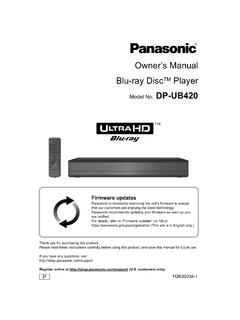
Owner’s Manual Blu-ray DiscTM Player - Panasonic
help.panasonic.caIf you wish to exercise any of the above rights and/or wish to know more about the processing of your personal data in this context, please refer to the full text of ... To enjoy Ultra HD Blu-ray Disc featured with High Dynamic Range (HDR) If you see a message about High Dynamic Range (HDR) compatible issue while an Ultra
Related documents

1070 4-Line small business system with caller ID/call ...
att.vtp-media.comJan 18, 2017 · User’s manual 1070 4-Line small business system with caller ID/call waiting and speakerphone

The Underground AK-47 Build Manual
d3l1h3n4or6wo9.cloudfront.net*** MAIN MANUAL *** The Underground Ak-47 Build Manual ! The Step-By-Step Guide For True Patriots Showing How To Get A 100% Private AK-47 That’s Completely “Off The Books”!
Call Centre Training Manual
images.template.netSep 24, 2008 · Call Centre Training Manual September 24, 2008 Private & Confidential 4 Section II – Training Program iNVATERRA already has proven expertise in providing IT training. Call centre training is a natural extension of its existing business since it already serviced the existing call centres through software solutions and consulting.

Cisco Wireless IP Phone 8821 and 8821-EX Quick Start Guide
www.cisco.com3. Softkey buttons, navigation cluster, and call control buttons 4. Keypad 5. Left side buttons Turn On Your Phone Press and hold Power/End Call until the red LED lights. Turn Off Your Phone 1. Press and hold Power/End Call for 4 seconds. 2. Press Power off. Make a Call 1. Enter a phone number. 2. Press Answer/Send . Answer a Call Press Answer ...

Interreg Europe Programme Manual
www.interregeurope.euThis programme manual is designed to accompany those involved in all aspects of the programme implementation, from applicants through to project partners, financial managers and controllers. It is organised around in three main parts: one on the programme in general and two covering the two