Example: marketing
Operating Instructions (English) - Panasonic
Operating Instructions Model No. KX-TG9541 KX-TG9542 2-LINE Cordless Telephone with Link2Cell and Digital Answering Machine KX-TG9551 KX-TG9552 Model shown is KX-TG9541. Before initial use, see “Getting Started” on page 9. Thank you for purchasing a Panasonic product. Please read these operating instructions before using the unit and save ...
Tags:
Information
Domain:
Source:
Link to this page:
Documents from same domain
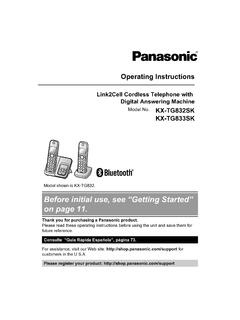
Before initial use, see “Getting Started” on page 11.
help.panasonic.caOperating Instructions Link2Cell Cordless Telephone with Digital Answering Machine Model No. KX-TG832SK KX-TG833SK Model shown is KX-TG832 . Before initial use, see “Getting Started” on page 11. Thank you for purchasing a Panasonic product. Please read these operating instructions before using the unit and save them for future reference.

Before initial use, see “Getting Started” on page 12.
help.panasonic.caModel No. KX-TGF572 KX-TGF573 KX-TGF574 KX-TGF575 KX-TG785SK Model shown is KX-TGF572. Before initial use, see “Getting Started” on page 12. Thank you for purchasing a Panasonic product. Please read these operating instructions before using the unit and save them for future reference. Consulte “Guía Rápida Española”, página 88.

Operating Manual - Panasonic
help.panasonic.calimitations specified in this manual. ROnly use a compatible base unit (or charger) to charge the batteries. Do not tamper with the base unit (or charger). Failure to follow these instructions may cause the batteries to swell or explode. Attention: A nickel metal hydride battery that is recyclable powers the product you have purchased.

Digital Cordless Phone with Answering Machine and ...
help.panasonic.cacommunications, place your base unit: – at a convenient, high, and central location with no obstructions between the handset and base unit in an indoor environment. – away from electronic appliances such as TVs, radios, personal computers, wireless devices, or other phones. – facing away from radio frequency transmitters, such as external ...

Operating Instructions (English) - Panasonic
help.panasonic.ca1.92 GHz to 1.93 GHz, and the RF transmission power is 115 mW (max.).) R Do not use the product in health care facilities if any regulations posted in the area instruct you not to do so. …
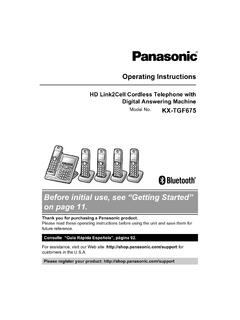
Before initial use, see “Getting Started” on page 11.
help.panasonic.caPlease call 1-800-8-BATTERY (1-800-822-8837) for information on how to recycle this battery. Important safety instructions When using your product, basic safety precautions should always be followed to reduce the risk of fire, electric shock, and injury to persons, including the following: 1. Do not use this product near water for

Before initial use, see “Getting Started” on page 10.
help.panasonic.caoperation of your product. WARNING Power connection RUse only the power source marked on the product. RDo not overload power outlets and extension cords. This can result in the risk of fire or electric shock. RCompletely insert the AC adaptor/power plug into the power outlet. Failure to do so may cause electric shock and/or excessive heat ...

Before initial use, see “Getting Started”
help.panasonic.caKey detector KX-TGA20*3 ... heat resulting in a fire. RRegularly remove any dust, etc. from the AC adaptor/power plug by pulling it from the power outlet, then wiping with a dry ... material to overheat and cause burns. RCharge the batteries provided with or …
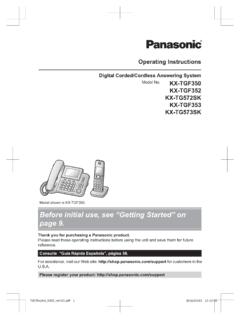
Before initial use, see “Getting Started” on page 9.
help.panasonic.caKey detector KX-TGA20*3 ... This can result in the risk of fire or electric shock. RCompletely insert the AC adaptor/power plug into the ... to overheat and cause burns. RCharge the batteries provided with or identified for use with this product only, in accordance with the
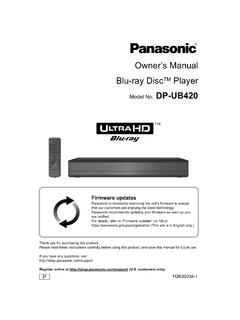
Owner’s Manual Blu-ray DiscTM Player - Panasonic
help.panasonic.caIf you wish to exercise any of the above rights and/or wish to know more about the processing of your personal data in this context, please refer to the full text of ... To enjoy Ultra HD Blu-ray Disc featured with High Dynamic Range (HDR) If you see a message about High Dynamic Range (HDR) compatible issue while an Ultra
Related documents

Operating Instructions (English) - Panasonic
www.panasonic.comOperating Instructions Model No. KX-TG7872AZ KX-TG7873AZ KX-TG7892AZ KX-TG7893AZ Digital Cordless Telephone with Link-to-Cell System Model shown is KX-TG7872. Before initial use, see “Getting Started” on page 10. Thank you for purchasing a Panasonic product. Please read these operating instructions before using the unit and save them for ...

Operating Instructions (English) - Panasonic
www.panasonic.comOperating Instructions Amplified Digital Cordless Phone with Answering Machine Model No. KX-TGM420AZ KX-TGM422AZ Before initial use, see “Getting Started” on page 12. Thank you for purchasing a Panasonic product. Please read these operating instructions before using the unit and save them for future reference.
Operating Manual - Panasonic
help.panasonic.caOperating Instructions Link2Cell Cordless Telephone with Digital Answering Machine Model No. KX-TGF773 KX-TGF774 KX-TGF775 HD Link2Cell Cordless Telephone with Digital Answering Machine Model No. KX-TG985SK Model shown is KX-TGF773. Before initial use, see “Getting Started” on page 12. Thank you for purchasing a Panasonic product.

KX-TGP600/KX-TPA60/KX-TPA65 Operating Instructions
primus.caOperating Instructions SIP Cordless Phone SIP Cordless Handset KX-TGP600 Model No. KX-TPA60 Model No. KX-TGP600 KX-TPA60 KX-TPA65 SIP Wireless Desk Phone Model No. KX-TPA65 Thank you for purchasing this Panasonic product. Please read this manual carefully before using this product and save this manual for future use.

CROSSWAVE® CORDLESS MAX
bissellcdn.blob.core.windows.netwith the limits for a Class B digital device, pursuant to part 15 of the FCC Rules. These limits are designed to provide reasonable protection against harmful interference in a residential installation. This equip-ment generates, uses and can radiate radio frequency energy and, if not installed and used in accordance with the instructions, may ...
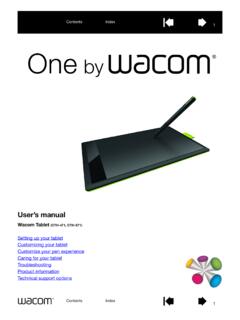
User’s manual
cdn.wacom.compen and digital ink features found within Microsoft Windows 8, Windows 7, Vista, and Office 2007 or later. Take advantage of digital mark-up for collaborative editing and use digital ink to take notes in applications that support handwriting recognition. Important: When not in use, plac e the pen in the pen holder or lay it flat on your desk.

Setup Guide - Logitech
www.logitech.comoperating conditions. • If product is operating improperly, call Logitech support. • Product must be returned to the manufacturer for any service or repair. This is not a Children’s Product and is not intended for use bychildren under 14 years old. • Warning: Not suitable for children under 36 months. Small parts. Chokinghazard.

and BCD536HP
www.uniden.infocordless telephone transmissions or to market this radio when altered to receive them. The installation, possession, or use of this scanning radio in a motor vehicle may be prohibited, regulated, or require a permit in certain states, cities, and/or local jurisdictions. Your local law

User’s manual
cdn-media.vtechphones.comUser’s manual www.vtechphones.com Models: DS6121-2/DS6121-3 DS6121-4/DS6121-5 DS6122-5