Transcription of Operating Instructions (English) - Panasonic
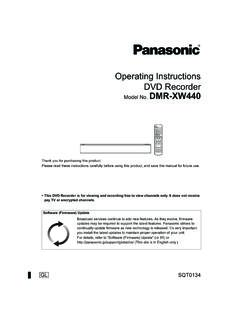
1 Operating InstructionsAmplified digital cordless Phone with Answering MachineModel No. KX-TGM420 AZKX-TGM422 AZBefore initial use, see Getting Started on page you for purchasing a Panasonic read these Operating Instructions before using the unit and save them forfuture use this unit in your country, first change the unit s region setting to matchyour country (page 47).0605_TGM42xAZ 15/6/2016 5:01:39 PMIntroductionModel composition ..4 Accessory information ..4 Important InformationFor your safety ..7 Important safetyinstructions ..9 For best performance ..10 Other information ..10 Specifications ..11 Getting StartedSetting up ..12 Controls ..17 Display icons ..20 Date and time.
2 21 Recording your greetingmessage ..21 AccessibilityAccessibility ..22 Tone control ..22 Volume booster ..23 Speech booster (making yourvoice louder) ..25 Talking keypad andphonebook ..25 Key tones ..26 Message indicator ..26 Slow talk ..27 Using assistive listeningdevices ..28 Making/Answering CallsMaking calls ..30 Answering calls ..30 Useful features during acall ..31 Intercom ..33 Call BlockCall block ..34 Storing unwanted callers ..34 PhonebookPhonebook ..36 Memory dial ..38 ProgrammingMenu list ..39 Alarm ..45 Night mode ..46 Other programming ..47 Registering a unit ..47 Caller ID ServiceUsing Caller ID service ..48 Caller list ..49 Answering SystemAnswering system ..51 Turning the answering systemon/off.
3 51 Greeting message ..51 Listening to messages ..52 Advanced new messagealerting features ..53 Remote operation ..55 Answering system settings ..56 Useful InformationVoicemail service ..58 Wall mounting ..59 Error messages ..62 Troubleshooting ..632 Table of Contents0605_TGM42xAZ 25/6/2016 5:01:39 PMWarranty (for NewZealand) ..69 Other information .. of Contents0605_TGM42xAZ 35/6/2016 5:01:39 PMModel compositionSeriesModel unitHandsetPart esKX-TGM420KX-TGM420KX-TGMA441KX-TGM422K X-TGM420KX-TGMA442 Accessory informationSupp lied item/Part numberQuantityKX-TGM420KX-TGM422 AAC adaptor*1/PN LV226AL12 BTelephone line cord (for Australia)*1, *211 CTelephone line cord (for New Zealand)*111 DWall mounting adaptor11 ERechargeable batteries*3, *446 FHandset cover*512 GBelt clip*612 HCharger*7 1*1 The AC adaptor and telephone line cord come connected to the base unit at the time ofship ment.
4 *2 The telephone line cord comes connected with the telephone plug.*3 The supplied rechargeable batteries in the handset and base unit are installed with yellowinsulation sheets inserted between battery ends and the terminals at the time of the yellow insulation sheets before use.*4 See page 5 for replacement battery information.*5 The handset cover comes attached to the handset at the time of shipment.*6 The belt clip comes attached to the handset at the time of shipment.*7 The AC adaptor comes connected to the charger at the time of 45/6/2016 5:01:39 PMGH Additional/replacement accessoriesPlea se contact your nearest Panasonic dealer for sales itemModel number/SpecificationsRechargeablebatt eries*1 Battery type: Nickel metal hydride (Ni-MH) 2 x AAA (R03) size for each handset V Minimum amperage of 550 mAhKey finderKX-TGA20AZ*2*1 Replacement batteries may have a different capacity from that of the supplied r ecommend using Panasonic rechargeable batteries.
5 *2 By registering the key finder (4 max.) to a Panasonic digital cordless Phone and attaching itto an easy-to-lose item in advance, you can locate and find the mislaid item to which the keyfinder is attached. Please visit our Web site: contact Panasonic or authorised sales department for availability of key finder in (optional)Connecting a headset to the handset allows for hands-free :ROnly telecommunications compliance labelled headset should be plugged into the headsetsocket on the informationRDesign and specifications are subject to change without illustrations in these Instructions may vary slightly from the actual 55/6/2016 5:01:39 PMExpanding your phone systemHandset (optional): KX-TGMA44AZ*1 You can expand your phone system byregi stering optional handsets (6 max.)
6 To asingle base handsets may be a differentcolour from that of the supplied handsets.*1 Maximum receiver volume is 40 dB (when the booster is on).Graphical symbols for use on equipment and theirdesc riptionsSymbolExplanationSymbolExplanati onAlternating current ( )Class P equipment(equipment in whichprotection against electricshock relies on DoubleInsulation or ReinforcedInsulation)Direct current ( ) ON (power)Protective earth OFF (power)Protective bonding earthStand-by (power)Functional earth ON / OFF (power;push-push)For indoor use onlyCaution, risk of electricshoc k6 Introduction0605_TGM42xAZ 65/6/2016 5:01:39 PMFor your safetyTo prevent severe injury and loss of life/property, read this section carefully before using theproduct to ensure proper and safe operation of your r connectionRUse only the power source marked on the not overload power outlets and extension cords.
7 This can result in the risk of fire or insert the AC adaptor/power plug into the power outlet. Failure to do so may causeelectric shock and/or excessive heat resulting in a remove any dust, etc. from the AC adaptor/power plug by pulling it from the poweroutlet, then wiping with a dry cloth. Accumulated dust may cause an insulation defect frommoisture, etc. resulting in a the product from power outlets if it emits smoke, an abnormal smell, or makes anunusual noise. These conditions can cause fire or electric shock. Confirm that smoke hasstopped emitting and contact an authorised service from power outlets and never touch the inside of the product if its casing has beenbroken touch the plug with wet hands.
8 Danger of electric shock prevent the risk of fire or electrical shock, do not expose the product to rain or any type not place or use this product near automatically controlled devices such as automaticdoors and fire alarms. Radio waves emitted from this product may cause such devices tomalfunction resulting in an not allow the AC adaptor or telephone line cord to be excessively pulled, bent or placedunder heavy is advised not to use the equipment at a refuelling point. Users are reminded to observerestrictions on the use of radio equipment in fuel depots, chemical plants or where blastingoperations are in safeguardsRUnplug the product from power outlets before cleaning. Do not use liquid or aerosol not disassemble the not spill liquids (detergents, cleansers, etc.)
9 Onto the telephone line cord plug, or allow it tobecome wet at all. This may cause a fire. If the telephone line cord plug becomes wet,immediately pull it from the telephone wall socket, and do not prevent hearing damage, make sure anyone who uses this product is aware that theproduct can produce very loud sounds, and make sure children use this product only underadult prevent hearing damage, we recommend that you set this product to the lowest volumesetting at which you can hear adequately. Note that when the BOOST indicator is lit in red, thevolume booster feature is enabled and the product may emit sounds at very high Information0605_TGM42xAZ 75/6/2016 5:01:39 PMRA void prolonged exposure to loud sounds produced by this product.
10 Be aware that the loudera s ound is, the less time is needed to cause hearing damage. In the event that you experiencehearing discomfort, consult a medical the manufacturer of any personal medical devices, such as pacemakers or hearingaids, to determine if they are adequately shielded from external RF (radio frequency) energy.(The product operates in the frequency range of GHz to GHz, and the RFtransmission power is 115 mW (max.).)RDo not use the product in health care facilities if any regulations posted in the area instruct younot to do so. Hospitals or health care facilities may be using equipment that could be sensitiveto external RF allation and locationRNever install telephone wiring during an electrical install telephone line sockets in wet locations unless the socket is specifically designedfor wet touch uninsulated telephone wires or terminals unless the telephone line has beendisconnected at the network caution when installing or modifying telephone AC adaptor is used as the main disconnect device.