Transcription of Operating Manual - Panasonic
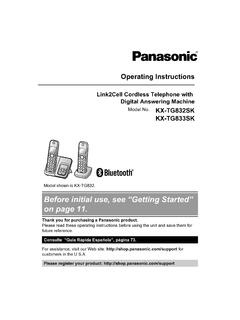
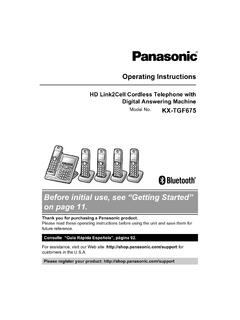
1 Operating InstructionsLink2 Cell cordless Telephone withDigital Answering MachineModel Link2 Cell cordless Telephone withDigital Answering Machine Model Model shown is KX-TGF773. Before initial use, see Getting Started on page you for purchasing a Panasonic read these Operating instructions before using the unit and save them forfuture Gu a R pida Espa ola , p gina assistance, visit our Web site: forcustomers in the register your product: composition ..4 Accessory information ..4 Graphical symbols for use on equipment andtheir descriptions ..7 Important InformationFor your safety.
2 8 Important safety instructions ..9 For best performance ..9 Other information ..10 Specifications ..11 Getting StartedSetting up ..12 Controls ..14 Display icons/Indicators ..16 Language settings ..17 Date and time ..18 Recording your greeting message ..18 Other settings ..18 Link to CellLink to cell feature ..19 Pairing a cellular phone ..19 Link to cell settings ..20HD voice ..22 Making/Answering Calls Usingthe HandsetMaking cellular calls ..24 Making landline calls ..24 Answering calls ..25 Useful features during a call ..25 Power backup operation for landline ..28 Making/Answering Calls Usingthe Base UnitMaking cellular calls.
3 30 Making landline calls ..30 Answering calls ..31 Useful features during a call ..31 Answer by Voice CommandAnswer by voice command ..34 IntercomIntercom ..36 Call BlockCall block ..37 Storing unwanted callers ..37 Automated Call BlockAutomated call block ..41 PhonebookPhonebook ..44 Speed dial ..47 ProgrammingMenu list ..49 Alarm ..59 Silent mode ..60 Baby monitor ..60 Other programming ..62 Registering a unit ..63 Caller ID ServiceUsing Caller ID service ..64 Caller list ..64 Using Bluetooth DevicesCopying phonebook from a cellular phone(phonebook transfer) ..67 Link to Cell app.
4 68 Text message (SMS) alert ..69 Alert settings for your DECT phone ..69 Remote voice assist ..70 Using a Bluetooth headset (optional) ..71 Answering System for LandlineAnswering system for landline ..73 Turning the answering system on/off ..73 Greeting message ..73 Listening to messages ..74 Advanced new message alertingfeatures ..76 Remote operation ..77 Answering system settings ..78 Useful InformationVoicemail service for landline ..80 Wall mounting ..81 Error messages ..83 Troubleshooting ..84 FCC and other information ..932 Table of ContentsGu a R pida Espa olaGu a R pida Espa ola.
5 96 AppendixCustomer services ..107 Limited Warranty (ONLY FOR ) .. of ContentsModel compositionSeriesModel unitHandsetPart informationSupplied item/Part numberQuantityKX-TGF773KX-TGF774KX-TGF77 5KX-TG985 SKAAC adaptor/PNLV226-0X111 BTelephone line cord/PNJA1186Z111 CDesk stand/Wall mounting adaptor/PNKL1075Z1*1111 DRechargeable batteries*26810 EHandset cover/PNYNTGFA71SR*3345 FBelt clip/PNKE2142Z1345 GCharger/PNLC1084ZB234*1 The desk stand/wall mounting adaptor comes attached to the base unit.*2 See page 5 for replacement battery information.*3 The handset cover comes attached to the 4 For assistance, please visit accessoriesPlease contact your nearest Panasonic dealer for sales information (page 107).
6 Accessory itemModel number/SpecificationsRechargeablebatteri esHHR-4 DPA*1 RTo order, please visit type: Nickel metal hydride (Ni-MH) 2 x AAA (R03) size for each handsetHeadsetKX-TCA93, KX-TCA430 Range extenderKX-TGA407*2 Key detectorKX-TGA20*3*1 Replacement batteries may have a different capacity from that of the supplied batteries.*2 By installing this unit, you can extend the range of your phone system to include areaswhere reception was previously not available. This product can be purchased online. Pleasevisit our Web site: *3 By registering the key detector (4 max.)
7 To a Panasonic digital cordless Phone andattaching it to an easy-to-lose item in advance, you can locate and find the mislaid item towhich the key detector is attached. Please visit our Web site: informationRDesign and specifications are subject to change without illustrations in these instructions may vary slightly from the actual your phone systemHandset (optional): KX-TGFA71 You can expand your phone system byregistering optional handsets (6 max.) to asingle base handsets may be a different colorfrom that of the supplied order, please visit devicesYou can expand your phone system by pairing the following units to a single base assistance, please visit Bluetooth cellular phone*1: 2 max.
8 (for cellular calls: page 19)Your Bluetooth headset*1: 1 max.(for a wireless hands-free conversation: page 71)*1 Your cellular phone and headset must be Bluetooth wireless technology compatible. Formore details and the list of compatible cellular phones, please visit our Web site: Bluetooth word mark and logos are registered trademarks owned by Bluetooth SIG, Inc.,and any use of such marks by Panasonic Corporation is under is a registered trademark of Apple is a trademark of Google and Google Calendar are trademarks of Google is trademark of Facebook, is trademark of Twitter is trademark of Instagram, is owned by Research In Motion Limited and is registered in the United Statesand may be pending or registered in other countries.
9 Panasonic is not endorsed, sponsored,affiliated with or otherwise authorized by Research In Motion is a registered trademark of Apple Now is a trademark of Google Voice is a trademark of Samsung Electronics Co., other trademarks identified herein are the property of their respective assistance, please visit symbols for use on equipment and theirdescriptionsSymbolExplanationSymbol ExplanationAlternating current ( )Class P equipment(equipment in whichprotection against electricshock relies on DoubleInsulation or ReinforcedInsulation)Direct current ( ) ON (power)Protective earth OFF (power)Protective bonding earthStand-by (power)Functional earth ON / OFF (power.)
10 Push-push)For indoor use onlyCaution, risk of electricshockFor assistance, please visit your safetyTo prevent severe injury and loss of life/property, read this section carefully beforeusing the product to ensure proper and safeoperation of your connectionRUse only the power source marked on not overload power outlets andextension cords. This can result in the riskof fire or electric insert the AC adaptor/powerplug into the power outlet. Failure to do somay cause electric shock and/or excessiveheat resulting in a remove any dust, etc. from theAC adaptor/power plug by pulling it fromthe power outlet, then wiping with a drycloth.