Example: marketing
CROSSWAVE® CORDLESS MAX
with the limits for a Class B digital device, pursuant to part 15 of the FCC Rules. These limits are designed to provide reasonable protection against harmful interference in a residential installation. This equip-ment generates, uses and can radiate radio frequency energy and, if not installed and used in accordance with the instructions, may ...
Tags:
Information
Domain:
Source:
Link to this page:
Documents from same domain

Item Number Description Instruction Due Date
bissellcdn.blob.core.windows.net12/30/2021 Canada Item Number Description Instruction Due Date 2033 Featherweight On Priority 2316 CleanView Swivel On Priority 2596Y CrossWave Cordless Max On Priority

LIMITED ONE YEAR WARRANTY - .NET Framework
bissellcdn.blob.core.windows.netOne Year Limited Warranty . This warranty gives you specific legal rights and you may also have other rights which may vary from state to state. If you need additional instructions regarding this warranty or have questions regarding what it may cover, please contact BISSELL Consumer Care by E-mail, telephone, or regular mail as described below.

USER GUIDE POWERFRESH - .NET Framework
bissellcdn.blob.core.windows.netsynthetic fabrics, velvet or other delicate, steam-sensitive materials. » Do not immerse. » Not for space heating purposes ... flooring like sealed hardwoods and laminate. The gray and white striped pad can be used for scrubbing heavily soiled floors and cleaning

PROHEAT® PET TURBO DEEP CLEANER MODEL 1799V
bissellcdn.blob.core.windows.netformulas intended for use with the deep cleaner. The SmartMix feature automatically mixes clean water with the BISSELL® Advanced cleaning formula. 1. Lift the SmartMix tank up and out of the machine base. 2. Fill the tank by first unscrewing the cap and insert. Fill with water to the WATER line. Fill with formula to the FORMULA line.

User's Guide 8910, 7901 Series (US)
bissellcdn.blob.core.windows.netOur Tank-in-Tank system is designed with a bladder inside for clean water.As you clean, the bladder will empty. Dirty water collects in the tank outside the bladder. Step on handle release to lay the machine handle down out of the way. 4. 5. Tip: Deep Cleaning stairs and high traffic areas on a regular basis and using the carpet protectant can ...

ug1623380 1548 0120 RevD - .NET Framework
bissellcdn.blob.core.windows.netwww.ISSELL.com 5 Assembly In Step 3 you will need a Phillips-head screwdriver. 2 3 4 1 Next, align the Carry Handle with the slots on either side of the base (behind the

BIG GREEN DEEP CLEANING MACHINE - .NET Framework
bissellcdn.blob.core.windows.netkeep openings free of dust, lint, hair, and anything that may reduce air flow. » Keep hair, loose clothing, fingers, and all parts of body away from openings and moving parts of the appliance and its accessories. » Use extra care when cleaning on stairs. » Do not use to pick up flammable or combustible materials (lighter fluid,

BISSELL.ca/support SPOTCLEAN PROFESSIONAL
bissellcdn.blob.core.windows.netpeut-être vide. Remplissez le réservoir. Le réservoir d’eau propre n’est peut-être pas bien logé. Éteignez l’appareil. Enlevez et replacez le réservoir. La pompe s’est peut-être désamorcée. Tenez l’extrémité du tuyau sous le niveau du BISSELL.ca/support.

QUICKSTEAMER USER GUIDE
bissellcdn.blob.core.windows.netKeep plenty of genuine bissell 2X formula on hand so you can clean and protect whenever it ... room. a floor fan speeds drying. fill the tank 1. Remove the solution tank by lifting it straight ... by pulling up from bottom of latch and then out. b. Carefully remove collection tank from

LITTLE GREEN USER GUIDE - .NET Framework
bissellcdn.blob.core.windows.netlift up the dirty/collection ank retainer lever and remove the tank from the unit. 4. Disconnect the cleaning tool from the spray trigger by pushing down on button lock and pulling straight off (DO NOT twist tools to remove them). 5. Once removed from the spray trigger, all tools can be cleaned by rinsing under clean running water. 6.
Related documents

Operating Instructions (English) - Panasonic
www.panasonic.comOperating Instructions Model No. KX-TG7872AZ KX-TG7873AZ KX-TG7892AZ KX-TG7893AZ Digital Cordless Telephone with Link-to-Cell System Model shown is KX-TG7872. Before initial use, see “Getting Started” on page 10. Thank you for purchasing a Panasonic product. Please read these operating instructions before using the unit and save them for ...

Operating Instructions (English) - Panasonic
help.panasonic.caOperating Instructions Model No. KX-TG9541 KX-TG9542 2-LINE Cordless Telephone with Link2Cell and Digital Answering Machine KX-TG9551 KX-TG9552 Model shown is KX-TG9541. Before initial use, see “Getting Started” on page 9. Thank you for purchasing a Panasonic product. Please read these operating instructions before using the unit and save ...

Operating Instructions (English) - Panasonic
www.panasonic.comOperating Instructions Amplified Digital Cordless Phone with Answering Machine Model No. KX-TGM420AZ KX-TGM422AZ Before initial use, see “Getting Started” on page 12. Thank you for purchasing a Panasonic product. Please read these operating instructions before using the unit and save them for future reference.

Operating Manual - Panasonic
help.panasonic.caOperating Instructions Link2Cell Cordless Telephone with Digital Answering Machine Model No. KX-TGF773 KX-TGF774 KX-TGF775 HD Link2Cell Cordless Telephone with Digital Answering Machine Model No. KX-TG985SK Model shown is KX-TGF773. Before initial use, see “Getting Started” on page 12. Thank you for purchasing a Panasonic product.

KX-TGP600/KX-TPA60/KX-TPA65 Operating Instructions
primus.caOperating Instructions SIP Cordless Phone SIP Cordless Handset KX-TGP600 Model No. KX-TPA60 Model No. KX-TGP600 KX-TPA60 KX-TPA65 SIP Wireless Desk Phone Model No. KX-TPA65 Thank you for purchasing this Panasonic product. Please read this manual carefully before using this product and save this manual for future use.
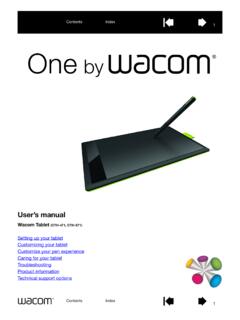
User’s manual
cdn.wacom.compen and digital ink features found within Microsoft Windows 8, Windows 7, Vista, and Office 2007 or later. Take advantage of digital mark-up for collaborative editing and use digital ink to take notes in applications that support handwriting recognition. Important: When not in use, plac e the pen in the pen holder or lay it flat on your desk.

Setup Guide - Logitech
www.logitech.comoperating conditions. • If product is operating improperly, call Logitech support. • Product must be returned to the manufacturer for any service or repair. This is not a Children’s Product and is not intended for use bychildren under 14 years old. • Warning: Not suitable for children under 36 months. Small parts. Chokinghazard.

and BCD536HP
www.uniden.infocordless telephone transmissions or to market this radio when altered to receive them. The installation, possession, or use of this scanning radio in a motor vehicle may be prohibited, regulated, or require a permit in certain states, cities, and/or local jurisdictions. Your local law

User’s manual
cdn-media.vtechphones.comUser’s manual www.vtechphones.com Models: DS6121-2/DS6121-3 DS6121-4/DS6121-5 DS6122-5