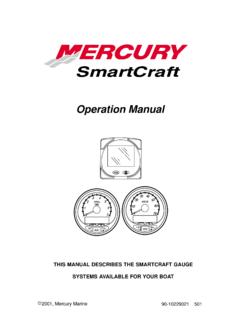
Operation Manual
Cal 1 Start Screen Press the button to move to the next calibration screen. ˇ ˚ Trim Pop-up Screen (Turn on or off) Select whether you want the power trim display screen to pop up whenever the trim switch is activated. 1. Have the number “flashing” on display screen. 2. Press the button to select. 1 = on 0 = off 3.
Download Operation Manual

Information
Domain:
Source:
Link to this page:
Documents from same domain
ARMY FOOD MANAGEMENT INFORMATION …
dmna.ny.govInput Vendors . Input Food Service Personnel Information (Dinning Facility Cash Data Maintenance)

New York Division of Military and Naval Affairs …
dmna.ny.govDMNA Regulation Number 672-1 Decorations, Awards, and Honors State Military Awards Division of Military and Naval Affairs 330 Old Niskayuna Road

Military Police Serious Incident Report
dmna.ny.govContents—Continued Incidents not reportable by serious incident report † 2–5, page 19 Chapter 3 Reporting Procedures, page 19 Special handling of reports † 3–1, page 19
Army National Guard and Army Reserve The Active …
dmna.ny.govArmy Regulation 135–18 Army National Guard and Army Reserve The Active Guard Reserve (AGR) Program Headquarters Department of the Army Washington, DC
THIS MESSAGE HAS BEEN TRANSMITTED BY …
dmna.ny.govalaract 014/2014 dtg: r 152003z jan 14 this message has been transmitted by usaita on behalf of//dape-mso// subject: special duty assignment pay (sdap)
DEPARTMENT OF THE AIR FORCE - New York …
dmna.ny.govdepartment of the air force headquarters united states air force washington, dc afi36-3003_ afgm8 13 february 2014 memorandum for distribution c
New York ANG AGR Application Instructions
dmna.ny.govNew York ANG AGR Application Instructions ELIGIBILITY CRITERIA: Applications will be accepted from individuals who meet the prerequisites of ANG 36-101, AFI 48-123 and AFI 36-2905, as outlined in the announcement.
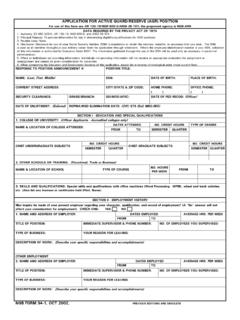
APPLICATION FOR ACTIVE GUARD/RESERVE (AGR) …
dmna.ny.govetc. (Also list any licenses or certificates held (Pilot, Nurse). APPLICATION FOR ACTIVE GUARD/RESERVE (AGR) POSITION TITLE OF POSITION: For use of this form see AR 135-18/NGR 600-5/ANGI 36-101; the proponent agency is NGB-ARH
Personnel Separations Physical Evaluation for …
dmna.ny.govArmy Regulation 635–40 Personnel Separations Physical Evaluation for Retention, Retirement, or Separation Headquarters Department of the Army Washington, DC
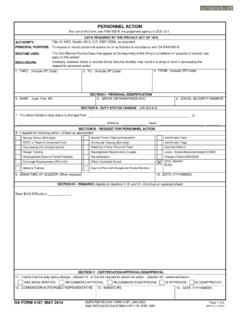
PERSONNEL ACTION
dmna.ny.govPERSONNEL ACTION. To request or record personnel actions for or by Soldiers in accordance with DA PAM 600-8. Identification Card. Identification Tags
Related documents

CFI - National Treasury
www.treasury.gov.zaCFI Start-Up Guide C. o-operatives are businesses . owned and run by and for their members. Whether the members are the customers, ... co-operation. Successful co-operatives around . the world are allowing people to work together to create sustainable enterprises that generate jobs

DAIKIN ROOM AIR CONDITIONER OPERATION MANUAL …
www.daikinac.com• Press this switch once to start operation. Press once again to stop it. • The operation mode refer to the following table. Mode Temperature setting Airfl ow rate AUTO 77°F (25°C) AUTO • This switch is useful when the remote controller is missing. HOME LEAVE lamp (red) Page 18 • Lights up when you use HOME LEAVE operation.
Controls, Start-Up, Operation, Service and Troubleshooting
siglercommercial.comApr 30, 2013 · This publication contains Controls, Operation, Start-Up, Service and Troubleshooting information for the 30XA080-500 air-cooled liquid chillers with electronic controls. The 30XA chillers are equipped with ComfortLink™ controls and electronic expansion valves. The AquaForce® 30XA chillers offer two different user interface devices, the Touch ...

Sequence of Operation - University of Cincinnati
www.uc.eduSEQUENCE OF OPERATION 15985 - 1 SECTION 15985 - SEQUENCE OF OPERATION ... Scheduled start time, controlled by the DDC controller, can be altered by controllers optimum start program calculation. 2. The result of the calculation is to compute the equipment start time so that the space ... then a warm-up cycle shall be initiated forcing the ...

Operation Fresh Start Safety Toolbox: Topics for Daily ...
www.dhs.wisconsin.govOPERATION FRESH START SAFETY TOOLBOX: TOPICS FOR DAILY SAFETY MEETINGS ... STOP and THINK before picking anything up – assess the object and its weight Use proper form when lifting and carrying – wide stance, bend at knees, tighten abs, head high, chin in

Market Gardening: A Start Up Guide ~ PDF
douglas.extension.wisc.eduA Start Up Guide By Janet Bachmann NCAT Agriculture Specialist Updated May 2009 Market gardening involves the intense production of high-value crops from just a few acres and gives farmers the potential to increase their income. Market gardening is also of interest to people consider-ing agriculture as an alternative lifestyle.

Convertible Note (Seed-Stage Start-Up)
assets.fenwick.comor consolidation, operation of law or otherwise. “Business Day” means a weekday on which banks are open for general banking business in San Francisco, California. Drafting Note to Business Day: Since most start-up seed financings are for companies that are doing

Wisconsin Motor Carrier Interstate Start-up Packet
wisconsindot.govAttached to this letter is a start-up checklist packet with information, forms and links to web pages to help you set up your motor carrier operation to comply with federal and state regulations. This packet includes: • International Registration Plan (IRP) – vehicle registration

NPC Start-Up Card - NPTpool.com
www.nptpool.combe placed in operation for a minimum of 28 days after the start-up. Failure to follow the manufacturer's and/or applicator instructions and to control the LSI may cause deleterious effects, which are not the result of improper workmanship or a manufacturer's defect.
Controls, Start-Up, Operation, Service and Troubleshooting
www.shareddocs.comThis publication contains Controls, Operation, Start-Up, Service and Troubleshooting information for the 30RB060-390 air-cooled liquid chillers with electronic controls. The 30RB chillers are equipped with ComfortLink controls and electronic expansion valves. NOTE: Unit sizes 315-390 are modular units that are shipped