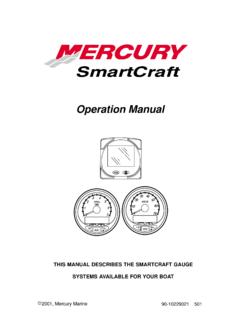
Operation Manual
Push button to save. MONITOR 1.01-1.02 1-7 MONITOR – VERSION 1.01-1.02 Warning System When a problem is detected with the engine, the warning display screens will alert the operator to the potential problem. Refer to the Engine Operation, Maintenance Manual …
Download Operation Manual

Information
Domain:
Source:
Link to this page:
Documents from same domain
ARMY FOOD MANAGEMENT INFORMATION …
dmna.ny.govInput Vendors . Input Food Service Personnel Information (Dinning Facility Cash Data Maintenance)
New York Division of Military and Naval Affairs …
dmna.ny.govDMNA Regulation Number 672-1 Decorations, Awards, and Honors State Military Awards Division of Military and Naval Affairs 330 Old Niskayuna Road
Military Police Serious Incident Report
dmna.ny.govContents—Continued Incidents not reportable by serious incident report † 2–5, page 19 Chapter 3 Reporting Procedures, page 19 Special handling of reports † 3–1, page 19
Army National Guard and Army Reserve The Active …
dmna.ny.govArmy Regulation 135–18 Army National Guard and Army Reserve The Active Guard Reserve (AGR) Program Headquarters Department of the Army Washington, DC
THIS MESSAGE HAS BEEN TRANSMITTED BY …
dmna.ny.govalaract 014/2014 dtg: r 152003z jan 14 this message has been transmitted by usaita on behalf of//dape-mso// subject: special duty assignment pay (sdap)
DEPARTMENT OF THE AIR FORCE - New York …
dmna.ny.govdepartment of the air force headquarters united states air force washington, dc afi36-3003_ afgm8 13 february 2014 memorandum for distribution c
New York ANG AGR Application Instructions
dmna.ny.govNew York ANG AGR Application Instructions ELIGIBILITY CRITERIA: Applications will be accepted from individuals who meet the prerequisites of ANG 36-101, AFI 48-123 and AFI 36-2905, as outlined in the announcement.
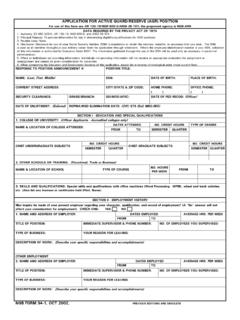
APPLICATION FOR ACTIVE GUARD/RESERVE (AGR) …
dmna.ny.govetc. (Also list any licenses or certificates held (Pilot, Nurse). APPLICATION FOR ACTIVE GUARD/RESERVE (AGR) POSITION TITLE OF POSITION: For use of this form see AR 135-18/NGR 600-5/ANGI 36-101; the proponent agency is NGB-ARH
Personnel Separations Physical Evaluation for …
dmna.ny.govArmy Regulation 635–40 Personnel Separations Physical Evaluation for Retention, Retirement, or Separation Headquarters Department of the Army Washington, DC
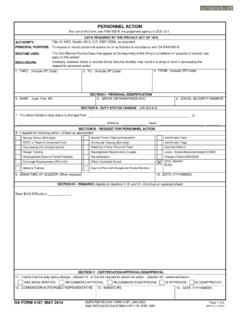
PERSONNEL ACTION
dmna.ny.govPERSONNEL ACTION. To request or record personnel actions for or by Soldiers in accordance with DA PAM 600-8. Identification Card. Identification Tags
Related documents
Cisco UCS 6300 Series Fabric Interconnect Spec Sheet
www.cisco.comWhen you push the button the fourth time, 40 Gbps mode is back in effect (as in the first bullet in this list). If a 40 Gbps is not in breakout mode, if the link up, the LED on an individual QSFP+ port is green when all the lane LEDs are off and It is extinguished when you push the lane button to lane 1, 2, 3, or 4.
Hazardous Location Push Button Specifications Technical Data
literature.rockwellautomation.comIlluminated Push Buttons and Push-to-test Pilot Lights 5.6 lb max 2-position Push-Pull 9 lb max push or pull 3-position Push-Pull 12 lb max push to in position or pull to center position (15 lb max pull to out position) Contact Blocks 800T-XA 1 lb Logic Reed 1 lb max Sealed Switch 3 lb max at 0.205 in. plunger travel Stackable Sealed Switch 1 ...
Yale Real Living™ Touchscreen Deadbolt Installation and ...
us.yalehome.comThe reset button (see image at right) is located above the PCB cable connector. 3. Hold down the reset button for a minimum of 3 seconds and then reinstall the batteries; once the batteries are properly installed, release the reset button. 4. Reassemble the lock by …

Alienware 610M Wired/Wireless Gaming Mouse
downloads.dell.comPush the scroll wheel adjustment switch up, to set the number of steps to 12 or down to set the number of steps to 24. Setting up your gaming mouse Connecting the mouse NOTE: The mouse supports both wired mode and wireless mode. 1. Turn the mouse over.
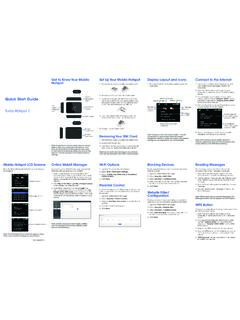
Quick Start Guide button
www.att.comQuick Start Guide button Turbo Hotspot 2 DOC20200701 LCD home screen WPS button Battery back cover Factory reset hole USB Type C Charging Port Note: To perform a factory reset, insert a narrow object, such as a paperclip, into factory reset hole (on the bottom of the device), then push in and hold for 6 seconds. When you turn on the
Microsoft Word for Beginners
media.news.health.ufl.eduMay 21, 2018 · document. (The Esc key will push this button.) Undo, Redo and Repeat Word keeps track of most tasks you perform until you exit. Tasks such as formatting and deleting, can be undone. From the Quick Access Toolbar click the button (), or use the shortcut key Ctrl‐Z.
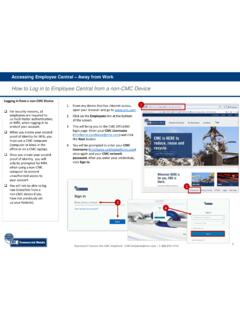
Log in to Employee Central from Non-CMC Device
cmcproduction.blob.core.windows.net• Push notification to the Okta Verify app on a mobile device • Push notification to the Google Authenticator app on a mobile device • Security Question 6. Enter your authentication code (example), click OK on the phone app, or answer your security question, and click Verify. 7. You may see this screen if you have more than one Microsoft ...

The Time-saving Product Line – Quick Selection, Superior ...
literature.rockwellautomation.comPush Button, Non-Illuminated, Momentary, Flush and Extended Pilot Light, LED Emergency-Stop/Stop, Non-Illuminated, 2 Position, Push-Pull/Twist-to-Release Color 24V AC/DC 120V AC 240V AC 800FD-P0N3 800FD-P0N5 800FD-P0N7 800FD-P3N3 800FD-P3N5 800FD-P3N7 800FD-P4N3 800FD-P4N5 800FD-P4N7
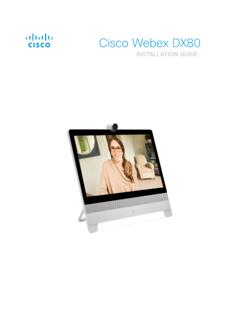
Cisco Webex DX80 Installation Guide
www.cisco.com1. Push the power button to start up the DX80. The power button’s LED lights up when the device starts up. 2. Follow the on-screen instructions to set up the system. Connect to Computer. Connect your computer to the DX80 to use it as an external …