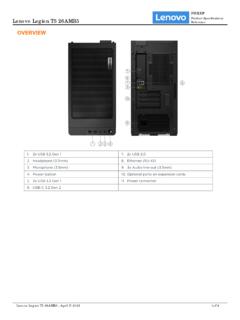
OVERVIEW - Lenovo
Keyboard • Lenovo Calliope Keyboard (USB connector), black • No keyboard Mouse • Lenovo Calliope Mouse (USB connector), black • No mouse Mechanical Form Factor Tower (26L) Dimensions (WxDxH) Models Dimensions All models 205 x 396 x 411 mm (8.1 x 15.6 x 16.2 inches) Weight Models Weight All models 14 kg (30.86 lbs) Case Color Raven black ...
Download OVERVIEW - Lenovo

Information
Domain:
Source:
Link to this page:
Documents from same domain
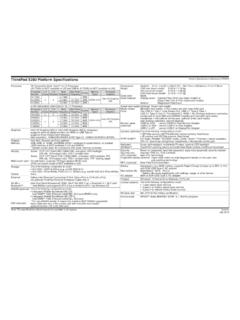
ThinkPad X280 Platform Specifications Product ...
psref.lenovo.comThinkPad X280 Platform Specifications Product Specifications Reference (PSREF) Note: The specifications above may not be available in all regions. Lenovo July 2018. Created Date:
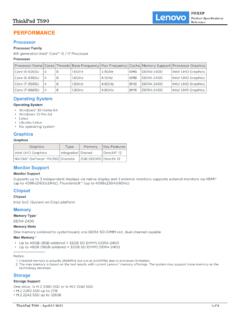
PERFORMANCE - Lenovo
psref.lenovo.comThe max memory is based on the test results with current Lenovo® memory offerings. The system may support more memory as the technology develops. 2. Storage Storage Support One drive, 1x M.2 2280 SSD or 1x M.2 2242 SSD • M.2 2280 SSD up to 2TB • M.2 2242 SSD up to 128GB ThinkPad T590 PSREF Product Specifications Reference
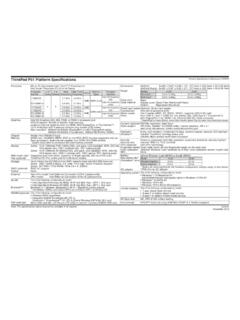
ThinkPad P51 Platform Specifications - Lenovo
psref.lenovo.comXeon processor), dual-channel capable, four DDR4 SO-DIMM sockets * System clocks down for processors with lower memory controller Display Multi-touch (opt) Pen (optional) Some: 15.6" (396mm) FHD (1920x1080), anti-glare, LED backlight, WVA, 250 nits, 16:9 aspect ratio, 700:1 contrast ratio, 160° viewing angle
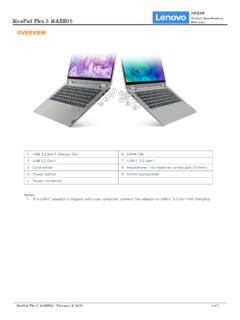
OVERVIEW - Lenovo
psref.lenovo.comIdeaPad Flex 5 14ARE05 PSREF Product Specifications Reference IdeaPad Flex 5 14ARE05 - October 14 2021 2 of 7 • One M.2 2280 PCIe Gen 3x4 slot, supports M.2 2280 SSD ... Plastic models 321.5 x 217.5 x 17.9-20.9 mm (12.65 x 8.56 x 0.70-0.82 inches) Weight[1] Models Weight All models 1.5 kg (3.3 lbs) Case Color** • Graphite grey • Light teal
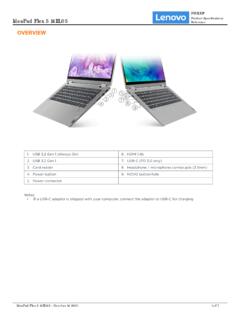
OVERVIEW - Lenovo
psref.lenovo.comIdeaPad Flex 5 14IIL05 PSREF Product Specifications Reference IdeaPad Flex 5 14IIL05 - October 14 2021 1 of 7. PERFORMANCE Processor ... Metallic painting models 321.5 x 217.5 x 17.9-20.9 mm (12.65 x 8.56 x 0.70-0.82 inches) Weight[1] Models Weight All models 1.5 kg (3.3 lbs) Case Color** • Graphite grey • Light teal
ThinkCentre M70q - Lenovo
psref.lenovo.compeople who work, innovate, and excel in a variety of industries and settings. It’s one of the reasons we pioneered the first 1L Tiny desktop and space-saving Tiny-in-One (TIO) years ago. And it’s why we continue to design even more powerful devices that blend seamlessly into today’s shifting and shrinking workspaces.
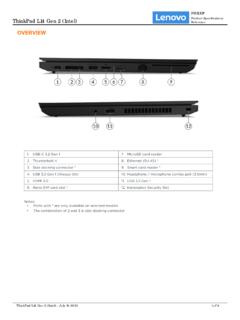
OVERVIEW - Lenovo
psref.lenovo.com• One M.2 2280 PCIe Gen 3x4 slot, supports M.2 2242/2280 SSD • Storage Type Disk Type Interface RPM Security 2.5" SATA HDD SATA 6Gb/s 5.4K APS (Active Protection System™) 2.5" SATA HDD SATA 6Gb/s 7.2K APS (Active Protection System) M.2 2242 SSD PCIe NVMe®, PCIe 3.0 x4 - - M.2 2280 SSD PCIe NVMe, PCIe 3.0 x4 - -
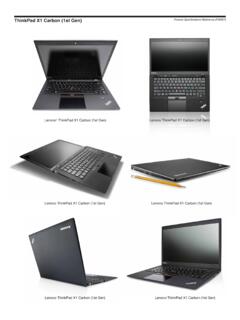
ThinkPad X1 Carbon (1st Gen) Product Specifications ...
psref.lenovo.comThinkPad X1 Carbon (1st Gen) 3444 (TopSeller) - Windows 8 3444-AVG i5-3427U 4GBx1 14.0" HD+ 720p 120G SSD Intel 6205S 28 None None Finger BT iAMT vPro Win8 Pro64 10/12 3444-6PG i5-3317U 4GBx1 14.0" HD+ 720p 120G SSD Intel 6205S None None Finger BT None None Win8 Pro64 10/12
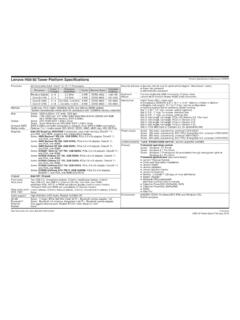
Lenovo H50-50 Tower Platform Specifications Product ...
psref.lenovo.comLenovo Companion McAfee LiveSafe™ (30 days of virus definitions) ... one VGA, one HDMI Chipset AMD SoC (System on Chip) platform Front ports Rear ports Rear audio ports IEEE 1394 Two USB 2.0, microphone (stereo, 3.5mm), headphone (stereo, 3.5mm)
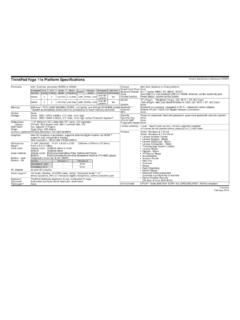
Yoga 11e specs - Lenovo
psref.lenovo.comGraphics Intel HD Graphics in processor, supports external digital monitor via HDMI™ supports dual independent display; Max resolution: 1920x1080 (HDMI)@60Hz Dimensions Weight Case color Case material Battery - type Battery - life AC adapter 11.6W" (WxDxH): 11.81" x 8.50" x 0.90" (300mm x 216mm x 22.9mm) From 3.5 lb (1.59kg)
Related documents

User Guide - h10032.www1.hp.com
h10032.www1.hp.com2 Using the on-screen keyboard 1. To open the on-screen keyboard, touch the text field at the top of the screen. Type one or more keywords, and then tap the magnifying glass icon . 2. To use voice search, touch the microphone icon at the top of the screen, and then speak one or more keywords. NOTE: The appearance of the keyboard may vary.

Inspiron 16 7610
dl.dell.comMove your finger on the touchpad to move the mouse pointer. Tap to left-click and two fingers tap to right-click. 2. Left-click area. Press to left-click. 3. Right-click area. Press to right-click. 4. Power button with optional fingerprint reader. Press to turn on the computer if it is turned off, in sleep state, or in hibernate state.

Dell Docking Station WD15 User Guide
downloads.dell.comConnecting the computer to the docking station allows you to access all peripherals (mouse, keyboard, stereo speakers, external hard drive, and large-screen displays) without having to plug each one into the computer. CAUTION: Update your computer’s BIOS and the Dell Docking Station WD15 drivers to the latest versions available at
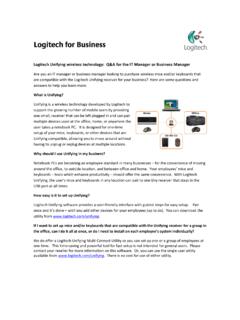
Logitech Unifying wireless technology: Q&A for the IT ...
www.logitech.commouse or keyboard communicates only with the receiver to which it is paired. In addition, Advanced 2.4 GHz helps guard against interference with other devices. Can I transfer receivers and their paired devices to another PC? Yes. Since the devices are paired to the receivers and not the notebook, just plug the receiver into the

PowerPoint 2010 - Tutorialspoint
www.tutorialspoint.comPowerPoint 2010 5 File Tab This tab opens the Backstage view which basically allows you to manage the file and settings in PowerPoint. You can save presentations, open existing ones and create new presentations based on blank or predefined templates.

Essential Access - University of York
www.york.ac.ukDelete a field: select the field and press Delete (keyboard) Move a field: select the field and drag it to a new location on the grid Selecting fields Deleting and moving fields both require the field on the grid to be selected. To do this: 1 Position the mouse pointer at the top of the grid (it changes to a black arrow) 2 Click to select the ...