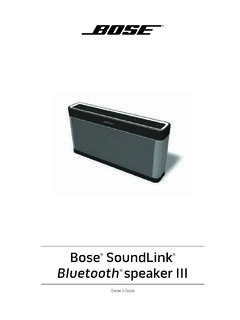
Owner’s Guide - Bose
Plug the power cord on the AC power supply into the DC connector on the back of the speaker. 3. Plug the AC power supply into a live AC (mains) outlet. The speaker emits a tone to confirm connection to AC power, and charging begins. On the front of the speaker, the battery status indicator blinks yellow to show the battery is charging.
Download Owner’s Guide - Bose

Information
Domain:
Source:
Link to this page:
Documents from same domain
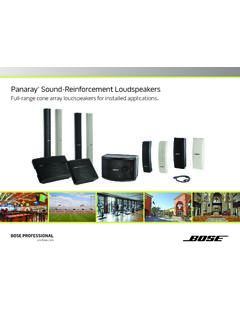
Panaray Sound-Reinforcement Loudspeakers
assets.bose.comPanaray ® Sound-Reinforcement Loudspeakers Full-range cone array loudspeakers for installed applications. 2 From the legendary Bose® 901 ® to the Professional 802 Bose first demonstrated the advantages of full-range cone driver arrays with the revolutionary 901 Direct/Reflecting® high-fidelity loudspeaker. Based on extensive …
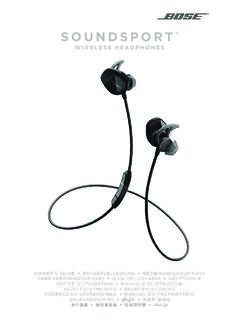
SOUNDSPORT - Bose Corporation
assets.bose.com• ®Unlock the full potential of your SoundSport wireless headphones • Free app compatible with most Apple and Android™ systems • Easily connect and switch between multiple Bluetooth® devices with a single swipe

St. John the Evangelist Church: A Sound Restoration
assets.bose.comA major restoration at St. John the Evangelist Catholic Church in Delphos, Ohio, created an unexpected reverberation problem that lasted for more than seven years.
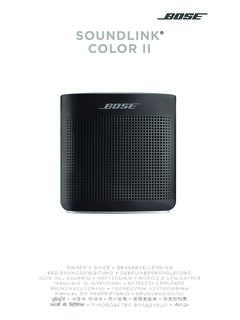
SOUNDLINK COLOR II - Bose Corporation
assets.bose.comBose Corporation hereby declares that this product is in compliance with the essential requirements and other relevant provisions of Directive 2014/53/EU and all other applicable EU directive requirements.

SOUNDLINK - Bose Corporation
assets.bose.comBose Corporation hereby declares that this product is in compliance with the essential requirements and other relevant provisions of Directive 2014/53/EU and all other applicable EU directive requirements.
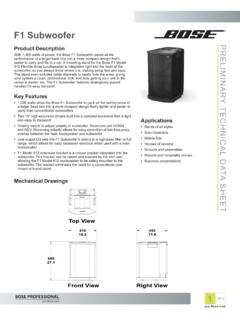
PRELIMINARY TECNICAL DATA SEET - Bose Corporation
assets.bose.com1 OF 3 PRELIMINARY TECNICAL DATA SEET proBosecom F1 Subwoofer Applications • Bands of all styles • Solo musicians • Mobile DJs • Houses of worship • Schools and universities • Resorts and hospitality venues • Business presentations Product Description With 1,000 watts of power, the Bose F1 Subwoofer packs all the

SoundSport Free Wireless - Bose
assets.bose.comWIRELESS. 2 - ENGLISH ITN SE INSINS Please read and keep all safety and use instructions. Important Safety Instructions ... • Do NOT submerge or expose the earbuds for extended period to water, or wear while participating in water sports, e.g., swimming, waterskiing, surfing, etc.

WAVE SOUNDTOUCH PEDESTAL - Bose
assets.bose.comSoundTouch pedestal: • Place the rear feet of the Wave music system into the recesses on top of the SoundTouch pedestal. • Make sure the Wave music system sits flat and the side edges of both parts are aligned. 3. Insert the SoundTouch pedestal’s cable into the Bose link connector. Connect the system to power

Gebruikershandleiding
assets.bose.comDUTCH - 3 WETT CHT UDCH ORMAT ... Apple, het Apple-logo, iPad, iPhone en iPod zijn handelsmerken van Apple Inc., gedeponeerd in de VS en andere landen. App Store is een servicemerk van Apple Inc. Het handelsmerk ‘iPhone’ …

Bose SoundLink
assets.bose.comConnect to AC power via the speaker You can connect to AC power by connecting the DC power cord directly into the speaker. 1. Follow steps 1 and 2 from “Connecting to AC power” on page 10. 2. Plug the DC power cord on the power supply into the DC connector on the Bose® SoundLink® Mini speaker. 3. Follow step 5 from “Connecting to AC ...
Related documents

SECTION 5—DIAGNOSTIC TROUBLE CODES (DTC)
uploads.tapatalk-cdn.comAC Enabled Cruise Enabled IMS A IMS B IMS C IMS P Number of Current Malfunctions ... D. Available Diagnostic Adapters Figures 5–2 and 5–3 show the J 47275 TCM Breakout Harness Adapter and J 47278 Transmission ... P0721 Output …

VIPer22A-E VIPer22ADIP-E, VIPer22AS-E - STMicroelectronics
www.st.comfor battery charger adapters, standby power supplies for TV or monitors, auxiliary supplies for ... AC IN DCOUT GND. Operations VIPer22A-E, VIPe r22ADIP-E, VIPer22AS-E ... input voltage to output voltage presence is dramatically decreased.

NCP1654 - Power Factor Controller for Compact and Robust ...
www.onsemi.com• AC Adapters • White Goods ... (OVP), and output undervoltage protection (UVP) to protect the system from damage at feedback abnormal situation. When VFB goes above 105% VREF, OVP is activated and the Drive Output is disabled. When VFB goes below 8% VREF, the device enters a low−consumption shutdown mode.

1734 POINT I/O™ - Rockwell Automation
literature.rockwellautomation.comOutput Module Status Network Status 1734 OW4 NODE: 1 3 0 2 5 7 4 6 1 3 0 2 120 VAC Input Module Status Network Status 1734 IA4 NODE: 1 3 0 2 ... AC OUTPUT RUNI /O RS232 OK FORCE BAT RUNR EM PROG Logix5562 ST ST DIAGNOSTIC O K ... Dual Port Adapters enable Linear topology on EtherNet/IP, saving the costs of a centralized switch and additional ...
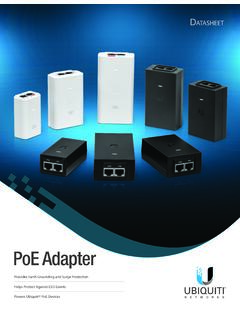
PoE Adapters Datasheet - Ubiquiti
dl.ubnt.comATASHEET Ubiquiti Networks offers Power over Ethernet (PoE) Adapters to power a variety of Ubiquiti products. The PoE Adapters are compatible with most Ubiquiti PoE devices*, including: • airFiber® • airMAX® • EdgeMAX® • ESD damage using a grounded Ubiquiti PoE Adapter, mFi® • UniFi® AP • UniFi Protect / airVision® • UniFi LED

Dell Thunderbolt Dock TB16 User Guide
downloads.dell.com2 Connect the AC adapter to a power outlet. Then, connect the AC adapter to the 7.4 mm DC-in power input on the Dell Thunderbolt Dock TB16. Figure 3. Connecting the AC Adapter 6 Quick Setup of Hardware 11

Cisco UCS Mini Blade Server Chassis Spec Sheet
www.cisco.comCisco UCS Mini Blade Server Chassis OVERVIEW 3. OVERVIEW. The UCS Mini chassis is a 6RU chassis that can accommodate up to 8 half-width blades, 4 full-width blades,

DS8178 DS8178-HC Series Accessory Guide
www.zebra.com• Level VI AC/DC Power Supply Wall Adapter, with Captive DC Cable and country specific adapter Clip. AC Input: 100-240V, 0.2A DC. Output: 5.2V, 1.1A, 5.7W •PWR-WUA5V4W0WW • Power Supply: 5VDC, 850mA, Level VI Compliant