
Polycom VVX 411 Full User Guide
DND—Select DND to toggle DND (Do Not Disturb) on or off. When DND is enabled, your phone won’t ring and incoming calls will go to voice mail. Settings—Select Settings to access phone features and settings to customize your phone. Lines View Lines view (shown next) is your phone’s default display.
Download Polycom VVX 411 Full User Guide

Information
Domain:
Source:
Link to this page:
Related documents
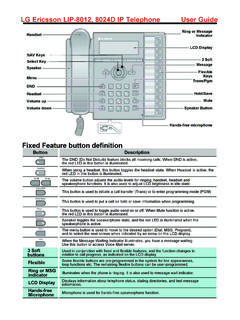
LG Ericsson User Guide 80128024 phones - CTS
www.cts.co.nzUsing Do-Not-Disturb (DND) to Block Incoming Calls To toggle DND ON and OFF: 1. Press the DND button. Forwarding calls to another Station or Voice Mail To activate Call Forward from your phone to another phone or internal system resource: 1. Lift the handset (or press Speaker ) 2. Press the Fwd Soft button, 3. Dial the type of forward code 1-5 4.

MiVoice 5320e IP Phone User Guide
www.una.eduDND - Indicates DND (Do not disturb) mode. • 5320e IP Phone – User Guide ...

Yealink T41P, T42G, T46G, T48G manual
www.rhmtelecom.com1.9. Do not Disturb (DND) The Do Not Disturb (DND) function rejects incoming calls automatically.(Incoming calls will be shows as "missed calls"). To activate the DND-mode on your telephone: - Push the DND soft key will enable the DND mode. Your telephone is in DND mode as soon as the display shows either or . If the DND mode is

Amazfit Bip U User Guide
amazfit-support.cdn.bcebos.comDND Tap the DND icon to configure Do-Not-Disturb settings. After DND is enabled, the watch does not vibrate when it receives incoming call alerts, SMS alerts, app alerts, email alerts, and nudge alerts. After you select Enable in smart mode, DND is automatically enabled when you fall asleep while wearing the watch.
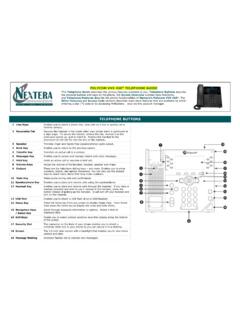
POLYCOM VVX 450 TELEPHONE GUIDE - Nextera
nextera.netDND. to toggle DND (Do Not Disturb) on or off. When DND is enabled, your phone won’t ring and incoming calls will go to voice mail. Select . Settings. to access phone features and settings to customize the phone. Lines Views . Lines View is the default display. Lines view displays phone lines, favorites, and soft keys.

Poly UC Software 6.4
support.polycom.comDisabling Notifications for Intercom Calls in DND Mode When the phone is set to Do Not Disturb (DND) mode, users can disable visual call notifications for incoming intercom calls. Use the call.shared.displayAlertWhenDnd parameter to configure this feature. 0 – Disable call notifications. 1 (default) – Enable call notifications.