
Printing Instructions - eMedNY
Printing Instructions It is important to use the following printing instructions so that the submitted form processes accurately. Select Print Button from upper left hand corner of screen. In the print box under Page Scaling, change the defaulted option from ‘Shrink to Printable Area’ to ‘None’ as shown: EMEDNY-401001 \(06/08\)
Download Printing Instructions - eMedNY

Information
Domain:
Source:
Link to this page:
Documents from same domain
New York State Medicaid Enrollment Form - …
www.emedny.orgEMEDNY-426401 (08/17) 1 New York State Medicaid . Enrollment Form . Thank you for your interest in enrolling with the New York State Medicaid Program.
NEW YORK STATE MEDICAID PROGRAM - …
www.emedny.orgnew york state medicaid program comprehensive medicaid case management (cmcm) billing guidelines
Frequently Asked Questions on Delayed Claim …
www.emedny.orgFrequently Asked Questions on Delayed Claim Submission . 1. Effective 5/4/2016, New York Codes, Rules and Regulations (NYCRR), Title 10, Sections 763.7 & 766.4 allow certified home health agencies

New York State 150003 Billing Guidelines - …
www.emedny.orge me d n y i n f o r ma t i o n durable medical equipment, medical supplies, orthopedic footwear, orthotic and prosthetic appliances version 2011 - 01 6/1/2011
INFORMATION FOR ALL PROVIDERS THIRD …
www.emedny.orgInformation for All Providers – Third Party Information Third Party Health Resources Insurance codes are used to identify Third Party …
NEW YORK STATE MEDICAID PROGRAM …
www.emedny.orgnew york state . medicaid program . rehabilitation services . procedure codes & fee schedule
Home Health Services Policy Guidelines - …
www.emedny.orgHome Health Manual Policy Guidelines Version 2012-1 May 1, 2012 Page 4 of 14 • A patient roster, or provision of patient rosters in sub- offices of the parent agency

INFORMATION FOR ALL PROVIDERS GENERAL …
www.emedny.orgInformation For All Providers, General Policy _____ Persons related to the Supplemental Security Program (i.e. aged, certified blind or disabled);
INFORMATION FOR ALL PROVIDERS INTRODUCTION
www.emedny.orgnew york state . medicaid program . information for all providers . introduction
FOD 7001 - Submitting Claims over 90 Days from ...
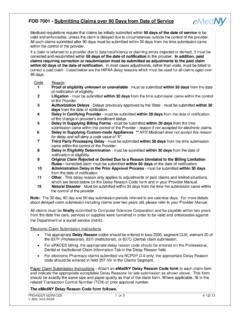
www.emedny.orgFOD 7001 - Submitting Claims over 90 Days from Date of Service PROVIDER SERVICES 1 OF 3 4/12/13 1-800-343-9000 Medicaid regulations require that claims be initially submitted within 90 days of the date of service to be valid and enforceable, unless the claim is delayed due to circumstances outside the control of the provider.
Related documents

User Guide - HP Home Page
h10032.www1.hp.comupper-right corner of the screen. Printing photos 1. Touch the All apps icon, and then touch the Gallery icon. 2. Touch the photo to select it, touch the Menu icon in the upper-right corner, and then touch Print. 3. The first time that you use the printing function, follow the on-screen instructions to select a printer. 4. Select the number of ...

Guide to In-Home Vision Testing - University of Arizona
eyes.arizona.eduIf you printed the test, make sure your printer menu is set to print the page “full size” or at “100% size” and try printing again. If that does not work, try adjusting the print size up or down using your printer menu. If you are using a computer screen, use the magnification adjustment tool provided by your software. Banner Eye Care
Epson Stylus NX420 Series
files.support.epson.com10. Follow the on-screen instructions to install the rest of your software. When installation is complete, remove the CD. To set up additional computers to print to the NX420 Series, see “Setting up Additional Computers” on page 14. Setting Up With the Printer Buttons 1. Follow the instructions on the screen to start the printer’s ...
Camera User Guide
gdlp01.c-wss.com• Shooting modes and on-screen icons and text are indicated in brackets. • : Important information you should know • : Notes and tips for expert camera use • =xx: Pages with related information (in this example, “xx” represents a page number) • The tabs shown above titles indicate whether the function is used for still

Self Service Instructions: W-2 Information
mn.gov• Continue with the next instructions. Printing a W-2 While Using Screen Reader Mode There are two methods for printing a W-2 in Self Service, a PDF version, or a webpage version. To print the PDF version of the W-2: • The . View PDF . check box must be selected and then selectthe [VIEW W-2] button for the

Samsung S8 / S8+ G950U / G955U User Manual - AT&T
www.att.com“Bixby” on page 29. Edge Screen The Edge screen provides a variety of useful tools for notifications, information feeds, and timekeeping. For more information see “Edge Screen” on page 44. Flexible Security Use your face, fingerprint, or iris to unlock your device. Face Recognition Configure facial recognition security to add an extra

User Guide - Verizon Wireless
www.verizonwireless.comdetects how close an object is to the surface of the screen. This is typically used to detect when your face is pressed up against the screen, such as during a phone call. Touchscreen displays all the information needed to operate your phone. Use finger gestures to navigate and interact with items on the screen. In Underwater mode, the