
PROGRAMMING AND INSTALLATION GUIDE
DualCom Programming and Installation Guide Digital Monitoring Products 3 Backlit Logo The backlit logo indicates the power and armed status of the communicator.
Download PROGRAMMING AND INSTALLATION GUIDE

Information
Domain:
Source:
Link to this page:
Documents from same domain
PROGRAMMING GUIDE - DMP
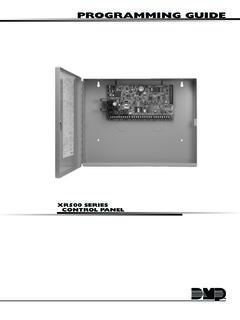
buy.dmp.comMODEL XR500 SERIES CONTROL PANEL PROGRAMMING GUIDE Contains programming Instructions for use with the Model XR500, XR500N, XR500E Series Control Panels
PROGRAMMING GUIDE - DMP
buy.dmp.comAs you go through the programming, the keypad display shows any current programming already stored in the panel memory. If no change is required for an …
PROGRAMMING GUIDE - DMP
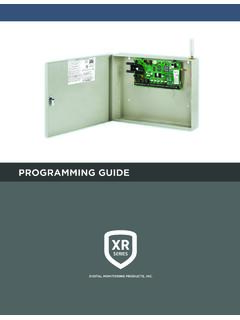
buy.dmp.comXR150/XR550 Series Programming Guide Digital Monitoring Products 1 INTRODUCTION XR PROGRAMMING INFORMATION This guide provides programming information for the DMP XR150/XR550 Series panel. Before starting to program, we recommend that you read through the contents of this guide.
XR150 Control Panel - DMP.com
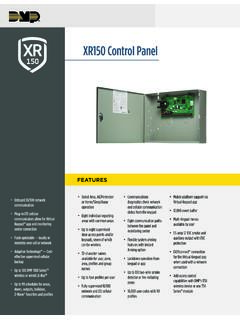
buy.dmp.comOne Built-In LX Bus (100 zones) SIMPLE ZONE EXPANSION WITH THE 1154/1158 WIRELESS INPUT MODULES When a DMP panel is installed in the same location as a non-DMP panel, the ... advantage of access control capabilities in hard …

SYSTEM USER GUIDE
buy.dmp.comChime Press Chime to turn the chime feature on and off. If chime is on, the keypad will sound an alert and display a notification when external doors and windows (with sensors installed) are opened. Reset Press Reset to reset fire and panic sensors after they have triggered an alarm. Favorites Favorites displays a list of your Z-Wave favorites.

INSTALLATION GUIDE
buy.dmp.comoutputs provide ground connection for a positive voltage source. A Model 300 Output Harness is required to use these outputs. Enclosure Specifications The XR150/XR550 Series panels are shipped in an enclosure with a transformer, end-of-line resistors, battery leads, user’s guide, and programming sheets. Enclosure Model

Training Institute Troubleshooting Guide
buy.dmp.comThe first Diagnostic function displayed is: [TEST LX-BUS]. This Diagnostics function allows you to test the ability of the Interface Cards (Models 481, 462N, 462P, 462FM, and 472) to communicate with zone and output expanders connected to the LX-Bus™. TECH NOTE: The XR500 Command Processor™ series has one built-in LX-Bus™. An

XR550 Control Panel - DMP
buy.dmp.comNo to confirm alarm status and send it to the monitoring center. DMP WIRELESS DMP 1100 Series wireless communication employs 900 MHz frequency-hopping spread-spectrum to ensure clear and accurate signal transmissions without interference in practically any environment. Receivers are alerted of transmitters that go missing with two-way ...

SYSTEM USER GUIDE - DMP.com
buy.dmp.comSecureComTM Video SecureCom Video allows you to add wired or wireless cameras inside or outside the building. You can easily record clips or view live video feed at any time using the Virtual Keypad App or VirtualKeypad.com. Virtual Keypad App and VirtualKeypad.com The Virtual Keypad App and VirtualKeypad.com allow you to control and monitor

XT30 and XT50 Panels - DMP
buy.dmp.comfour-digit user codes with authority levels 100-event (XT30) or ... Four onboard and eight wireless outputs for annunciation and control applications Supports up to eight ... a customer may be preparing to cancel their monitoring contract. With this …
Related documents
ADEMCO VISTA SERIES - site.aesecurity.com
site.aesecurity.comADEMCO VISTA SERIES VISTA-20P / VISTA-20PSIA VISTA-15P / VISTA-15PSIA Security Systems Programming Guide K5305-1PRV5 10/04 Rev. A . TO ENTER PROGRAMMING MODE (using an alpha keypad connected to the control): A. POWER UP, then press [ ] and [#] at the same time, within 50 seconds of powering up (this method must be used if 98
RF Receiver INSTALLATION AND SETUP GUIDE
www.secalarm.comADEMCO 5881EN Series RF Receiver INSTALLATION AND SETUP GUIDE INTRODUCTION The 5881EN Series of RF receivers is designed for use with control panels that support an RF receiver connection via the keypad terminals. The receiver recognizes alarm, status, and keypad control messages from wireless transmitters operating at 345MHz.
ADEMCO VISTA SERIES - Arm Security Systems
www.armsecuritysystems.comVISTA-20P and VISTA-20PSIA (herein referred to as the VISTA-20P series) and ADEMCO VISTA-15P Series security systems. Differences are noted where applicable. System Basics Burglary Protection • Several modes of burglary protection: …
K0903V1 2/06 Rev. B ADEMCO 6160RF - Honeywell
www.honeywellmanual.comThe ADEMCO 6160RF keypad/transceiver is a combination unit that combines the functions of the following devices: 6160 Alphanumeric Addressable Keypad 5881H RF Receiver 5800TM Transmitter Module The 6160RF Keypad/Transceiver may be used on any control panel that supports 5800 Series wireless devices (e.g., VISTA-10P, VISTA-15P, VISTA-20P). FEATURES