PROGRAMMING GUIDE - DMP
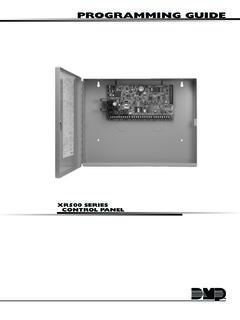
CONTROL PANEL PROGRAMMING GUIDE Contains programming Instructions for use with the Model XR500, XR500N, XR500E Series Control Panels XR500FC, XR500NFC Series Fire Control Panels When using the XR500 Series panel for any UL, NFPA, CSFM, or other listing organization’s approved methods, refer to this
Download PROGRAMMING GUIDE - DMP

Information
Domain:
Source:
Link to this page:
Documents from same domain
PROGRAMMING GUIDE - DMP
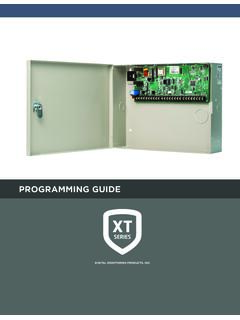
buy.dmp.comAs you go through the programming, the keypad display shows any current programming already stored in the panel memory. If no change is required for an …
PROGRAMMING GUIDE - DMP
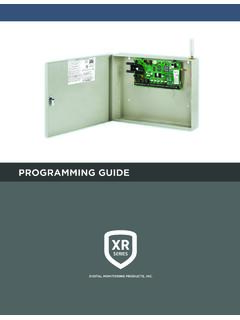
buy.dmp.comXR150/XR550 Series Programming Guide Digital Monitoring Products 1 INTRODUCTION XR PROGRAMMING INFORMATION This guide provides programming information for the DMP XR150/XR550 Series panel. Before starting to program, we recommend that you read through the contents of this guide.
XR150 Control Panel - DMP.com
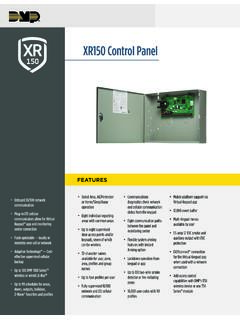
buy.dmp.comOne Built-In LX Bus (100 zones) SIMPLE ZONE EXPANSION WITH THE 1154/1158 WIRELESS INPUT MODULES When a DMP panel is installed in the same location as a non-DMP panel, the ... advantage of access control capabilities in hard …

SYSTEM USER GUIDE
buy.dmp.comChime Press Chime to turn the chime feature on and off. If chime is on, the keypad will sound an alert and display a notification when external doors and windows (with sensors installed) are opened. Reset Press Reset to reset fire and panic sensors after they have triggered an alarm. Favorites Favorites displays a list of your Z-Wave favorites.

INSTALLATION GUIDE
buy.dmp.comoutputs provide ground connection for a positive voltage source. A Model 300 Output Harness is required to use these outputs. Enclosure Specifications The XR150/XR550 Series panels are shipped in an enclosure with a transformer, end-of-line resistors, battery leads, user’s guide, and programming sheets. Enclosure Model

Training Institute Troubleshooting Guide
buy.dmp.comThe first Diagnostic function displayed is: [TEST LX-BUS]. This Diagnostics function allows you to test the ability of the Interface Cards (Models 481, 462N, 462P, 462FM, and 472) to communicate with zone and output expanders connected to the LX-Bus™. TECH NOTE: The XR500 Command Processor™ series has one built-in LX-Bus™. An

XR550 Control Panel - DMP
buy.dmp.comNo to confirm alarm status and send it to the monitoring center. DMP WIRELESS DMP 1100 Series wireless communication employs 900 MHz frequency-hopping spread-spectrum to ensure clear and accurate signal transmissions without interference in practically any environment. Receivers are alerted of transmitters that go missing with two-way ...
SYSTEM USER GUIDE - DMP.com
buy.dmp.comSecureComTM Video SecureCom Video allows you to add wired or wireless cameras inside or outside the building. You can easily record clips or view live video feed at any time using the Virtual Keypad App or VirtualKeypad.com. Virtual Keypad App and VirtualKeypad.com The Virtual Keypad App and VirtualKeypad.com allow you to control and monitor

XT30 and XT50 Panels - DMP
buy.dmp.comfour-digit user codes with authority levels 100-event (XT30) or ... Four onboard and eight wireless outputs for annunciation and control applications Supports up to eight ... a customer may be preparing to cancel their monitoring contract. With this …

PROGRAMMING AND INSTALLATION GUIDE
buy.dmp.comDualCom Programming and Installation Guide Digital Monitoring Products 3 Backlit Logo The backlit logo indicates the power and armed status of the communicator.
Related documents
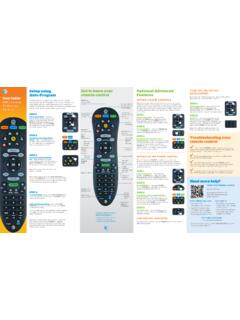
Get to know your Optional Advanced Auto-Program remote ...
www.att.comAudio device programming: Let go of the FASt ForWArD key when the device mutes. Press mute to unmute the device. Use the volume keys to verify that the remote control is controlling the volume. If it does not work properly, repeat this process. note: If TV programming is interrupted or inactive for more than 10 seconds, the PoWer key will flash

PROGRAMMING OF FINITE DIFFERENCE METHODS IN …
www.math.uci.eduPROGRAMMING OF FINITE DIFFERENCE METHODS IN MATLAB 5 to store the function. For the matrix-free implementation, the coordinate consistent system, i.e., ndgrid, is more intuitive since the stencil is realized by subscripts. Let us use a matrix u(1:m,1:n) to store the function. The following double loops will compute Aufor all interior nodes.

Assembly Language Programming - UTEP
www.ece.utep.eduprogramming directly. We will start from assembly language but use high-level C language to help understand it. Compiler often directly generates machine code. The assembly language stage is often skipped… Adapted from notes from BYU ECE124 12
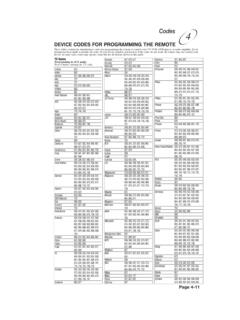
Remote Codes - Device codes for programming the ... - Bell
support.bell.caPage 4-11 Codes 4 TV Codes Programming in AUX mode: Press 0 before entering the TV code. A Mark 670 Action 662 Admiral 521, 605, 668, 669, 675 Aiko 727
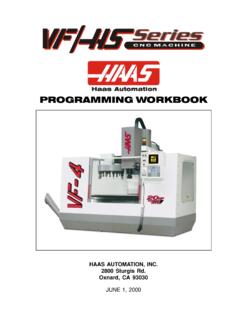
PROGRAMMING WORKBOOK - Penn State College of …
www.engr.psu.eduThis programming manual is meant as a supplementary teaching aid to users of the HAAS Mill. The information in this workbook may apply in whole or in part to the operation of other CNC machines. Its use is intended only as an aid in the operation of the HAAS Milling Machine. For a complete explanation and an in-depth descrip-

Learning Arduino with C Programming
c-stem.ucdavis.eduwould be such that the code from a Ch program can be copied and paste into the Arduino programming environment and function the same way, creating a smooth transition from ChIDE to the Arduino IDE. This gives students easy experience with different programming environments and the dynamic nature of programming and programming languages.

Programming and Troubleshooting Guide 1 Mastercode 2
kwiksetprodstorage.blob.core.windows.netIf programming is unsuccessful, the “X” pattern will flash three times with three beeps. Make sure the user code is not a duplicate and that it is between 4 and 8 digits during your next attempt. Make sure the lock has room for an additional code. If all user codes are filled, delete a code to make room for this one.

Omnibus Codes – Commercial Medical Policy
www.uhcprovider.com0417T Programming device evaluation (in person) with iterative adjustment of the implantable device to test the function of the device and select optimal permanent programmed values with analysis, including review and report, implantable cardiac