
Quick Install Guide - D-Link
Quick Install Guide If any of the above items are missing, please contact your reseller. • Make sure the area that you want to plug the extender into has a solid connection to your router. Use a wireless laptop, tablet, or mobile phone in that area to test the connection to verify. • If your wireless router or access point does not support WPS,
Download Quick Install Guide - D-Link

Information
Domain:
Source:
Link to this page:
Documents from same domain

Quick Install Guide - D-Link
support.dlink.comDAP-1325 N300 Wi-Fi Range Extender Wi-Fi Configuration Card Quick Install Guide If any of the above items are missing, please contact your reseller. • Make sure the area that you want to plug the extender into has a strong connection to your router. Use a wireless laptop, tablet, or mobile phone in that area to test the connection to verify.

DGS-1100 Series EasySmart Switch User Manual B1 v1
support.dlink.comPress the Reset button for 1to 5 seconds to reboot the Switch. Press the Reset button for 6to10 seconds to reset the Switch back to the default settings. The LED will light up solid amber for 2 seconds. When pressing the Reset button for longer than 10 seconds, the device will enter loader mode and the LED will light up solid green for 2 seconds.
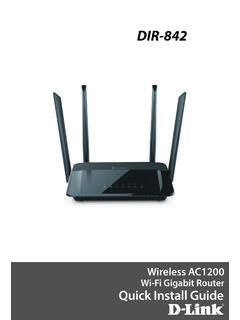
DIR-842 - D-Link
support.dlink.com2. Select the Wi-Fi Network name you assigned in the wizard and connect. Note: If you did not run the setup wizard or you reset the router to its default settings, refer to the Wi-Fi Configuration Card included for the default Wi-Fi Network Name and Wi-Fi Password. You can also connect wireless devices to the DIR-842 router using WPS: 1.

User Manual - D-Link
support.dlink.comH.264 Codec for Smooth, Space-Efficient Video This camera supports use of the H.264 video codec, which gives you high-quality video with reduced bandwidth requirements. This means that you can enjoy smoother, more reliable video streaming over the Internet, and less disk space is required to save recordings.
User Manual - D-Link
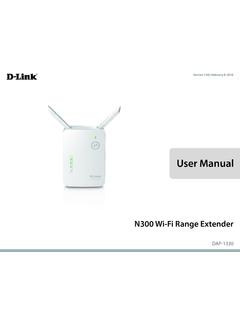
support.dlink.comMar 08, 2021 · The DAP-1330 N300 Wi-Fi Range Extender lets you easily extend a secure wireless network with a press of a button. Connect the DAP-1330 to a router via Wi-Fi or Ethernet and share your high-speed Internet access in more places throughout your home or small office. High-speed Wireless Performance With Wireless 802.11n Technology
User Manual - D-Link
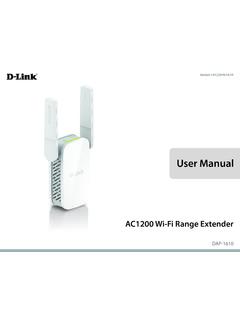
support.dlink.comDec 19, 2019 · D-Link DAP-1610 User Manual 2 Section 1 - Product Overview Network Requirements • A wireless router with an active Internet connection. • IEEE 802.11ac, 802.11n, 802.11g, 802.11b, or 802.11a

User Manual - D-Link
support.dlink.comSep 15, 2020 · D-Link DCS-8525LH User Manual 14 Section 3 - mydlink Camera Presets Save and quickly access up to 5 different camera views. The button is your Home Point. To set other viewpoints, tap the button, then tap the live view screen and use the arrows to set your view preset. Long press on the button to save a snapshot of that location.

User Manual - D-Link Technical Support
support.dlink.com1 Reset Button Press and hold the reset button on the side of DAP-1720 for 10 seconds to restore the factory default settings. 2 Power Switch Use the power switch to power off the DAP-1720 when it will not be in use for an extended period of time. The factory default is ON. 1 2

User Manual - D-Link
support.dlink.comD-Link DWA-131 User Manual 4 Section 1 - Product Overview Introduction The DWA-131 Wireless N Nano USB Adapter is a convenient wireless connectivity solution for desktop or notebook PCs. Instead of stringing Ethernet cables to your PC or dismantling your desktop computer case, the DWA-131 can enable 802.11n wireless
User Manual - D-Link
support.dlink.comThis device is an Energy Related Product (ErP) with High Network Availability (HiNA), and automatically switches to a power-saving Network Standby mode within 1 minute of no packets being transmitted. If it is not needed during certain periods of time, it can be unplugged to save energy. Network Standby: 3.54 watts
Related documents

Symbol LS4278 Quick Reference Guide, p/n 72-69835-01 Rev B
pdfs.metrolinedirect.comQuick Reference Guide 13 Radio Communications Host Types Scan a bar code below to choose how the scanner connects to a remote device. Scan Cradle Host if connecting to the Symbol STB4278 cradle. Pairing When the scanner is configured as an SPP or HID Master, a 'pairing bar code' must be created for the remote Bluetooth device to which the ...

Hi! Let’s get started. - Roku, Inc.
wwwimg.roku.comPower port – Connects your Roku player to a 120V AC power source with the included power adapter. Reset button – Resets your Roku player to its original factory settings when pressed and held for 10 seconds (a feature you’ll rarely, if ever, use). HDMI port – Connects your Roku player to an HDTV with an HDMI cable (not included). D
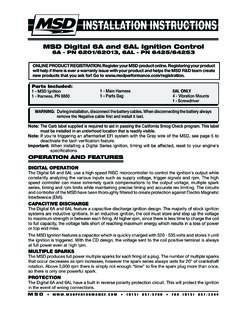
MSD Digital 6A and 6AL Ignition Control 6A - PN ... - Holley
documents.holley.comspeed controller can make extremely quick compensations to the output voltage, multiple spark series, timing and rpm limits while maintaining precise timing and accurate rev limiting. The circuits ... This wire connects to the coil negative (-) terminal. This is the ONLY

CS6080 Quick Start Guide - zebra.com
www.zebra.comQuick Start Guide 3 Introduction Introducing the CS6080 Companion Scanner, featuring a groundbreaking design that easily ... connects to the PC/host via Bluetooth and performs like there is a serial connection. Classic Bluetooth only. 16 CS6080 Scanner Cradle Bluetooth Classic

Zoom Quick Reference Guide - CustomGuide
www.customguide.comQuick Reference Guide The Zoom Meeting Screen Getting Started Download the Zoom app: Visit the Zoom website at zoom.us, click the Resources link at the top of the Zoom page, select Download Zoom Client, then click the Download button next to the version of the app you want. who is in the meeting and who is in
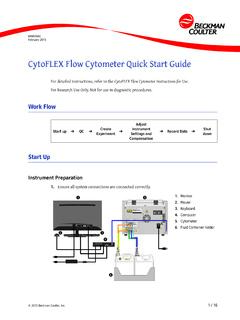
CytoFLEX Flow Cytometer Quick Start Guide
med.nyu.eduCytoFLEX Flow Cytometer Quick Start Guide Instrument QC 2. Log on to the computer and double-click to start CytExpert. a. Ensure that the Connected icon on the Status Bar near the bottom-left side of the display is green. b. If the icon is not green, ensure that the instrument USB is securely connected to the computer and restart the computer. 3.
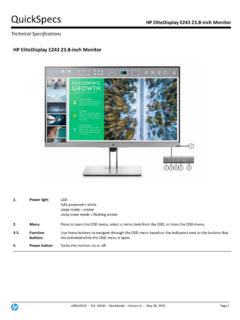
HP EliteDisplay E243 23.8-inch Monitor
www8.hp.comconnects through USB. HP HDMI Standard Cable Kit — T6F94AA Use the cable to connect your desktop to your standard HDMI devices and displays. HP Quick Release Bracket — EM870AA6 An easy-to-use, VESA-compliant, LCD monitor mounting solution that allows you to quickly and securely attach an LCD monitor to a variety of