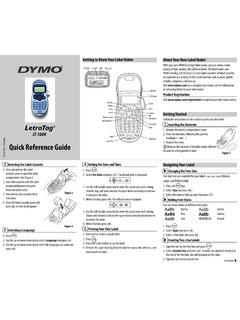
Quick Reference Guide - DYMO
1. Press the key. 2. Select Size and press . 3. Select the desired font size and then press . Adding Font Styles You can choose from six different font styles: Normal Outline Bold Shadow Italic Vertical 1. Press . 2. Select Style and press . 3. Select a font style and press . Creating Two-Line Labels 1. Type the text for the first line and ...
Download Quick Reference Guide - DYMO

Information
Domain:
Source:
Link to this page:
Documents from same domain
User Guide - DYMO
download.dymo.comAbout the LabelWriter Printer 2 Top cover Label spool Label release Label feed path and tear bar Label roll Label guide Reverse label button Form-feed button

LabelWriter 450 Turbo
download.dymo.comLabelWriter ® 450 Turbo High-Speed Label and Postage Printer For PC and MAC® LabelWriter ® 450 Turbo Features: Print faster – and print postage 1 2 3 4 5 Eliminate the hassle of printing sheet labels through a desktop printer

LabelWriter 450 TwinTurbo - DYMO
download.dymo.comLabelWriter ® 450 TwinTurbo Dual Roll Label and Postage Printer For PC and MAC® LabelWriter ® 450 Twin Turbo Features: Double your label capacity and mailing efficiency 1 2 3 4 5

LabelWriter 450 Series Printers Technical …
download.dymo.comLabelWriter®. 450 Series Printers. Technical Reference Manual . Includes LabelWriter 450, LabelWriter 450 Turbo, LabelWriter 450 …

DYMO Label v.8.5
download.dymo.comDYMO Label v.8.5.4 . Read Me — 30 September 2016 . This document contains important information that is not included in any other DYMO Label documentation.

DYMO Label v.8.6
download.dymo.comDYMO Label v.8.6.1 . Read Me — 9 February 2017 . This document contains important information that is not included in any other DYMO Label documentation.

Quick Start Guide - DYMO
download.dymo.com5 4. Loading Labels To load a label roll 1 Press the form-feed button o ject lab ls at protected the printer during shipment. 2 Op en th op cover andremov ny packing ...
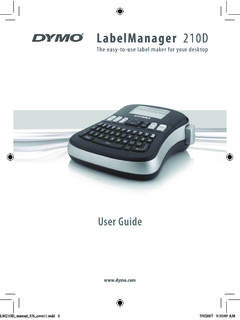
LM210D manual US cover1 - DYMO
download.dymo.com7 Using the Label Maker for the First Time The first time you turn on the power, you are asked to select the language. This selection will remain set until you change it, …

User Guide - DYMO
download.dymo.com4 Figure 1 RHINO 5200 Label Printer SHIFT SHIFT BKSP Feed Print/# of copies Escape Backspace Shift Size/CAPS Backlight Serialization Label exit …

LabelWriter 4XL Quick Start Guide - DYMO
download.dymo.com1 For complete information about your label printer, you can view the LabelWriter Printer User Guide from the DYMO Label v.8 Help menu or from the DYMO Web site at www.dymo…
Related documents
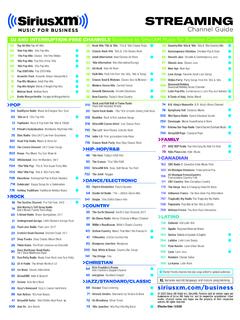
Channel Guide - Sirius XM
www.siriusxm.com714 Indie 1.0 First-generation Indie Rock 715 Classic Rock Party Non-Stop Classic Rock 718 04 05 702 301 302 3 46 The Heat Today’s R&B Hits 722 The Joint Reggae 330 SiriusXM Silk Sexy, Soft Music You Feel The Groove 50 ’70s/’80s R&B 52 Diplo’s Revolution Future Sounds 54 Studio 54 Radio ’70s – 2000s Dance Hits 341 Utopia ’90s ...

XM-L Color LEDs - Cree LED
cree-led.comCree LED / 4400 Silicon Drive / Durham, NC 27703 USA / +1.919.313.5330 / www.cree-led.com 2012-2021 Cree LED. The inormation in this document is subect to change without notice. Cree® and the Cree logo are registered trademars, and the Cree LED logo is a trademar, o Cree, Inc. XLamp ® and XM-L are registered trademars o Cree LED. UL and the ...

Voltage Regulator - Adjustable Output, Positive 500 A
www.onsemi.com1 Publication Order Number: LM317M/D LM317M, NCV317MA, NCV317M Voltage Regulator - Adjustable Output, Positive 500 mA The LM317M is an adjustable three−terminal positive voltage regulator capable of supplying in excess of 500 mA over an output voltage range of 1.2 V to 37 V. This voltage regulator is exceptionally

Variations d’une fonction : exercices - Xm1 Math
xm1math.netExercice 1 : Soit f la fonction définie sur R par f(x)=x2 +6x+5. 1) Etudier les variations de f sur R. 2) Déterminer les coordonnées des points d’intersection entre la courbe représentative de f et la droite D d’équation y = 1 2 x 2. Exercice 2 : Etudier les variations sur R de la fonction f définie par f(x)=3x 4x3. Exercice 3 :