
Quick Reference Guide - Nuance Communications
This Guide shows screen pictures made with Windows® 7 unless other- wise stated. The appearance may vary under other Operating Systems.
Download Quick Reference Guide - Nuance Communications

Information
Domain:
Source:
Link to this page:
Documents from same domain

Dragon Installation and User Guide - Nuance …
supportcontent.nuance.comDictatingE-mailandCalendarcommands 124 CommandsforMicrosoftOutlookExpress,WindowsMail,andWindowsLiveMail 127 MicrosoftOutlook 129 WorkingwithMicrosoftOutlook 129

User’s Guide - Nuance Communications
supportcontent.nuance.comOmniPage 17 User’s Guide 3 C ONTENTS WELCOME 5 New features in OmniPage 17 7 INSTALLATION AND SETUP 11 System requirements 11 Installing OmniPage 12 Setting up your scanner with OmniPage 14

Dragon speech recognition Command cheat sheet …
supportcontent.nuance.comDragon speech recognition Nuance Dragon NaturallySpeaking 13 Command cheat sheet Control the microphone Go to sleep | Stop listening Wake up Microphone off

Quick Reference Guide - Nuance Communications
supportcontent.nuance.com5 edition, you can access different document management systems through the application: use them to store or archive your PDF documents. Export PDF Files
Quick Reference Guide - Nuance Communications
supportcontent.nuance.com2 This Guide shows screen pictures made with Windows® 7 unless other- wise stated. The appearance may vary under other Operating Systems.

3) THE DRAGON SIDEBAR CORRECTING ERRORS
supportcontent.nuance.comDRAGON 12 Quick Reference Card CONNECT YOUR MICROPHONE – important notes: • When you plug your microphone into your PC, an “audio event” window may open. If this happens, verify what is highlighted in that window before closing it.
Nuance Power PDF Release Notes
supportcontent.nuance.comPower PDF Advanced does not enable any connectors automatically. If you want connections to Dropbox and Evernote and any supported Document Management

eCopyShareScan - Nuance Communications
supportcontent.nuance.comforthefirsttime,itopensadialogofferingtheinstallationofthelicenserepresentedbythatlicensekeyenteredintothe installerWizardscreen.IfyouclickOKonthisdialog,theapplicationtriestodownloadthelicensefromtheNuance
Dragon Version 12.5 Release Notes - Nuance …
supportcontent.nuance.comDragon V12.5 Release Notes 3 Installation guidelines Use the following table to determine how you should proceed:

Dictaphone PowerMic II - Nuance Communications
supportcontent.nuance.comDictaphone PowerMic II User Guide Congratulations on your purchase of a Dictaphone PowerMic II handheld microphone! This is a very high quality microphone which works extremely well with speech
Related documents
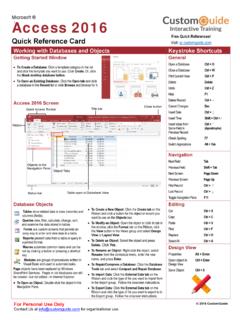
Access 2016 Quick Reference - CustomGuide
www.customguide.comWorking with Databases and Objects Keystroke Shortcuts Getting Started Window To Create a Database: Click a template category in the list and click the template you want to use. Click Create.Or, click the Blank desktop database button. To Open an Existing Database: Click the Open tab and click a database in the Recent list or click Browse …

Project 2013 Quick Reference - CustomGuide
www.customguide.comMicrosoft® Project 2013 Quick Reference Card Project 2013 Screen Common Views To Display a View: Select the View tab and choose from the Task Views available.

HINO Quick Reference Guide
www.hino.com2 HINO 2005-2010 Quick Reference Guide HINO Quick Reference Guide 2005-2010 Model Years The Quick Reference Guide is designed to help you quickly look up parts for commonly ordered parts.
Archived: LabVIEW Quick Reference Card - …
www.ni.comNote: The Ctrl key in these shortcuts corresponds to the Option or Command key on Mac OS and the Alt key on Linux. Tools and Palettes Ctrl Switches to the next most useful tool. Shift Switches to the Positioning tool. Ctrl-Shift over open space Switches to the Scrolling tool. Spacebar† Toggles between the two most common tools. Shift-Tab† …

Prevention and Treatment of Pressure Ulcers: …
www.npuap.orgQUICK REFERENCE GUIDE Treatment of Pressure Ulcers

Quick Reference Guide for healthcare professionals
www.sdcep.org.ukThis Quick Reference Guide is intended for use by staff in any healthcare setting who may have to manage patients with acute dental problems. Most patients with an acute dental problem will have
QUICK REFERENCE GUIDE FOR DOT PHYSICAL …
www.truckaccidentlaw.org1 QUICK REFERENCE GUIDE FOR DOT PHYSICAL EXAMINATIONS Prepared by James R. (Ron) Pace, PA-C March 2009 Reference ACOEM Commercial Driver Examiner Course Materials
Related search queries
Access 2016 Quick Reference, Working, Project 2013 Quick Reference, Quick Reference Guide, Archived: LabVIEW Quick Reference Card, Prevention and Treatment of Pressure, Quick Reference Guide for healthcare professionals, QUICK REFERENCE GUIDE FOR DOT PHYSICAL, QUICK REFERENCE GUIDE FOR DOT PHYSICAL EXAMINATIONS, Reference